Building an Email List From Zero (GDPR-Safe)
A restaurant email list is the only marketing channel you fully own: no algorithm decides who sees your message, and no platform can take your audience away. Building one from zero is straightforward — collect consent properly at the moments customers already interact with you, offer something worth signing up for, and send emails people actually want. This guide shows exactly how, without ever buying a list or bending GDPR.
Key takeaways
- Your email list is an asset you own; social followers are an audience you rent, and the rent goes up every time an algorithm changes.
- GDPR marketing consent is simple in practice: a clear, unticked, separate opt-in box, a short explanation of what people will receive, and a record of when and where each person signed up.
- Never buy a list. Bought addresses never consented, bounce hard, draw spam complaints, and can damage your domain's sender reputation for months.
- The best collection points are moments customers already trust you: the booking form, the bill, the table card, your WiFi login, and your website.
- A list of 300 engaged local diners beats 5,000 cold contacts. Start sending at subscriber one, not at subscriber one thousand.
- Double opt-in costs you a few subscribers and buys you a cleaner list, proof of consent, and better deliverability — turn it on.
Picture two restaurants on the same street. The first has 20,000 Instagram followers and reaches about 1,000 of them with a typical post. The second has 800 email addresses, collected one guest at a time, and reaches nearly all of them whenever it sends a message about a quiet Tuesday, a new menu, or a Christmas booking window. When February gets slow, guess which restaurant fills its tables.
The first restaurant rents its audience. The second owns it. That is the whole case for building an email list, and it is why this guide exists. Social media still matters for discovery — people find you there — but email is where you keep them. It is direct, it is cheap, it is measurable, and unlike a social feed, nobody stands between your message and the person who asked to receive it.
The catch, and the reason many restaurant owners never start, is the fear of getting the law wrong. GDPR sounds forbidding, and the fines sound worse. In practice, the rules for a restaurant list are not complicated: ask clearly, record the answer, let people leave easily, and never email strangers. This guide walks through each rule in plain language, then gives you seven concrete collection methods, the offers that actually convert, a simple tool setup, and a 90-day sending plan you can start this week. Nothing here is legal advice — for unusual cases, check with a local advisor — but for a normal restaurant building a normal list, these are the rules that keep you safe.
Why an owned list beats rented followers
Every marketing channel a restaurant uses falls into one of two buckets: channels you own and channels you rent. Your website is owned. Your email list is owned. Your social profiles, your delivery-app listings, and your review-site pages are rented — useful, often essential, but governed by someone else's rules, algorithms, and fees. Rented channels can change the terms overnight, and they regularly do: organic reach on major social platforms has fallen steadily for years, and delivery platforms keep your customers' details for themselves rather than sharing them with you.
An email list flips that dynamic. When a guest gives you their address, they give it to you, and you can reach them whenever you have something worth saying, at a cost of fractions of a cent per message. The list compounds: every service, every event, every season adds names. A regular who visited twice last year is one email away from a third visit — if you have a way to reach them. Without a list, that regular is simply gone.
The maths of a small list
Owners often delay list-building because their list feels too small to matter. That is backwards. Imagine 300 subscribers, a typical open rate of 35–45% for a small, genuinely interested restaurant list, and a click-to-booking rate that turns even 5% of opens into a visit. One email then produces roughly 5–7 bookings — on a quiet Tuesday, that can be the difference between a half-empty room and a full one. Scale the list to 1,000 and the same email produces 17–22 bookings. None of this requires a big list or a big budget. It requires a list at all, and a habit of using it.
The GDPR ground rules, in plain English
GDPR is the EU's data-protection law, and it applies to any restaurant in the EU — or serving EU guests — that collects personal data like email addresses. Alongside it, most EU countries have ePrivacy rules (and the UK has PECR) that specifically govern marketing emails. You do not need to master the legislation. You need to follow five practical rules, and this section states each one the way it applies at a restaurant counter.
1. Get clear consent — or fit the soft opt-in
For marketing emails, the default rule is consent: the person must actively agree to receive marketing from you. Consent must be freely given, specific, and unambiguous — which in practice means an unticked checkbox, separate from your booking terms, with a short line explaining what people will receive, such as "Occasional news, menus, and offers from our restaurant — about once a month." Pre-ticked boxes do not count. Silence does not count. A checkbox buried inside terms and conditions does not count.
There is one important exception, often called the soft opt-in. If you collected someone's address while they were booking a table or buying something from you, if you gave them a simple way to refuse marketing at the time, and if you only market your own similar services, you may email them marketing until they opt out. So a guest who booked online and was offered a clear "no marketing" option at checkout can lawfully receive your news — but a guest whose address you took only for a reservation confirmation, with no marketing mention at all, is a greyer case. When in doubt, ask for consent. It is always the safer route, and it produces a list that performs better anyway.
2. Say what you will send, and send only that
Consent is specific: someone who signed up for "news about our seasonal menus" did not agree to daily discount blasts or messages from partner businesses. Keep your signup promise short, honest, and consistent with what you actually send. If you later want to send something very different, ask again rather than assuming.
3. Keep a record of every consent
For each subscriber, record when they signed up, where they signed up (booking form, table card QR code, website form), and what wording they agreed to. Every reputable email tool stores this automatically for online signups; for paper or in-person signups, keep the form or a simple log. If anyone ever questions your right to email them, this record is your answer.
4. Make leaving effortless
Every marketing email must contain a working unsubscribe link, and opting out must be as easy as opting in — one click, no login, no "please email us to unsubscribe" obstacle course. Honour opt-outs immediately and across all your lists. A subscriber who cannot leave easily becomes a spam complaint, and spam complaints damage your ability to reach everyone else.
5. Tell people who you are
Every email should clearly identify your restaurant and include a postal address. Keep a short privacy notice on your website explaining what data you collect, why, and how people can ask for their data to be deleted — and honour deletion requests promptly. If you use an email tool, that tool is your data processor: choose one with EU data processing terms and a data processing agreement, which all major providers offer.
The one-paragraph version for your team
We only email people who said yes, or guests who bought from us and were offered a clear way to say no. We record every yes. Every email has a one-click unsubscribe. We never buy addresses, never share the list, and we delete anyone who asks us to. If a guest asks "why am I getting this?", the answer is always in our signup records.
What not to do: four list-building traps
Most GDPR trouble for restaurants comes not from malice but from shortcuts that look harmless. Four deserve explicit warnings, because each one is still widely suggested online.
Trap 1: Buying a list
Vendors sell "restaurant email databases" with hundreds of thousands of contacts and impressive deliverability claims. Do not buy them. The people on those lists never consented to hear from you, so emailing them breaks the consent rule on its face. Practically, bought lists also bounce hard, generate spam complaints, and can get your domain flagged by inbox providers — damage that takes months to repair and affects even your legitimate emails. The vendors' compliance claims do not transfer to you: you are the sender, and you are responsible.
Trap 2: Adding every booking email to the marketing list
A booking confirmation address is not a marketing consent. If your booking form never mentioned marketing, adding those guests to your newsletter is exactly the shortcut regulators object to. Fix it at the source instead: add a clear, optional marketing checkbox to the booking form (see method one below) and let guests choose. The guests who tick it are worth far more than a silent list twice the size.
Trap 3: Pre-ticked boxes and hidden consent
A box that is already ticked, a "join our list" line hidden in terms, or a form that requires an email for WiFi and then markets to that address without saying so — all of these fail the consent test. Consent must be a deliberate act by the subscriber. If your signup flow would embarrass you if a guest read it carefully, rewrite it.
Trap 4: Scraping addresses from review sites, social media, or the web
Just because an address is public does not mean you may market to it. Harvesting addresses from Google, Instagram, or review platforms and adding them to a mailing list is consent-free marketing to strangers, and it performs terribly as well: strangers who never asked to hear from you mark you as spam. The same logic covers "borrowing" a list from a neighbouring business or an event organiser. If they did not consent to hear from you, do not email them.
Seven ways to collect emails
You do not need seven methods on day one. Pick the three that fit your restaurant, get them running this week, and add the rest over the following month. Every method below follows the same pattern: a clear offer, a short form, an unticked marketing consent, and a record of the signup.
1. The booking form checkbox
Your highest-converting collection point, because the guest is already giving you their details and already trusts you. Add one optional, unticked box to your online booking form: "Send me occasional news and offers from [restaurant name] — about once a month. You can unsubscribe anytime." Also add the same question to phone bookings, with staff noting the answer. This single change, made once, quietly builds your list with every reservation. If you use a booking system that cannot add a custom checkbox, add the question to your booking confirmation page instead, or send it in the confirmation email as a one-click opt-in. Our guide to using booking data for marketing, GDPR-safe covers the details of what booking data you may and may not use.
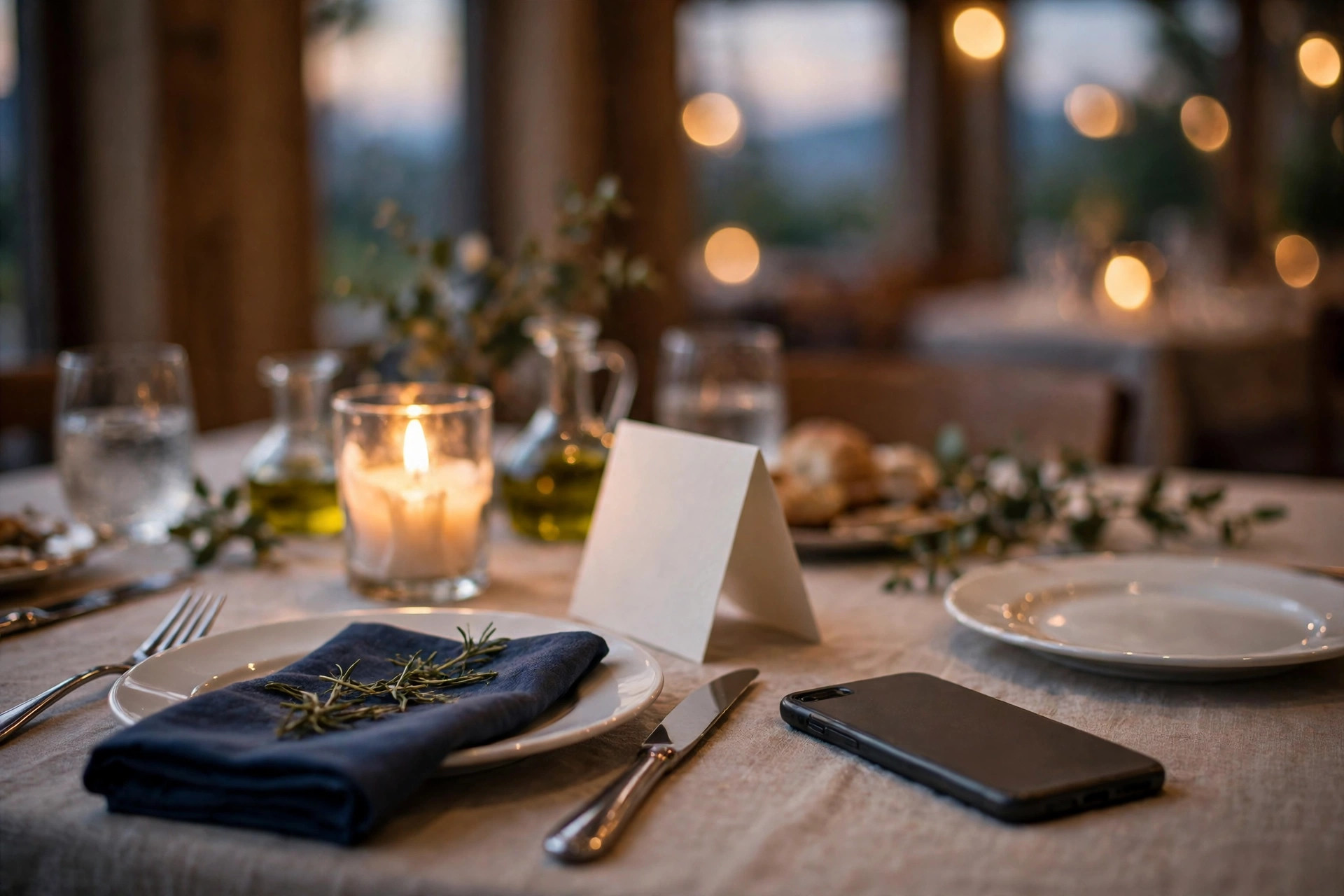
2. The table card QR code
A small card on the table — "Join our friends' list: a free dessert on your birthday and first news of new menus" — with a QR code linking to a short signup form. This works because the guest is already enjoying themselves, the offer is concrete, and the effort is ten seconds of phone time. Put the same QR code on the bill folder and on takeaway bags. Keep the form minimal: first name and email, plus an optional birthday field for the birthday offer. Every extra field costs you signups.
3. The website signup form
Someone browsing your menu online is already interested, even if they are not ready to book. Give them a reason to leave an address: a single email field near the top of your homepage or in the footer, with a clear promise — "First look at new menus and seasonal offers, about once a month." Pop-ups can work, but use them gently: a delayed or exit-intent pop-up converts better and annoys less than one that fires the instant the page loads. And make sure the signup form works on a phone, because that is where most of your visitors are. If your site makes this hard, that is a website problem worth fixing — a PowerfulWebsite restaurant site includes signup forms and booking as standard, with the build free and plans from €59 to €239 a month.
4. WiFi in exchange for an email
Guests expect free WiFi, and a captive-portal signup — email address in exchange for access — is a well-established trade. The rules still apply: the form must say clearly that the address will be used for marketing, with a separate unticked marketing opt-in rather than a condition of WiFi access. In practice, the cleanest version offers two paths: "Connect with email and join our list" or "Connect without joining" via a simple alternative, so consent stays genuinely voluntary. WiFi signups tend to be numerous but lower-intent than booking signups, so welcome them well (see the 90-day plan) and expect a slightly higher unsubscribe rate.
5. Events, gift vouchers, and private dining enquiries
Every enquiry is a signup opportunity: tasting nights, wine dinners, Christmas bookings, gift voucher purchases, and private-dining requests all involve guests who are already engaged. Add the same optional marketing checkbox to enquiry and voucher forms, and mention the list when you reply personally: "Would you like me to add you to our friends' list for first news of the next tasting night?" A personal ask converts remarkably well, because it comes from a human, not a form.
6. Social media, pointed at your own form
Your social following is rented, but it can feed your owned list. Run occasional posts and stories with a clear reason to join — a seasonal menu preview, an event announcement, a giveaway — linking to your own signup form, not to a platform-native lead form you cannot fully control. Giveaways deserve a caution: they attract entrants who want the prize, not your restaurant, so keep the prize restaurant-specific (a dinner for two, a tasting menu) and require the same clear marketing consent as any other signup. Our social media contests guide covers the rules and the prize ideas that attract real future guests rather than prize hunters.
7. In-person asks from your team
The simplest method is also the most overlooked: staff asking. "Would you like to join our friends' list? You'll get a birthday treat and first news of new menus — it takes ten seconds." Train the team on one sentence, give them a tablet or a QR card to hand over, and track signups per shift for the first month so the habit sticks. Guests say yes to people far more readily than to forms, and a signup gained face-to-face is a signup from someone who already likes being in your restaurant.
The offer that makes people sign up
"Join our newsletter" is not an offer. It is a chore described politely, and it converts accordingly. People sign up when the exchange is obvious and the reward is concrete. For restaurants, the offers that consistently work share three traits: they are specific, they are restaurant-shaped, and they cost you little.
- The birthday treat. A free dessert, a glass of sparkling wine, or a small appetiser on the guest's birthday. It costs little, it is personal, and it gives you a reason to email at exactly the right moment every year.
- First access. First look at the new seasonal menu, first chance to book Christmas dates, first invitation to a tasting night. Scarcity and insider status motivate signups without discounting your food.
- A welcome treat. A coffee, a side dish, or a small discount on the next visit. Keep it modest — a free dessert beats 20% off, because it feels like hospitality rather than a coupon.
- Useful content. For some concepts, a genuinely useful lead magnet works: a seasonal recipe collection, a wine-pairing guide for your menu, or a "where to eat in our neighbourhood" guide. Only offer this if you can make it well; a thin PDF nobody reads is worse than no offer at all.
Whatever you offer, deliver it immediately and automatically. A welcome email that arrives within minutes of signup, containing the promised treat and a warm note about what comes next, sets the tone for the whole relationship. A promised offer that never arrives teaches the subscriber that your emails are not worth opening — and they will act on that lesson.
One caution on discounting: if every email carries a discount, you train guests to wait for discounts. Use treats and access as your default offers, and save real discounts for genuinely slow periods or for winning back guests who have gone quiet.
Double opt-in: worth the extra step?
Double opt-in means the subscriber must click a confirmation link in an email before they are added to your list. GDPR does not explicitly require it, but it is the gold standard for a reason, and for a restaurant list it is worth turning on despite the small cost.
The cost is real: typically 20–40% of people who fill in a form never click the confirmation link, so your list grows more slowly. The benefits repay that cost several times over. First, double opt-in proves consent beyond doubt — the subscriber confirmed from their own inbox, which is the strongest evidence you can hold. Second, it keeps typos, fake addresses, and bots off your list, which protects your sender reputation and your deliverability. Third, it filters for genuine interest: a subscriber who bothered to confirm is a subscriber who will actually open your emails. Most email tools offer double opt-in as a single setting on the signup form, and the confirmation email itself is a chance to deliver the welcome offer and set expectations. Turn it on, and measure your list by engaged subscribers, not by raw signups.
Tools and setup: your first week
You do not need expensive software to start. Every major email tool offers a free tier that covers a new restaurant list — typically a few hundred subscribers and a few thousand sends a month — and all of them handle the GDPR mechanics (consent records, unsubscribe links, double opt-in) for you. What matters is not which tool you pick but that you set it up completely before your first send.
| Setup step | What to do | Why it matters |
|---|---|---|
| Choose a tool | Pick a reputable email platform with a free tier (MailerLite, Brevo, and Mailchimp all offer one — check current limits before choosing) | Free tiers cover a new list; you can migrate later without losing subscribers |
| Verify your sending domain | Add the tool's DNS records (SPF, DKIM) to your restaurant domain | Verified sending keeps your emails out of spam folders |
| Build the signup form | One form: first name, email, optional birthday; unticked marketing consent; double opt-in on | Every collection method in this guide points at this one form |
| Write the welcome email | Deliver the promised offer, say what subscribers will receive and how often, link to your menu and booking page | The welcome email is your most-opened message — make it count |
| Connect the collection points | Booking form checkbox, table-card QR code, website form, WiFi portal | Collection only works if every method is actually live |
| Import existing consents only | Bring over only addresses with a record of consent; leave the rest behind | Importing unconsented addresses poisons your new list from day one |
A note on sending from your own mailbox: do not send campaigns from a personal Gmail or Outlook account. Personal mailboxes have low daily sending limits, no unsubscribe handling, and no consent records. Use a proper email tool from the first send, even if your list has ten people.
What to send: the first 90 days
A list that never hears from you is not an asset; it is a decaying file. The first 90 days should establish a rhythm subscribers recognise and look forward to, built from automated messages that work without weekly effort plus a regular broadcast that keeps you present.
Automations to set up first
- Welcome email (immediately). Deliver the offer, introduce the restaurant in two or three sentences, and tell subscribers what to expect and how often. Include a menu link and a booking link.
- Second-touch email (day 7). A short note with one useful thing: the story behind a signature dish, a staff recommendation, or an invitation to an upcoming event. No hard sell.
- Birthday email (on the date, if collected). The promised treat, with a clear redemption window and a booking link. This is the highest-converting email most restaurants will ever send.
- Win-back email (after 90 days of no visit or no open). A warm, simple note — "We miss you — here's a coffee on us this week" — sent once, not repeatedly. If they do not respond, stop emailing them about visits and keep them only on major announcements, or remove them.
The regular broadcast
One email every one to two weeks is the right cadence for most restaurants. Each broadcast should carry one main message and one clear action: a new menu, a seasonal event, a quiet-week offer, a story worth telling. Write for a phone screen — short paragraphs, one strong photo, one button — because that is where most subscribers will read it. And plan seasonally: a monthly content calendar turns "what do we send this week?" from a weekly panic into a ten-minute task.
Segment from the start — lightly
You do not need complex segmentation on day one, but three simple groups will make every email more relevant: new subscribers (first 30 days, receiving the welcome sequence), regulars (visited or opened recently, who get event news and insider offers), and lapsed guests (no visit in 90+ days, who get only the win-back note and major announcements). A segmented email to 100 right people outperforms a generic email to 1,000 every time.
Keeping the list healthy
A list is a living thing: addresses go stale, people change jobs and inboxes, interests fade. Healthy-list habits are simple and worth building early, because deliverability — whether inbox providers trust your mail — depends on them.
- Clean quarterly. Remove hard bounces immediately (your tool does this automatically) and remove or re-permission subscribers who have not opened anything in six months. A smaller, engaged list delivers better than a large, dead one, because inbox providers watch engagement.
- Watch three numbers. Open rate (expect 30–45% for a small, interested restaurant list), click rate, and unsubscribe rate per send. If unsubscribes climb above roughly 0.5% per send, you are emailing too often or too irrelevantly — adjust before subscribers start marking you as spam, which is far more damaging than an unsubscribe.
- Never email a cold list. If you inherit a list, buy a business, or find an old spreadsheet of addresses, do not mail it. Send a single re-permission request only to addresses with a plausible consent history, and only once. Everything else stays out.
- Respect the quiet ones. Some subscribers never open but never unsubscribe. After a long silence, a single "still want to hear from us?" email is respectful and effective; continued silence after that is an answer — remove them.
- Keep records current. When a subscriber updates preferences or unsubscribes, make sure the change applies everywhere, including any lists held in your booking system or POS. A guest who unsubscribed and still receives mail has a legitimate complaint.
None of this is glamorous, and none of it takes more than an hour a quarter. But it is the difference between a list that fills tables for years and a list that slowly stops working.
Your first-week checklist
- Pick an email tool and verify your sending domain.
- Build one signup form: name, email, optional birthday, unticked consent, double opt-in on.
- Add the booking-form checkbox and print the table cards.
- Write and automate the welcome email with the promised offer inside.
- Put the signup form on your website homepage and footer.
- Brief your team on the one-sentence in-person ask.
- Send your first broadcast when you have something real to say — even to ten people.
Do those seven things and you have a list. Keep doing them for a year and you have an asset that no algorithm can take away — one that fills quiet Tuesdays, launches new menus to people who already care, and turns first-time guests into regulars without paying a platform for the privilege. If the website side needs work first — signup forms, booking, a menu that reads well on a phone — a PowerfulWebsite restaurant site is built free of charge, from €59 a month, with hosting, maintenance, and updates included.
Frequently asked questions
Can I email customers who booked a table at my restaurant?
You can email them about their booking — confirmations, reminders, and changes are service messages, not marketing. For marketing emails you need either their clear consent or the soft opt-in: if you collected their address during a booking or purchase, gave them a simple way to refuse marketing at the time, and you only promote your own similar services, you may email them until they opt out. When in doubt, ask for consent — it is always the safer route.
Do I need double opt-in under GDPR?
GDPR does not explicitly require double opt-in, but it is the strongest proof of consent you can have: the subscriber confirms via a link in an email, which proves the address belongs to them and that they really wanted to join. It also keeps bots, typos, and fake addresses off your list. Most email tools make it a one-click setting, and for a restaurant list it is worth turning on.
Can I buy an email list for my restaurant?
No — not if you want to stay GDPR-compliant and protect your sender reputation. People on a bought list never consented to hear from you, so marketing to them breaks the consent rule, and bought lists generate high bounce rates and spam complaints that can get your domain blocked by inbox providers. Build your own list from people who chose to hear from you; it grows slower and performs far better.
How often should a restaurant email its list?
For most restaurants, one email every one to two weeks is the sweet spot, plus automated messages triggered by behaviour — a welcome email at sign-up, a birthday offer, and a win-back note after a long absence. Daily emails drive unsubscribes; monthly emails let people forget who you are. Watch your unsubscribe rate: if it climbs above roughly 0.5% per send, you are emailing too often or too irrelevantly.
What must every restaurant marketing email contain?
Three things, every time: a clear way to unsubscribe that works in one click, your restaurant's identity and postal address so recipients know who is writing, and content that matches what the person signed up for. Keep a record of when and how each subscriber consented, and honour opt-outs immediately — a subscriber who cannot leave easily is a complaint waiting to happen.
How many subscribers do I need before email marketing is worth it?
Fewer than you think. A list of 300 local diners who genuinely like your food will fill more tables than 5,000 cold contacts who never open anything. Start sending as soon as you have your first subscribers — a welcome email to one person is still worth sending — and let the list grow through the collection methods in this guide rather than waiting for a round number.
Want a website that collects emails while you serve dinner?
PowerfulWebsite builds your restaurant website free of build cost — you only pay from €59 a month. Everything is included: domain, hosting, maintenance, and updates, with booking, menus, and signup forms on the plans that need them.
See the packages