QR Code Menu for Restaurants: Benefits, Costs, Setup
A QR code menu lets guests scan a code on the table and read your menu on their phones. Done right, it cuts your menu costs to nearly nothing, updates in minutes, and works in every language you serve. Done wrong — a tiny blurry code pointing at a PDF — it frustrates guests and costs you orders. This guide covers the benefits honestly, the real costs, and the exact setup steps.
Key takeaways
- A QR code is only as good as the page it opens — point it at a fast menu page on your own website, never at a PDF.
- QR codes themselves are free to generate; the realistic ongoing cost is €0–€30/month depending on whether you need analytics, branding or ordering features (estimates).
- Use dynamic QR codes so you can change the destination without reprinting the table tents.
- Print codes at 3–5 cm with a quiet margin, and test every code on both iPhone and Android before the full print run.
- The setup most restaurants land on is hybrid: QR as the default, a small stack of printed menus for anyone who asks.
- Check local accessibility rules before going QR-only — some jurisdictions require a printed alternative on request.
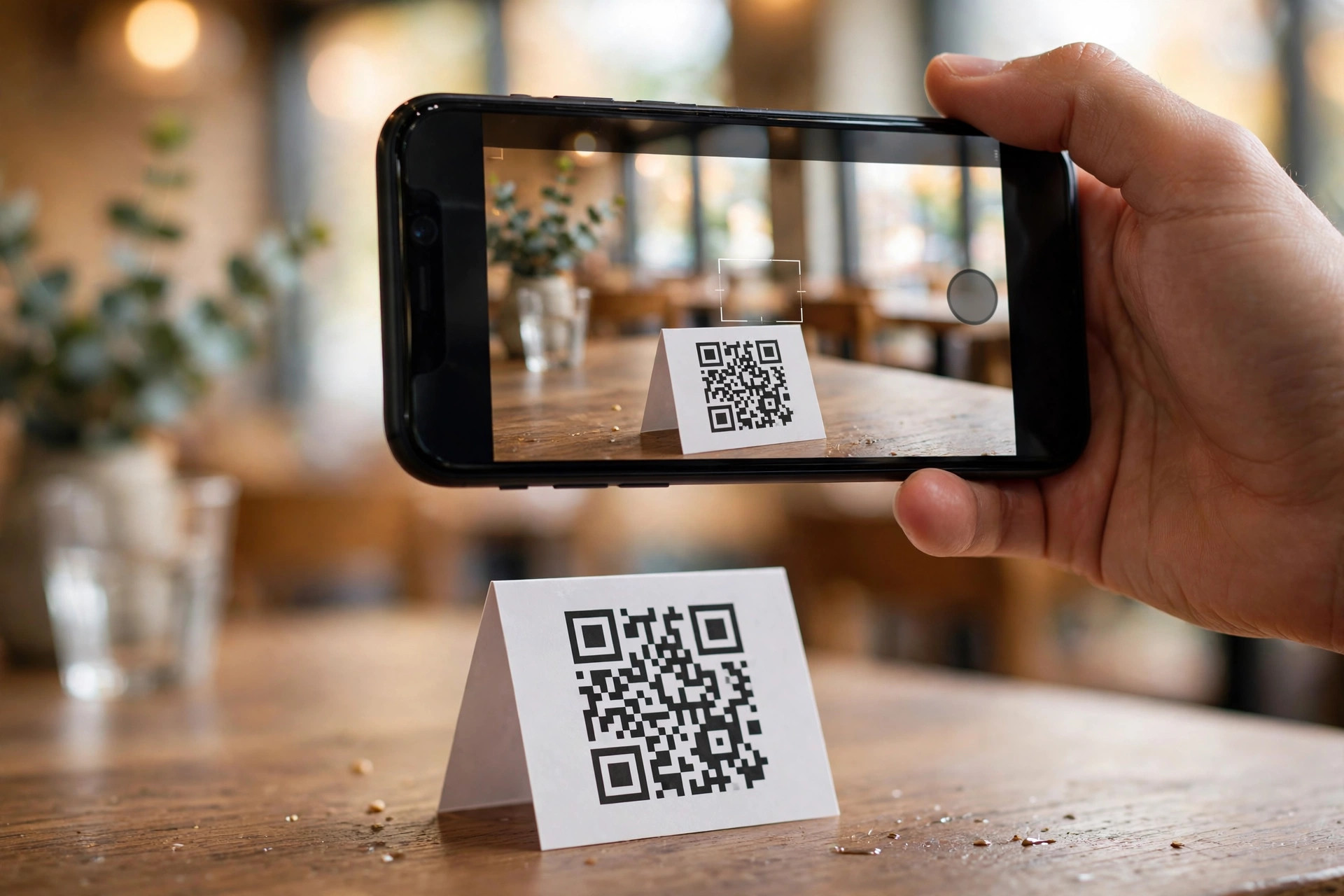
QR code menus went from emergency pandemic measure to permanent fixture in about eighteen months, and then something interesting happened: the restaurants that kept them got pickier. The first generation of QR menus was rough — codes taped to tables, pointing at PDFs, sized for ants. The second generation is deliberate: proper pages, well-printed codes, staff who know how to introduce them, and printed backups for the guests who want them. This guide is about the second generation. Whether you're setting up your first QR menu or fixing one that guests complain about, you'll find the benefits weighed honestly, the costs stated plainly, and a setup process that works the first time.
What exactly is a QR code menu?
A QR code menu is two things joined together: a square barcode printed on something physical — a tent card, a sticker, a poster, a receipt — and a menu that opens on the guest's phone when they scan it. The code itself is trivial; it's a link in a scannable shape. The menu behind it is everything.
The three things a QR code can open
First, and best: a menu page on your own website. Fast, readable, in your branding, with your allergen information and your languages. This is the setup this guide recommends, and it's the one our digital menu guide describes in full.
Second: a menu on a third-party platform. Services built specifically for QR menus give you a hosted page, a dashboard for editing, and sometimes ordering features. Quick to start, but the menu lives on rented land — you pay monthly and the search traffic goes to their domain.
Third, and worst: a PDF. Your print menu exported and uploaded somewhere. It scans fine and reads terribly. If your QR code opens a PDF, you don't have a QR menu — you have a paper menu with extra steps.
Static browse vs interactive ordering
QR menus come in two depths. The static menu lets guests browse — read dishes, check prices, see allergens. That's all most restaurants need, and it's the cheaper, simpler option. The interactive menu adds ordering and payment from the phone: guests build a cart, send it to the kitchen, and pay without flagging anyone down. Interactive QR ordering can raise average order values — guests browse without pressure and see upsell suggestions at the right moment — but it changes your service flow and adds complexity. Start with browsing. Add ordering only when the browsing menu is working flawlessly and you have a concrete reason.
The real benefits of QR code menus
Vendors will hand you a long list. Here's the honest shortlist — the benefits that hold up in real rooms.
Updates in minutes, not print runs
The headline benefit. A price change, a sold-out dish, a new seasonal special: edit once, live everywhere, instantly. No design files, no print quotes, no laminated cards aging on the tables. For restaurants that change menus often — lunch menus, seasonal kitchens, places with market-driven specials — this alone justifies the switch.
Near-zero marginal cost
Once the menu page exists, each additional guest costs you nothing. No reprints, no replacing worn or stained menus, no sanitising stacks between seatings. One comparison of formats put a QR menu's annual cost at roughly €150 per year against €2,000–€5,000+ for frequently reprinted paper (estimates for a restaurant that updates often). Your numbers will differ, but the direction is consistent.
Multilingual without the print bill
A printed menu in three languages is three print runs. A digital menu in three languages is a language switcher. For restaurants in tourist areas — or anywhere in the Nordics serving an international crowd — this is a genuine revenue lever, not a nicety. Guests who can read the menu order more confidently and ask fewer questions.
Allergen information guests can actually use
Per-dish allergen notes and dietary filters (gluten-free, nut-free, vegan) are far clearer on a phone screen than in a crowded print legend. With EU rules requiring the 14-allergen information on everything you serve, the digital format is simply the easier way to stay correct and current. See our allergen labelling guide for the full rules.
Data on what guests actually look at
Paper tells you nothing. A digital menu tells you which dishes get viewed, which get ignored, and where guests stop scrolling. That's menu-engineering data you used to pay a consultant for, arriving free with every service.
The benefits that are oversold
Honesty requires the other side. Hygiene was the pandemic selling point, but in 2026 most guests aren't choosing restaurants on contactless menus. Labour savings are real only with interactive ordering — a browse-only QR menu doesn't take orders, so it doesn't replace order-taking. And "modern image" cuts both ways: a slick QR menu impresses, but a broken one — slow page, dead code, PDF — looks worse than paper ever did. The benefits are operational and financial, not magical.
What QR code menus cost
The code is the cheapest part of the whole setup. Here's the full picture, with typical estimates.
| Approach | Typical cost (estimate) | What you get | Best for |
|---|---|---|---|
| Free QR + your own website menu page | €0 extra | Full control, your domain, your SEO | Restaurants with a website |
| Free QR platform tier | €0 | Hosted menu, basic editing, their branding | Testing the concept |
| Paid QR menu platform | ~€5–€30/month | Branding, analytics, multi-language, sometimes ordering | No website yet, or multi-location |
| Interactive QR ordering platform | ~€20–€100+/month | Ordering, payments, kitchen integration | High-volume casual dining |
| Printing (tent cards/stickers) | ~€20–€100 one-time | Physical codes for the room | Everyone — budget per refresh |
Where the money actually goes
Notice what's missing from the table: the menu itself. The photography, the writing, the allergen matrix — the content work costs the same whether the menu is paper or pixels, and it's where quality lives. A €0 QR code pointing at a great page beats a €50/month platform pointing at a sloppy one. Spend your effort on the page, not the code.
The subscription trap to watch
Dynamic QR codes from free generators sometimes come with strings: the service may inject ads, limit scans, or hold your codes hostage behind a paywall later. For the codes that matter — the ones on your tables — use a generator you trust or, better, a dynamic-code service with clear terms. And remember the golden rule: if the QR points at your own website, you can always generate a fresh code for free. The asset you own is the page; codes are disposable.
Setting up a QR code menu: 7 steps
Do it in this order and you'll only do it once.
Step 1: Get the menu onto a proper page
Before generating a single code, the destination must exist and be good: a fast, mobile-friendly menu page with real text, current prices, photos of the signature dishes, and allergen information. Test it on mobile data, not Wi-Fi. If it doesn't delight you on a phone, no QR code will save it.
Step 2: Decide how many codes you need
Most restaurants need two or three: the main food menu, the drinks menu, and optionally the lunch menu. One code per destination keeps the page focused and the scan instant — a single code opening a page with five menus to choose from is a small moment of friction at exactly the wrong time.
Step 3: Generate dynamic codes
Use a reputable QR generator and choose dynamic codes — ones where you can change the destination URL later without reprinting. Customise modestly: your brand colour is fine, but keep contrast high (dark code on light background) and never invert it. Add your logo in the centre only if the generator keeps enough error correction.
Step 4: Print for the real world
Print at 3–5 cm square with a quiet margin — the clear border around the code — at least as wide as one module of the pattern. Laminate tent cards or use wipeable stickers; restaurant tables are hostile environments. Include a short caption: "Scan for our menu" in the languages you serve. A code with no explanation gets scanned by half the guests who'd otherwise use it.
Step 5: Test like a guest, not like an owner
Scan every code from where guests actually sit — not from your desk. Test on an iPhone and an Android phone, on mobile data, with the screen brightness down. Check: does it open in under three seconds? Is the right menu showing? Is the text readable without zooming? Fix anything that isn't instant.
Step 6: Place them deliberately
One code per table, visible the moment a guest sits down — tent cards angled toward the entrance side of the table work well. Add codes at the entrance (for the queue), at the bar, and on receipts (for the "what was that dish?" moment at home). Don't wallpaper the room; one clear code per sightline beats five competing ones.
Step 7: Brief the staff
The staff introduction makes or breaks adoption. The line that works: "The menu's on your phone — just scan the card — and I have a printed one here if you'd prefer." Ten seconds, no pressure, backup offered upfront. Guests mirror the team's confidence; if the staff seems unsure about the codes, guests won't scan them.
The two-minute audit
Sit at your own worst table — the dark corner with the weak signal. Scan the code on your phone. If the menu opens fast, reads clearly and makes you hungry, your setup works. If anything annoys you, it annoys every guest at that table, every night. Fix it this week.
Static vs dynamic QR codes: get this right
This is the single most consequential technical decision in the whole setup, and it takes two minutes to understand.
Static codes
A static QR code encodes the destination directly into the pattern. Scan it and the phone goes straight to the URL — no intermediary, nothing to expire, nothing to pay for. The catch: the destination is baked in. If the URL changes, the code is dead and you're reprinting. Static codes are perfect for destinations that will never move, like your homepage menu page on your own domain.
Dynamic codes
A dynamic QR code encodes a short redirect link controlled by the generator's service. You can change where it points at any time from a dashboard — the printed code stays the same while the destination moves. The catch: the code depends on that service staying alive and your account staying in good standing. If a free service shuts down or you stop paying, the codes die with it.
The rule of thumb
- Code points at your own website's menu page? Static is fine — your URL won't change, and nothing can take the code down except your own site going offline.
- Code points at a platform, a PDF, or anything that might move? Dynamic, from a service you'd trust with your phone number.
- Codes for campaigns, events, seasonal menus? Dynamic — you'll want to retarget them when the season ends.
Design and print best practices
QR codes fail in the physical world for physical reasons. The digital part is solved; the printing is where it breaks.
Size and the quiet zone
The practical minimum for a table tent is about 3 cm square; 4–5 cm scans comfortably from a seated position even in dim light. Around the code, keep a quiet margin — clear space at least as wide as one module of the pattern — on all four sides. Codes crammed against text, borders or busy backgrounds are the number one cause of "it doesn't scan" complaints.
Contrast is non-negotiable
Dark code on a light background. That's it. Light-on-dark, brand-coloured codes on brand-coloured backgrounds, codes over photos — all of them scan worse, sometimes dramatically so. You can tint the dark modules toward your brand colour if you keep them dark, but test the result before printing fifty of them.
Materials that survive service
Laminated tent cards, acrylic stands, or wipeable stickers — anything that survives nightly wiping, the occasional spill, and a year of handling. Paper tent cards last weeks. Budget the print as an annual refresh, not a one-time cost, and keep the source files so reprinting is a reorder, not a redesign.
The caption matters more than the design
"Scan for our menu" — in the languages your guests read — next to the code. Guests shouldn't have to guess what the square is for. A small arrow or phone icon helps the hesitant. This single line measurably lifts scan rates; it's the cheapest optimisation in the entire setup.
Beyond the menu: ordering, payments, reviews
Once the code habit exists, the same square can do more. Each of these is a separate decision — don't bundle them by default.
QR ordering
Guests order and sometimes pay from their phones; the kitchen gets tickets directly. The upside is real: higher average order values (guests browse without pressure and see well-timed upsells), faster table turnover at lunch, and fewer order errors. The downside is equally real: it changes the service rhythm, needs reliable Wi-Fi, and can make a full-service room feel transactional. It fits high-volume casual dining, cafés and bars far better than it fits a tasting-menu restaurant. If you go this route, keep staff ordering as a parallel path — technology fails at the worst moments.
QR payments
Pay-at-table via QR — scan, settle, leave — cuts the end-of-meal wait that everyone hates. In the Nordics, where MobilePay and card payments dominate, the infrastructure is already in the guests' pockets. The consideration is reconciliation: make sure whatever you use talks to your till, or you'll trade a guest-experience win for an accounting headache.
Review collection
A second QR code — on the receipt or the table tent's reverse — pointing at your Google review page converts happy guests into reviews at the moment of peak satisfaction. This is one of the highest-ROI uses of a printed code in the whole restaurant: reviews drive local rankings, and local rankings drive bookings. Keep it separate from the menu code; mixing destinations confuses the scan.
One code, one job
Every QR code should do exactly one thing. The menu code opens the menu. The review code opens reviews. The Wi-Fi code joins the Wi-Fi. The moment a code opens a "choose what you want" landing page, you've added the friction the QR was supposed to remove.
Mistakes that make guests hate your QR menu
Ask guests what bothers them about QR menus and the same complaints surface everywhere. All of them are fixable.
The dead code
A code that opens nothing — expired dynamic code, moved page, typo in the URL. Scan your codes monthly. It takes five minutes and it's the difference between a system and a embarrassment.
The PDF ambush
Guests scan expecting a menu and get a PDF that needs pinching and dragging. Covered in our digital menu guide, but it bears repeating: a QR code that opens a PDF is the single most common QR menu failure, and the fix is a real page.
No Wi-Fi, no mercy
A QR menu in a basement room with no signal and no guest Wi-Fi is a special kind of frustration. Either provide fast, obvious guest Wi-Fi (the network name and password on the same tent card as the code) or don't rely on QR in that room. The menu page itself should be light — under a megabyte if you can — so it loads on weak connections.
The upsell gauntlet
Interactive menus that interrupt browsing with pop-ups, loyalty prompts and "add a drink!" modals before the guest has seen a single dish. One gentle upsell at the right moment works; a gauntlet trains guests to close the page and wave for a human.
Forgetting the humans
The worst QR rollout is the one where staff treat the code as a replacement for themselves — codes slapped down with no introduction, no printed backup, no eye contact. The code is a tool for the team, not a substitute for it. The restaurants with the highest QR satisfaction scores are the ones where staff introduce the menu warmly and stay available.
Do you even need a QR menu?
Not every restaurant does, and the honest answer depends on your room.
You probably need one if…
- Your menu changes often — lunch menus, seasonal dishes, market specials.
- You serve international guests who need more than one language.
- Reprinting costs you real money several times a year.
- You want menu analytics, allergen filters, or online ordering later.
You can probably skip it if…
- Your menu hasn't changed in three years and your guests are regulars who know it by heart.
- You're a fine-dining room where the printed menu is part of the experience — though the digital version behind the scenes still helps Google and allergen compliance.
- Your room has no reliable connectivity and no budget for guest Wi-Fi.
The hybrid: the industry's actual answer
Comparisons of QR and printed menus keep landing in the same place: most restaurants that adopt QR keep it as a parallel channel rather than a replacement — one widely cited figure puts it around 85%. The winning setup is QR codes on every table as the default, with a small stack of printed menus available on request. It gives the majority the speed and languages of digital, gives the minority the comfort of paper, and keeps you covered when the Wi-Fi drops or a code gets damaged. It's not fence-sitting; it's matching the tool to the guest. And whichever way you lean, the page behind the code should be a proper menu on your own website — which is exactly what a PowerfulWebsite restaurant site includes, with the build free and plans from €59/month.
Frequently asked questions
Do QR codes expire?
Static QR codes never expire — the pattern encodes the link directly, so it works as long as the link works. Dynamic QR codes, which route through the generator's service, keep working as long as your account or subscription with that service is active. If a free dynamic-code service shuts down or you stop paying, those codes can stop working, which is why important table codes should be ones you control.
Can I create a QR code menu for free?
Yes. Generating a QR code itself is free with tools like QR Code Monkey or Bitly, and you can point it at a menu page on your own website at no extra cost. Free dynamic-code platforms also exist, though their free tiers usually limit features like analytics or branding. What isn't free is the menu behind the code: it needs to be a fast, readable page, which is why pairing a free QR code with your website's menu page is the best zero-cost setup.
What size should a QR code be on a table tent?
Around 3–5 cm square is the practical range for table tents, with a clear quiet margin around the code at least as wide as one module of the pattern. Larger is easier to scan from a seated position — err toward 4–5 cm. Always test the printed result on both an iPhone and an Android phone from where guests actually sit before printing the full run.
Do customers prefer QR menus or printed menus?
It depends on the guest and the room. Younger and tech-comfortable diners generally scan happily, while older guests and fine-dining rooms often prefer paper. Research comparisons consistently find that most restaurants end up with a hybrid: QR codes as the default on every table, with printed menus available on request. That setup satisfies both groups and covers you when the Wi-Fi fails.
Can I change the menu without reprinting the QR code?
Yes — if you use a dynamic QR code, or if the code points at your own website menu page. With a dynamic code, you change the destination URL in the generator's dashboard and the printed code immediately shows the new menu. With your own website, you just edit the page. Only static QR codes pointing at fixed files (like a specific PDF) force a reprint when the destination changes.
Want a menu page worth pointing a QR code at?
PowerfulWebsite builds your restaurant's website for free — you only pay from €59/month. Every plan includes a fast, mobile-friendly menu page with allergen notes and multilingual support.
See the plans