Digital Menu for Restaurants: The 2026 Guide
A digital menu for a restaurant in 2026 is a fast, mobile-friendly menu page on your own website — updated in minutes, readable in every language your guests speak, and carrying your allergen information. It costs little or nothing beyond your website, and it beats PDFs and paper on every measure that matters: guest experience, updates, accessibility and Google visibility.
Key takeaways
- The best digital menu is a real web page on your own domain — not a PDF, and not a page hosted on a third-party platform.
- A PDF menu carries real hidden costs: one worked example put the annual drain at €2,500–€6,000 through slow updates, lost upsells and lost international guests.
- Expect to pay roughly €5–€30/month for standalone menu platforms (estimates) — or nothing extra if your website plan already includes a menu page.
- In the Nordics your digital menu should work in at least two languages and carry the EU's 14-allergen information in a readable form.
- Keep a small stack of printed menus as backup: digital-first with a paper fallback is the setup most guests prefer.
- Your menu page is one of your strongest SEO assets — real text on your own domain wins searches like "lunch menu near me".
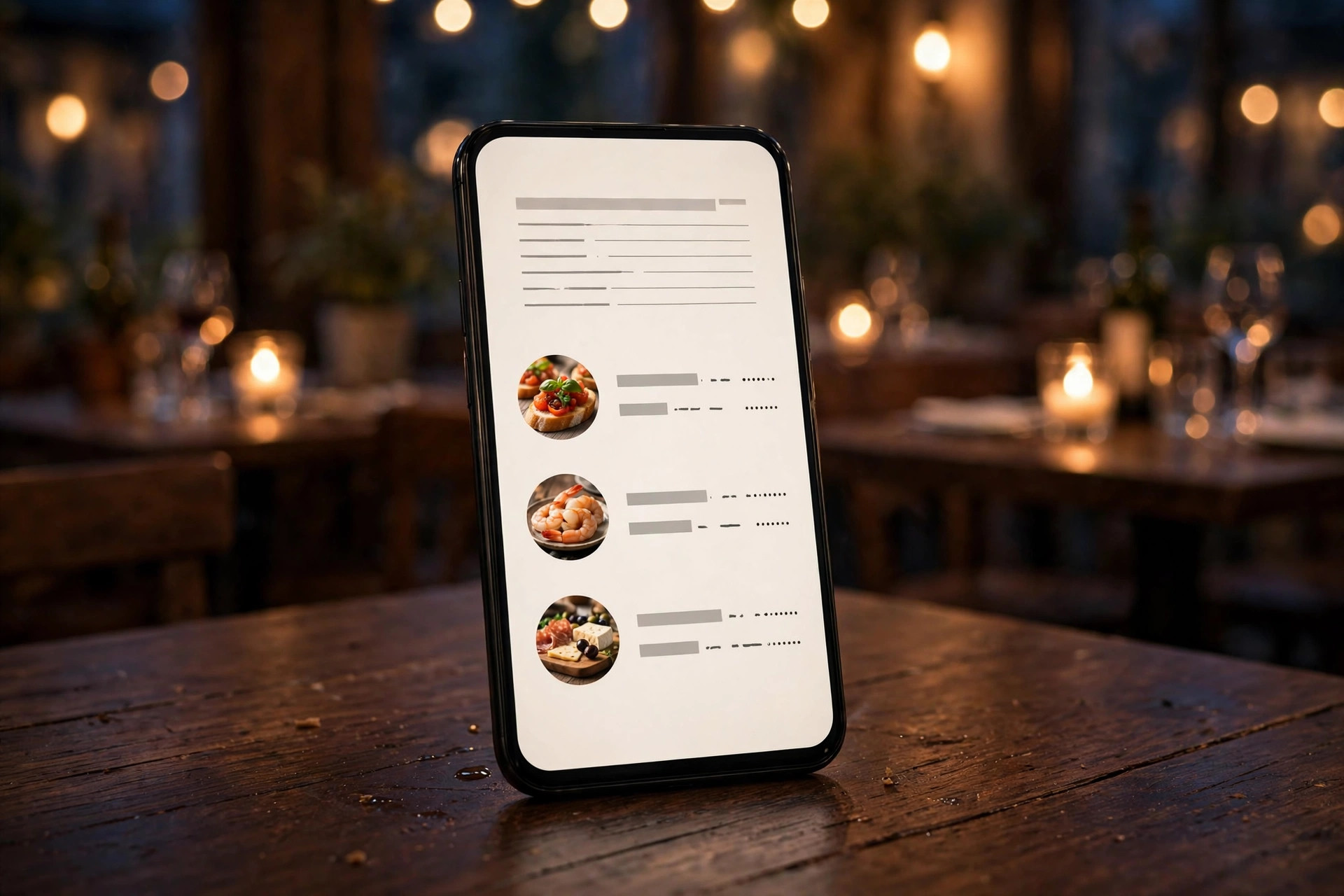
Almost every restaurant owner has a menu that lives in two places: the printed version on the tables, and a file somewhere — a PDF exported two seasons ago, already wrong. Prices have moved, dishes have been replaced, the lunch menu is a different document entirely, and the allergen list nobody remembers updating. The digital menu promise is simple: one source of truth, always current, readable on any phone, in every language you serve, carrying the allergen information the law asks for. This guide is about doing it properly — what a digital menu actually is in 2026, what it costs, what separates the ones that sell from the ones that sit there, and the exact steps to switch without disrupting service.
What counts as a "digital menu" in 2026
"Digital menu" has become one of those phrases that means five different things depending on who is selling it to you. A vendor will tell you their app is the digital menu. A printer will tell you a QR code pointing at your old PDF is a digital menu. Before comparing options, fix the definition: a digital menu is any menu a guest reads on a screen instead of paper. There are four real formats, and the differences between them matter more than the branding.
The four formats
The menu page on your own website. A normal, fast web page on your restaurant's domain: categories, dishes, descriptions, prices, photos, allergen notes. Guests reach it from Google, from a QR code on the table, or from your homepage. This is the format this guide recommends, because you own it, Google reads it, and it does every job the other formats do.
The QR menu on a third-party platform. Your menu lives on someone else's service — a platform that gives you a QR code and a menu page on their domain. Setup is quick, the tools are purpose-built, but the menu is rented: you pay monthly, your search traffic flows to their domain, and if the platform changes pricing or shuts down, your table tents point nowhere.
The digital menu board. Screens mounted above the counter or behind the bar, showing the menu as slides or a scrolling display. Standard in quick-service restaurants, cafés and food halls. Guests need no phone at all, which solves the accessibility problem of QR codes — but the menu only exists inside your four walls.
The PDF on a link. Your old print menu, exported to PDF, uploaded somewhere, opened through a QR code. Technically digital, functionally the weakest option. It loads slowly, renders badly on phones, can't be searched or filtered, and Google mostly ignores it. Keep reading and you'll see why it also costs more than it looks.
Which format for which restaurant
A sit-down restaurant with a website — which should be nearly every restaurant in 2026 — gets the most from a proper menu page on its own domain, possibly reached through QR codes on the tables. A quick-service counter thrives on menu boards plus a menu page for pre-visit browsing. Food trucks and market stalls, with no fixed walls, often live on a QR menu platform simply because there's no website yet — though the menu page is still the better investment the moment they have one. Fine-dining rooms can stay with printed menus as the primary experience and run the digital version quietly in the background for Google, allergens and guests who ask.
One more distinction worth making: a digital menu is not the same thing as online ordering. Ordering adds a cart, payments and kitchen integration on top of the menu. Plenty of restaurants need a digital menu and nothing more; ordering is a separate decision with its own costs and complexity. Don't let a vendor bundle them and charge you for both when you only asked for one.
Why the PDF menu costs more than you think
The PDF menu survives because it feels free. You already have the print file, exporting takes a minute, uploading takes another, and the QR code costs nothing to generate. The bill arrives later, in dribs and drabs, and almost nobody totals it up.
The visible costs
Every price change means opening the design file (if you still have it), editing, exporting, uploading, and checking that the new version is actually the one guests see. Two changes a month at half an hour each is twelve hours a year of someone's time — and that's before the emergency edit when you realise the old prices are still live on the Friday night rush. If you don't have the design file, every edit means paying the designer again or redoing the whole thing in Canva at 11 pm.
The invisible costs
A worked example published by a menu-platform analyst in 2026 traced what a PDF menu costs a mid-sized restaurant — 100 covers a night, €35 average ticket — and landed between €2,500 and €6,000 a year in estimated costs. The components are worth walking through, because each one is familiar:
- Lost upsells. Guests can't search, filter or browse visually in a PDF. They find the dish they came for and stop. Every answered question a staffer doesn't have time for is a dessert or a second drink not sold.
- Abandoned mobile sessions. A pinch-to-zoom PDF on a phone is where some fraction of would-be guests give up and choose the place next door with the readable menu.
- Lost international guests. In a tourist city, twenty international covers a night facing a single-language PDF spend measurably less than guests who can read the menu. The analysis put this at the single largest line item.
- Staff time on allergen questions. Ten minutes a night answering questions a clear menu could answer adds up to roughly €600 a year at typical wages — before any risk from a wrong answer.
- Price lag. The gap between the menu on the tables and the prices in the till is either a margin leak or an argument with a guest. Both cost you.
The honest math
Treat those figures as a template, not a proof — the analyst said so explicitly, and you should replace the assumptions with your own. But run your own version of the same calculation and you'll almost always find the same shape: the PDF feels free and costs thousands, while a proper digital menu costs tens or hundreds of euros a year and removes every one of those leaks.
The SEO cost
There is one more cost that never appears in these calculations: search traffic. When a potential guest searches "sushi menu Espoo" or "best brunch menu Bergen", Google wants to send them to a page it can read — real text, structured headings, your address on it. A PDF is nearly invisible to that search. A third-party menu page is visible, but the traffic and the booking intent go to the platform's domain, not yours. Only a menu page on your own website turns menu searches into your guests. This is free, recurring, high-intent traffic that the PDF quietly forfeits.
What a great digital menu includes
Strip away the vendor feature lists and a great digital menu has seven things. Everything else is decoration.
1. Real text, readable without zooming
Dish names, descriptions and prices as actual text on a page that fits the phone. Minimum body text around 16 pixels, prices aligned and legible at arm's length. If a guest has to pinch and drag, the menu has already failed its first test.
2. A structure that matches how guests decide
Categories in the order guests think: starters, mains, desserts, drinks — not the order the kitchen prints them. Most successful restaurants keep the total item count modest; guests confronted with 80 dishes don't browse, they default to the safe choice. Short descriptions beat long ones, and a photo on signature dishes is worth more than adjectives on all of them.
3. Current prices, always
The single biggest operational win of a digital menu. A price change should take five minutes: edit the page, save, done — no print run, no laminated cards to replace, no Friday-night discovery that the fish dish still shows last spring's price.
4. Allergen information where the guest can see it
EU rules require allergen information for the 14 listed allergens on non-prepacked food — which includes everything on your menu. A digital menu can carry this per dish, with filters for common needs (gluten-free, lactose-free, nut-free, vegetarian, vegan), far more clearly than a crowded print layout ever could. Our companion guide to allergen labelling for restaurants walks through the rules in full.
5. Languages your guests actually speak
In the Nordics this is non-negotiable for many rooms: the local language plus English at minimum, more in tourist areas. A digital menu can switch languages with a tap; a print menu needs a second print run. Dish names can stay in the original language with translated descriptions — guests want to know what they're ordering, not a poem about it.
6. Photos of the dishes worth photographing
You don't need a photo of every item. Photograph the dishes with the highest margin and the most visual appeal, keep the photography honest — the plate in the photo should be recognisable as the plate that arrives — and make sure images load fast. A 2 MB photo that takes four seconds to appear on café Wi-Fi sells nothing.
7. A clear path to the next step
A menu is a sales tool, not a museum exhibit. The page should end — and be interrupted, gently — with the next step: a table booking button, a call button, opening hours, the address. The guest who just decided what to eat is at peak intent; don't make them hunt for how to reach you.
How much a digital menu costs in 2026
Here's the honest price landscape, with every figure as a typical estimate — actual prices vary by vendor and country, and you should verify before committing.
The menu page on your own website: €0 extra
If your website is built on a plan that includes a menu page — and any restaurant website worth having includes one — the digital menu costs nothing beyond what you already pay for the site. With website subscriptions typically ranging from €59 to €239 per month including everything (design, hosting, updates, support), the menu is part of the package, not an add-on. This is the cheapest option and also the best one, which is a rare combination.
Standalone menu platforms: roughly €5–€30/month
Purpose-built services that host your menu and give you a QR code typically run from free tiers with limits up to around €10–€30 per month for multi-location, multilingual or ordering features. They're a reasonable stopgap if you have no website yet. Watch for: the menu living on their domain (lost SEO), per-location pricing that scales badly, and data export — make sure you can take your menu with you if you leave.
Digital menu boards: hardware plus software
Commercial displays suitable for a counter run an estimated €150–€3,500 per screen depending on size and brightness, plus mounting, plus menu-board software at roughly €10–€50 per screen per month. For a quick-service restaurant doing high volume, the payback through upselling and labour savings can be quick; for a 30-seat bistro it's usually overkill.
The hidden cost in every option
Photography and writing. Whether the menu is a page or a board, someone has to photograph the dishes well and write descriptions that sell. Budget a day with a decent photographer (a few hundred euros as a typical estimate) or do it yourself with a modern phone, a window, and restraint. The words matter as much as the pictures: "slow-cooked for six hours" sells; "delicious" does not.
What we recommend
For the overwhelming majority of independent restaurants, cafés and bars: a menu page on your own website, reached by QR codes on the tables and found on Google. It's the lowest total cost, the best guest experience, and the only option that builds your own search visibility. Everything else is a special case. PowerfulWebsite builds restaurant websites with proper menu pages included — the build itself is free, and plans run €59–€239/month with everything included.
Website page vs QR platform vs PDF vs paper: the comparison
Put the four formats side by side and the decision mostly makes itself. Score each one on the things that actually matter to a restaurant owner — not the vendor's feature checklist.
| Factor | Menu page on your website | QR platform (third-party) | PDF via QR | Printed menu |
|---|---|---|---|---|
| Setup cost (typical estimate) | Included in website | €0–€30/mo | €0 | €2–€10 per copy + design |
| Update speed | Minutes | Minutes | Minutes, but error-prone | Days to weeks |
| Readable on phones | Excellent | Good | Poor | N/A |
| Multilingual | Easy, one page per language | Depends on plan | Separate files per language | Separate print runs |
| Allergen info + filters | Full control | Depends on plan | Static text only | Crowded, hard to update |
| Google visibility | Full — your domain ranks | Goes to their domain | Nearly none | None |
| Works without a smartphone | No | No | No | Yes |
| You own the asset | Yes | No — rented | Yes | Yes |
| Analytics (what guests view) | Yes, with your site analytics | Usually yes | No | No |
The pattern is clear: the menu page on your own website wins or ties on every row except one — it needs a phone, like every digital option. That's exactly why the standard recommendation is digital-first with a paper fallback, not digital-only.
The hybrid that most restaurants land on
After the enthusiasm of the pandemic years, the industry has quietly converged on a setup: a QR code on every table pointing at the website menu page, plus a small stack of laminated printed menus at the host stand for guests who ask. It keeps the update speed, the multilingual support and the analytics for the great majority of guests, while removing friction for older guests, guests without smartphones, and the days when the Wi-Fi misbehaves. The printed stack is small, rarely changes, and doesn't need to match the digital menu dish-for-dish — it just needs to be current enough. One honest caveat from the research: a few jurisdictions have pushed back on QR-only setups for accessibility reasons, so check your local rules before removing printed menus entirely.
Multilingual menus and accessibility: the Nordic reality
In much of Europe a menu in one language is normal. In the Nordics it increasingly isn't — and the gap between a one-language menu and a two-language one is where real money sits.
The language baseline
Finland has two national languages; a restaurant in Helsinki that serves only in Finnish is quietly turning away Swedish-speaking guests and the large international crowd. Sweden and Norway are effectively English-plus for most urban restaurants, and tourist corridors — Lapland, the fjords, Stockholm's old town — see guests from everywhere. The workable baseline: your menu in the local language plus English, with a third language where your guest data justifies it. Digital makes this a tap-to-switch affair; the cost of an extra language on a print menu is a second print run, which is why so many printed menus never get one.
Dish names can stay untranslated — "lohikeitto" doesn't need to become "salmon soup" in the name line — but the description must say what the dish is in each language. Allergen information must be understandable in the language the guest is reading; an English menu that lists allergens only in Finnish is a compliance gap wearing a translation costume.
Accessibility is not optional polish
Our guide to website accessibility for restaurants covers the full requirements, but the menu-specific essentials: real text (never images of text — screen readers can't read a photo of your menu), sufficient contrast, font sizes that don't require zooming, and a page that works with keyboard navigation. Around one guest in five lives with some form of disability; an inaccessible menu doesn't just risk a complaint, it quietly excludes people who would have spent money.
The winter-glove test
A Nordic-specific usability check that costs nothing: open your digital menu on a phone, outside, wearing gloves. If the text is too small, the buttons too fiddly, or the page too slow on a cold-weakened battery, you'll feel exactly what a meaningful share of your guests feel for half the year. Minimum tap targets around 44–48 pixels, generous spacing, and pages that load on a weak connection aren't nice-to-haves here — they're the difference between a guest who orders and a guest who asks for the paper menu.
Allergen information on your digital menu
EU Regulation 1169/2011 requires allergen information for 14 listed allergens on non-prepacked food — which is every dish you serve. Member states set the exact means, but the direction of travel is unmistakable: written, per-dish, checkable information, with staff trained to answer questions against a documented recipe base. The UK's food regulator has been pushing written allergen information as the expectation, and California's 2026 chain-restaurant law made menu-level allergen disclosure mandatory for large operators — the regulatory weather is moving one way worldwide.
What digital does better than paper here
- Per-dish clarity. A small line under each dish — "contains: gluten, milk, egg" — beats a crowded legend at the bottom of a printed page.
- Filters. Let a guest tap "gluten-free" and see only what they can eat. For the roughly one guest in ten navigating an allergy or intolerance, this is the difference between a stressful evening and a relaxed one — and relaxed guests order more.
- Instant corrections. A supplier swaps a product and the allergen profile changes? Update the matrix once, and the menu is correct everywhere in minutes. On paper, that's a reprint you won't do until the next run.
- Language parity. Allergen information in every language the menu offers, automatically consistent.
The critical discipline is behind the page: a written allergen matrix for every dish, built from supplier specifications, reviewed whenever a recipe or supplier changes, and available to staff. The digital menu is the display; the matrix is the truth. Full detail — the 14 allergens, the matrix method, staff training, and the national differences across Finland, Sweden and Norway — is in our allergen labelling guide for restaurants.
Switching to a digital menu, step by step
The whole migration takes a weekend of focused work, not a project. Do it in this order.
Step 1: Freeze the content
Export your current menu as it actually is — not the aspirational version, the one the kitchen serves tonight. List every dish, every price, every variant (lunch, dinner, weekend). Mark the dishes that are being dropped; a migration is the perfect moment for the cull the menu has needed for a year.
Step 2: Build the allergen matrix
Before the page, the data. For each dish, list which of the 14 EU allergens it contains, from supplier specs — not from memory. This is the document everything else hangs on, and it's a legal obligation anyway. Keep it in a spreadsheet you can update.
Step 3: Write it like a salesperson
Short names, one-line descriptions that say what's in the dish and why it's good, prices that match the till exactly. Cut adjectives that could describe anything ("delicious", "tasty"). Keep dish names in the original language with translated descriptions.
Step 4: Photograph the winners
Ten to fifteen photos of your best-looking, highest-margin dishes. Natural window light, the actual plate from the pass, no filters that the kitchen can't reproduce. These photos will do more selling than any paragraph.
Step 5: Build the page
On your own website: categories as sections, dishes as real text, photos on the signature items, allergen notes per dish, language switcher, booking button. Test it on two phones — one iPhone, one Android — on mobile data, not Wi-Fi. If your website plan includes a menu page (as PowerfulWebsite's plans do), this is a content task, not a development project.
Step 6: Generate the QR codes
One QR code per menu version you need — main menu, drinks, lunch — pointing at the page URLs. Use dynamic QR codes (the destination can change without reprinting) from a reputable generator. Print them at 3–5 cm with a quiet margin, on tent cards or stickers that survive wiping. Our full QR code menu setup guide covers sizing, placement and testing in detail.
Step 7: Train the staff
Ten minutes at the pre-shift meeting: where the QR codes are, what the page looks like, where the printed backup menus live, and the line for guests who hesitate — "the menu's on your phone, and I have a printed one right here if you prefer." Staff confidence is the whole rollout; guests take their cue from the team.
Step 8: Launch quietly and watch
Put the codes out on a Tuesday, not a Friday. Check the analytics after a week: which dishes get viewed, where guests drop off, whether the booking button gets taps. Fix the obvious, then leave it alone — a menu that changes layout every week trains guests to ignore it.
Mistakes that make digital menus fail
Most digital menus don't fail because the technology is wrong. They fail in the same handful of avoidable ways.
The PDF in disguise
The most common failure: a QR code that opens a PDF. Guests experience all of the friction of digital with none of the benefits — slow load, pinch-to-zoom, no search. If your "digital menu" is a PDF, you have digitised the paper, not improved it. Build the page.
Images of text
A close second: the menu as a set of JPG images, often exported from the print design. It looks exactly like the paper menu and behaves exactly like the PDF — unreadable to search engines, unreadable to screen readers, unsearchable for guests. Real text or nothing.
The menu nobody can find
A beautiful menu page buried three clicks deep, not linked from the homepage hero, not in the Google Business Profile, not showing up for "[cuisine] menu [city]" searches. The menu page should be one tap from the homepage, linked in your Google profile's menu section, and titled with the words guests actually search for. Our mobile optimisation checklist covers the findability basics that apply here too.
Set-and-forget content
The digital menu that still shows the Christmas menu in March, or prices from before the VAT change. The update takes minutes — that's the entire point — but only if someone owns the job. Assign it: one person, quarterly review on the calendar, plus immediate updates on price changes.
No next step
The menu page that ends at the last dessert with no booking button, no phone number, no hours. You've just built purchase intent and then left the guest with nowhere to put it. Every menu page needs the booking path within one tap.
How to tell if your digital menu is working
A digital menu gives you something paper never could: data. Use it.
What to watch
- Menu page views vs covers. If the page gets far fewer views than you serve guests, the QR codes aren't being scanned — check placement, size and the staff's introduction.
- Time on page and scroll depth. Guests who browse longer see more dishes and typically order more. A 12-second average means the page isn't engaging; a two-minute average means it's working.
- Most-viewed dishes. Your analytics will tell you which dishes guests linger on. Promote those, photograph those, and make sure the kitchen can deliver them consistently at volume.
- Language split. What share of guests reads the English version? The answer tells you whether your translations are earning their keep — and whether you need a third language.
- Booking button taps from the menu page. The conversion that matters: menu view to reservation. Track it separately from homepage bookings.
The qualitative half
Numbers don't catch everything. Ask the staff monthly: are guests finding the menu easily? Are allergen questions easier or harder to answer? Do guests mention the menu in reviews? And read your own reviews with menu-eyes — "great menu, easy to read" and "couldn't find the prices" are direct product feedback, free of charge.
The 90-day verdict
Give the digital menu one full quarter before judging it. Compare: update time per menu change (target: under 15 minutes), guest complaints about the menu (target: fewer than with paper), and the share of bookings that pass through the menu page. If all three move in the right direction, the menu is working. If not, the problem is almost always content or placement, not the concept — fix those before blaming the screen.
Frequently asked questions
How much does a digital menu for a restaurant cost?
It depends on the approach. A menu page on your own website typically costs nothing extra beyond your existing website subscription — for example, website plans that include everything range from roughly €59 to €239 per month. Standalone digital-menu platforms cost roughly €5–€30 per month as estimates, and digital menu boards need hardware estimated at €150–€3,500 per screen plus software. The cheapest option that still works well is a real, mobile-friendly menu page on your own website rather than a PDF.
Is a PDF menu good enough, or do I need a real digital menu?
A PDF is better than nothing, but it is the weakest digital option. PDFs are hard to read on phones, cannot be updated without re-uploading, cannot include allergen filters or search, and Google barely reads them. A real digital menu page — fast, searchable, multilingual, always current — consistently outperforms a PDF for guests and for search visibility.
Can customers access my digital menu without a smartphone?
Not via a QR code, which is why most restaurants keep a small stack of printed menus as backup. For guests without smartphones, keep laminated printed menus at the host stand. Digital menu boards above the counter or near the entrance also work for everyone without requiring a phone.
How often should I update my digital menu?
Prices should be updated the moment they change — one advantage of a digital menu is that it takes minutes instead of a print run. Review the full menu quarterly: remove dishes that don't sell, check that photos match what the kitchen serves, verify allergen information against current supplier specs, and refresh seasonal items. Specials and lunch menus can change daily or weekly with no extra cost.
Do digital menus help with Google rankings?
Yes — a proper menu page on your own website is one of the strongest pages you can have for local search. Google reads real text, so searches like 'pizza menu Helsinki' or 'vegetarian restaurant lunch menu Oslo' can land directly on your menu page. A PDF or a third-party-hosted menu gives that search traffic to someone else's domain instead of yours.
Want a website with a menu that sells?
PowerfulWebsite builds your restaurant's website for free — you only pay from €59/month. Everything is included: a proper digital menu page, domain, hosting, maintenance and updates.
See the plans