Voice Search and Near Me Queries: How Guests Find You
Guests no longer type "restaurants near me" — they ask their phone, their car or their smart speaker, in full sentences, and expect one answer read aloud. The restaurant that wins is the one whose Google Business Profile is complete, whose reviews are recent, and whose website answers spoken questions in plain words. This guide shows how voice search and near me queries actually work, and what to fix first.

Key takeaways
- Voice queries are longer and conversational — typically 6–7 words, in full questions — while typed searches are 2–3 words.
- Voice assistants usually read one answer aloud. Being second is the same as being invisible.
- Your Google Business Profile is the primary source for voice answers — complete it before anything else.
- Write FAQ content in the exact words guests speak, with 30–50-word answers, and mirror it in schema markup.
- Reviews decide which restaurant gets recommended, not just which one gets found.
- You need no new technology: the work is local SEO, done with spoken questions in mind.
Picture the moment. It is 6:40 on a Friday evening. A couple is walking through an unfamiliar neighbourhood, hungry, and one of them says to their phone: "Hey Google, find a family-friendly Italian restaurant near me that's open now." Nobody types anything. Nobody scrolls through ten blue links. The assistant reads out one or two names, and the couple walks to one of them. Voice search is not a futuristic channel to prepare for later. It is the way a growing share of your guests already find you, and it rewards exactly the restaurants that have their local foundations in order.
This guide is written for independent restaurant, café and bar owners in the Nordics who want to be the name the assistant reads aloud. We will cover how guests actually search by voice and "near me", how voice assistants choose their answer, what to fix on your Google Business Profile, how to win the map when you cannot change your distance, how to write content in the words guests actually speak, the schema markup and technical setup that helps assistants understand your site, why reviews are the recommendation engine, what to do about Siri and Alexa, and a 30-day plan with the numbers to watch. No new apps, no voice gadgets, no jargon.
How guests actually find you now
Typed search and voice search look like the same thing, but they behave differently in ways that matter for your restaurant. A typed search is short: "pizza Turku", "sushi Oslo", "restaurants near me". A voice query is a sentence: "What's the best pizza place near me that's open right now?", "Where can I get vegan food near the station?" Voice queries average six to seven words, against two to three for typed searches. They are conversational, question-based and heavily location-focused — exactly the kind of searches a restaurant needs to capture. And they carry stronger immediate intent: the person asking is usually hungry, nearby, and deciding in minutes.
The second difference is the answer format. A typed search returns a page of results; a voice search returns one answer, read aloud. The assistant may offer a short list on a phone screen, but on a smart speaker or in a car there is often only the single spoken recommendation. Being ranked third is fine in typed search. In voice search, third is invisible. That is why this guide is built around being the single best answer, not one of ten good results.
Where voice searches happen
Voice search happens in three places, and each one matters for restaurants. On phones, guests ask Google Assistant or Siri while walking, driving or standing outside your door — "restaurants near me open now" is a walking query, made within metres of your competitors. In cars, drivers ask for somewhere to eat on the way home or on a road trip, and the assistant reads out what is ahead on the route. On smart speakers at home, people ask where to eat tonight before they leave the house — often with the family listening, which makes the recommendation a group decision. The common thread is immediacy: the guest wants an answer now, and the assistant wants to give the most confident one it can find. Your job is to be that confident answer.
What voice assistants hear — and how the answer is chosen
When a guest asks a voice assistant for a restaurant, the assistant does not browse the web the way a person does. It pulls structured facts from a small set of trusted sources, weighs them against the local ranking factors, and answers. Understanding that chain is the whole of voice search optimization: every fix in this guide makes one link in the chain stronger.
The sources the assistant trusts
For Google Assistant, the primary source is your Google Business Profile: your name, address, phone, hours, categories, attributes, photos and reviews. The assistant also draws on your website — especially pages with clear, structured information and schema markup — and on what other sites say about you. For Siri, the main sources are Apple Maps and its data partners. Alexa draws on Yelp and other listings. The practical point is simple: an assistant can only recommend what it can verify. If your hours are wrong on Google, your menu is a PDF, and your address differs between your website and your profile, the assistant has no confident answer to give — and it will give someone else's instead.
Relevance, distance, prominence — plus a fourth factor
Google ranks local results on three factors it documents publicly: relevance (how well your listing matches the search), distance (how close you are to the searcher or the place they named) and prominence (how well known and trusted you are, based on reviews, links and mentions). Voice search adds a fourth, practical factor: answerability. Can the assistant extract a short, direct answer to the exact question? A website that answers "Are you open now?" with a clear hours table and a sentence like "We are open Monday to Saturday, 11:00 to 23:00" can be quoted. A website that hides its hours in a PDF or a photograph cannot. That is why the content and schema work in this guide matters: it turns your restaurant into something an assistant can speak about, not just something it can link to.
Time of day changes the answer
Voice assistants weigh context that typed search mostly ignores. The same query — "restaurants near me" — asked at 8:00 in the morning should surface breakfast spots; asked at 19:00, dinner. Queries with "open now" or "open late" are time-sensitive by definition, and your hours data is what the assistant checks. Keep your hours, your seasonal offers and your attributes current, and the assistant's context works for you instead of against you.
| Typed search | Voice search | |
|---|---|---|
| Query length | 2–3 words ("pizza Turku") | 6–7 words, full questions |
| What the guest gets | A page of ten results | One answer read aloud |
| Intent | Often browsing or planning | Usually immediate — hungry, nearby, deciding now |
| What wins | Ranking in the top ten | Being the single best answer |
| Key source | Website + profile | Profile first, then structured website content |
| Biggest risk | Weak website content | Wrong hours, vague categories, no quotable answer |
Google Business Profile: the voice-search foundation
When someone asks a voice assistant for a restaurant, that assistant primarily pulls information from your Google Business Profile. It is the single most important asset in voice search, and the work is free. Most restaurants have a profile. Far fewer have one an assistant can confidently quote.
Complete every field — the assistant reads them all
Claim and verify the profile if you have not already, and make sure there is only one profile per location. Then fill in every field. The name must be your real trading name, exactly as it appears on your sign and website. The address must be precise, including entrance details that matter in Nordic courtyards and side streets. The phone number should be the one someone actually answers during service.
Categories are where voice search is won or lost. Do not settle for "Restaurant" alone. Pick the most specific primary category that matches what you actually are — "Italian restaurant", "Sushi restaurant", "Vegetarian restaurant", "Wine bar" — and add secondary categories that are genuinely true. Voice assistants use categories to understand what type of restaurant you are, and a guest asking for "a vegan restaurant near me" will only ever be offered places whose categories say vegan. Attributes are the second layer: outdoor seating, takeaway, delivery, wheelchair access, family-friendly, dog-friendly terrace. Every accurate attribute is another spoken question you can match. Our complete guide to Google Business Profile for restaurants walks through every field in detail.
Hours: the most voice-searched fact you own
Voice search is full of time-sensitive queries: "restaurants open now", "restaurants open late tonight", "where can I get lunch right now". Your hours are the fact the assistant checks first, so they must be accurate — including the difference between kitchen hours and bar hours, lunch-only weekdays, and every public holiday. Set special hours in advance for Midsummer, Christmas and New Year, and for any summer closure. A guest who is told you are open, walks to your door and finds it shut will write about it, and that review will be read aloud to the next hundred guests who ask.
Photos, posts and the menu the assistant can read
Photos matter for voice search too, even though the answer is spoken: on a phone, the assistant shows the profile alongside the spoken answer, and the guest decides from the photos in seconds. Keep dozens of genuine, current photos on the profile — dishes, the dining room, the terrace — and refresh them with the seasons. Google Posts are a free way to tell the assistant what is new: a new menu, a seasonal evening, a booking opening. Use them at least monthly. And link your menu as real text on your website, never only as a PDF: voice assistants ask about menu items ("Does this restaurant have pasta?"), and they can only answer from text they can read.
Voice-search profile checklist
- One verified profile per location; name, address and phone identical everywhere online.
- Specific primary category plus honest secondary categories and attributes.
- Hours accurate for kitchen, bar, lunch and every public holiday — set in advance.
- Menu as real text on your website, linked from the profile — never only a PDF.
- Recent photos refreshed with the seasons; Google Posts at least monthly.
- Booking and ordering links wired to real systems, not dead pages.
Near me: winning the map when distance is fixed
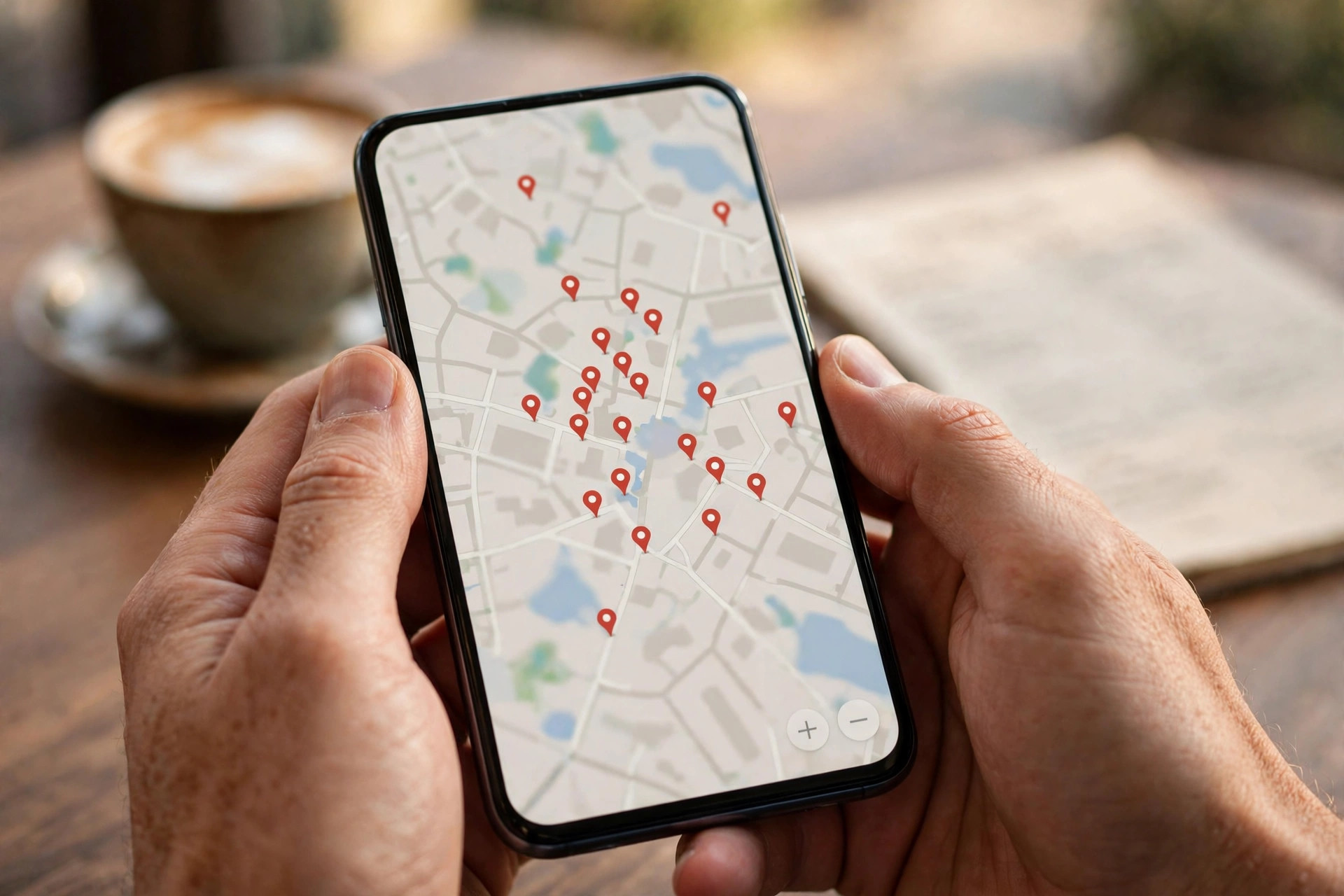
"Near me" is the highest-intent query in restaurant marketing. The guest is hungry, nearby and ready to decide within minutes — and searches for "near me" have grown enormously in recent years, with most of that growth driven by voice-enabled devices. You cannot change your distance from the searcher. You can change everything else, and in a dense Nordic city centre, everything else is what separates you from the forty restaurants within a ten-minute walk.
Relevance: match the words guests actually say
Relevance is the match between your listing and the search. It comes from an accurate category, a full menu in real text, and a website that says clearly what you serve and where. That means writing your cuisine, your neighbourhood and your signature dishes in plain words, on pages the search engine can read — not in images, not in a PDF, not in a clever slogan. A guest asking "where can I get ramen near the station" needs a page that says, in words, that you serve ramen, near the station. Our local SEO keyword guide for restaurants shows how to find the exact phrases your city's guests use, and our guide to the local 3-pack explains the map ranking in full.
Prominence: be the restaurant the city already trusts
Prominence is how well known and trusted you are, and it is built from review volume and recency, links from local press and food writers, and consistent listings across the web. Keep your name, address and phone identical on your profile, your website, the Swedish and Finnish directories, delivery platforms and social profiles — inconsistency weakens the trust signals Google uses to rank you. A monthly ten-minute check of your main listings is one of the highest-value habits in this guide.
The map is the storefront
For a "near me" search, the map result is the storefront. The guest sees your star rating, your newest photos, whether you are open now, and the buttons to call, get directions or book. A profile with three-year-old photos, wrong hours and twelve unanswered reviews loses to a competitor with a complete profile even if your food is better — because the guest cannot taste your food from the map. Fix the place where the decision happens first, and the rest of this guide will have something to amplify.
Speak their language: conversational content that gets quoted
Voice search optimization is, at its heart, a writing problem. Assistants quote websites that answer questions the way people ask them — in full sentences, in plain words, with the answer first. Most restaurant websites do the opposite: they describe, they brand, they hint. The fix is to write the way your guests speak, and to put the answers where an assistant can find them.
Mine the real questions your guests ask
Start with the questions your team already hears every day: "Are you open now?", "Do you have vegan options?", "Can I book a table for six tonight?", "Do you have outdoor seating?", "Is there parking nearby?", "Do you do takeaway?" Then add the questions from search itself — Google's People Also Ask boxes, autocomplete suggestions, and the questions in your own reviews. Write each one down in the guest's exact words, in every language your guests use. These are your FAQ, your H2 headings and your internal-link anchors all at once. The long-tail variants — "best family-friendly restaurant near me with outdoor seating", "vegan lunch near the station open now" — become the headings of dedicated pages and sections, because they match the spoken queries your competitors are ignoring.
Write answers an assistant can read aloud
Each answer should be 30–50 words, a complete sentence, with the answer first and the detail second. Compare the two versions: "Our opening hours are available on our website" tells the assistant nothing, while "We are open Monday to Saturday, 11:00 to 23:00, and the kitchen serves food until 22:00" is an answer the assistant can read aloud verbatim. Write the same way for menus, dietary options, booking and parking. Put the FAQ on your homepage or a dedicated page, keep it current, and write it in the languages your guests actually ask in — a Finnish guest asks in Finnish, a tourist in English, and the assistant answers in the language it was asked.
Long-tail keywords are the whole game
Voice queries are long-tail by nature: seven or more words, with a cuisine, a neighbourhood and a qualifier like "near me", "open now" or "with outdoor seating". Target those phrases deliberately. A page that answers "Where can I order pizza for delivery tonight?" will beat a page optimised for "pizza delivery" every time a guest asks the question out loud. Use the free Google Ads Keyword Planner to check which long-tail phrases have real volume in your city, and judge them by cost per booking, never by clicks alone. Our keyword research guide for restaurant advertising walks through the method step by step.
Schema and technical setup
Schema markup — structured data — is code on your website that tells search engines exactly what your information means: this is the restaurant's name, this is its address, these are its hours, this is the menu. It is the single most powerful technical tool for voice search, because it lets an assistant extract your facts without guessing. Implementing it can noticeably improve how often your information is pulled into voice answers.
Restaurant schema: the essentials
Add Restaurant schema to your homepage and your location pages, with the fields an assistant actually needs: name, address, phone number, opening hours, price range, cuisine type, and links to the menu and the booking page. Add Menu schema to the menu page, with dishes as real text, and FAQPage schema to your FAQ section, mirroring the visible questions and answers exactly. Test the markup with Google's Rich Results Test before you publish — invalid schema is worse than no schema. If your website is built by someone else, ask them to confirm the schema is in place. PowerfulWebsite builds restaurant websites with the right structure included — a fast site with the menu as real text, online booking and both local languages built in — from €59/mo for Starter to €239/mo for the Restaurant plan including the ordering system, with Essential at €109/mo and Ultra at €179/mo, plus a one-time €25 domain handling fee.
Speed and mobile: the assistant's patience is short
Most voice searches happen on a phone, and the assistant's user is standing on a street, hungry, with little patience. A page that takes more than three seconds to load will be abandoned. Keep your site fast: compress images, avoid heavy scripts, and test the speed on a real phone, not only on your office wifi. Our 30-minute website speed test shows how to find and fix the worst problems yourself. The site must also be genuinely mobile-friendly: readable text without zooming, a booking button reachable with a thumb, and no PDF menu that forces a download.
Check what Google actually sees
Set up Google Search Console — free — and check it monthly. It shows which queries bring people to your site, which pages appear for voice-style long-tail questions, and whether Google has any problems reading your pages. If a page that should answer "are you open now" never appears in search results, Search Console will tell you why: a crawling problem, a missing page, or content the search engine cannot parse. Our Google Search Console guide for restaurants covers the setup and the monthly check.
Reviews: the recommendation engine
Voice assistants do not just find restaurants; they recommend good ones. The primary way they judge "good" is through your customer reviews — their volume, their recency, their average rating and, increasingly, their words. A restaurant with 400 recent reviews mentioning the dishes, the occasion and the neighbourhood will be recommended over a restaurant with 40 old reviews, even at the same star rating. Review content itself feeds the ranking: reviews that mention "vegan options", "outdoor seating" or "family-friendly" are keyword-rich signals that help you match the spoken queries containing those exact words.
Earn the review, then reply to it
Ask every happy guest at a natural moment — when the bill is paid, or in the booking confirmation after the visit. Put a QR code linking to your review page on the receipt or the table card, and train the team to mention it once, warmly. Never pay for reviews or offer discounts in exchange for them: Google removes incentivised reviews, and Nordic consumer rules treat them as misleading marketing. A steady flow of genuine reviews, a few each week, beats a sudden burst every time. Then reply to every review, good and bad, within a day or two, in the language it was written in. A reply to a complaint is your side of the story for the hundreds of people who will read that review before deciding. Our guide on how to get more Google reviews covers the method in full.
What the reviews say matters as much as the stars
Read your reviews monthly and mine them for the words guests actually use: the dishes they name, the occasions they mention, the phrases they repeat. Those words are your next FAQ entries, your next headings and your next social posts, because they are the words the next guest will speak into their phone. If ten reviews praise your "gluten-free pizza", that phrase belongs on your menu page and in your FAQ — it is a spoken query waiting to be answered. And if reviews keep mentioning a problem — slow lunch service, a confusing booking flow — fix the problem before you market around it, because the assistant will keep reading those reviews aloud.
Beyond Google: Siri, Alexa and Apple Maps
Google Assistant is the biggest voice platform for restaurants, but it is not the only one. A large share of your guests carry iPhones, and when they ask Siri for a restaurant, Siri does not check your Google profile first. It checks Apple Maps — and what Apple Maps knows about you may be very different from what Google knows.
Apple Maps and Siri: the listing most restaurants forget
Claim your Apple Maps listing through Apple Business Connect — free — and make sure the name, address, phone, hours, categories and photos match your Google profile exactly. Siri also draws on Yelp and other data partners, so claim and complete your Yelp listing too, even if Yelp feels less important in your market than it is in the United States. The same consistency rule applies everywhere: the same name, the same address, the same hours, on every platform. An assistant that finds three different closing times for your restaurant will not recommend you — it will recommend the restaurant whose facts agree with each other. Our guide to listings beyond Google covers Apple Maps, Yelp and the other directories worth your ten minutes a month.
Alexa and the smart speaker at home
Alexa's restaurant answers draw on Yelp and on its own business data, and they happen in the home — the "where should we eat tonight" conversation before anyone leaves the house. The same foundations apply: a complete, consistent listing, strong recent reviews, and a website that answers spoken questions. You do not need to build a custom Alexa skill or a Google Action to benefit from voice search; for a single-location restaurant, the return on that work is small compared with the foundations.
Reserve with Google and direct ordering
When an assistant recommends your restaurant, the next question is usually "can I book?" or "can I order?". If your Google profile links to a working booking system — including Reserve with Google, where it is available — the guest can book without ever leaving the assistant's answer. Our guide to adding Reserve with Google walks through the setup. The same applies to ordering: make sure your direct ordering channel, not a delivery aggregator, is the first option the assistant finds. When someone asks where to order from, the answer should lead to your own ordering page, where the margin stays with you.
A 30-day voice-search plan — and how to measure it
Voice search optimization is not a project with an end date. It is a set of foundations you build once and maintain weekly. The plan below does the foundations in thirty days, in the order that pays off, and it assumes a few hours a week from the owner or manager — no agency, no new software.
Week 1: the profile
Claim and complete the Google Business Profile — every field, every attribute, the menu link, the booking link. Fix the name, address and phone everywhere they appear online. Claim the Apple Maps listing through Apple Business Connect and check the Yelp listing. Set special hours for the next three months of public holidays. This week alone fixes the most common reason assistants cannot recommend you.
Week 2: the questions
Write down the twenty questions your team hears most often, in the guests' exact words and in every language they ask in. Turn the best ten into an FAQ section on your website, with 30–50-word answers, answer first. Add FAQPage schema mirroring the questions exactly. Check the site speed on a phone and fix the worst problem — usually an uncompressed hero image or a heavy script.
Week 3: the reviews
Put the review QR code on the receipt and the table card. Train the team on the one-line ask. Reply to every unanswered review from the last three months, oldest first, in the language each was written in. Read the reviews for the words guests repeat, and add the three most common phrases to the menu page and the FAQ.
Week 4: measure, then keep the rhythm
Check the numbers that matter: profile views, calls, direction requests and booking-link clicks in the Google Business Profile insights; search queries in Google Search Console, watching for the long-tail, question-shaped queries; and covers on the quiet nights, which is the number the whole exercise exists to move. Profile fixes can change visibility within a few weeks; content and schema changes typically take one to three months. Set the ongoing rhythm: profile updated weekly, reviews answered daily, one FAQ answer added a month, listings checked monthly.
| Week | Work | Cost | What to watch |
|---|---|---|---|
| 1 | Complete Google profile; claim Apple Maps + Yelp; fix NAP everywhere | €0 | Profile completeness, listing accuracy |
| 2 | FAQ from real guest questions; FAQPage schema; speed fix | €0 | Page speed, FAQ impressions |
| 3 | Review system live; reply to backlog; mine review language | €0 | Review count, rating, reply rate |
| 4 | Measure profile + Search Console; set the weekly rhythm | €0 | Calls, direction requests, bookings |
The whole plan costs nothing but time, and that is the point: voice search rewards the restaurants that have their facts straight, their reviews fresh and their answers written in the words guests actually speak. The guest is already asking out loud. Make sure the answer is you.
Frequently asked questions
How do I optimize my restaurant for voice search?
Start with your Google Business Profile: complete every field, keep hours accurate and use specific categories. Then add conversational FAQ content to your website that answers real spoken questions in 30–50 words, add Restaurant schema markup, and keep earning recent reviews. Voice assistants read one answer aloud, so the goal is to be the single best answer, not one of ten blue links.
What is a near me search and why does it matter for restaurants?
A near me search is a query where the guest wants something close by right now — typed as restaurants near me or spoken as find a restaurant near me. These searches have the highest intent in restaurant marketing: the guest is hungry, nearby and ready to decide within minutes. Google ranks them on relevance, distance and prominence, and the map result usually decides who gets the booking.
Does voice search really matter for a small restaurant?
Yes, because voice search and near me search are the same behaviour: a guest asking a phone, a smart speaker or a car for a place to eat right now. You do not need new technology or a voice app to benefit. The work is the same local SEO you should already be doing — a complete profile, accurate hours, reviews and conversational content — done with spoken questions in mind.
How do voice assistants choose which restaurant to recommend?
They pull from a small set of sources: mainly your Google Business Profile for Google Assistant, and Apple Maps and Yelp data for Siri. They weigh the same local ranking factors as typed search — relevance, distance and prominence — then add review quality and recency, and how directly your website answers the question asked. A complete profile with strong recent reviews and a clear FAQ is what gets read aloud.
Should my restaurant website have an FAQ page for voice search?
Yes. An FAQ section written in the exact words guests use — where are you, are you open now, do you have vegan options, can I book a table for six tonight — gives voice assistants short, quotable answers to read aloud. Keep each answer to 30–50 words, write it as a complete sentence, and mirror the questions and answers in FAQPage schema markup so search engines can find them.
How long does voice search optimization take to work?
Profile fixes can change your visibility within a few weeks, because voice answers draw heavily on the profile and reviews. Content and schema changes take longer — typically one to three months — as search engines re-crawl and re-rank your pages. Competitive searches in a busy city centre take longer still. Track profile views, calls, direction requests and bookings, not rankings alone.
Want a website that voice assistants can actually quote?
PowerfulWebsite builds your restaurant's website for free — you only pay from €59/month. A fast site with your menu as real text, online booking, schema markup and your local languages built in, so Google, Siri and AI assistants can find you — and recommend you. Everything included: domain, hosting, maintenance and updates.
See the packages