Choosing a Booking System for Your Pizzeria
The right booking system for a pizzeria is a flat-fee, subscription-based tool that runs on your own website, handles your real table inventory, and leaves you free to combine table bookings with takeaway orders. Marketplace systems bring discovery but charge per cover and keep your guest data; for most independent pizzerias, owning the booking flow on your own site wins within months.
Key takeaways
- Pizzerias have a split personality — dine-in tables plus heavy takeaway — so the booking setup must handle both without doubling your admin.
- Your four options: phone only, a simple booking form, a dedicated subscription system (DinnerBooking, resOS), or a marketplace (TheFork, OpenTable).
- Expect roughly €30–150/month for a dedicated system; marketplace per-cover fees can exceed that at high volume — always do the per-cover math.
- The features that actually matter: real-time availability, automated confirmations and reminders, card guarantees or deposits, and a waitlist.
- Keep the guest data on your own website. A booking system should make your site stronger, not rent your customers back to you.
Choosing a booking system for a pizzeria sounds like a small decision. It isn't. The booking flow is where first-time guests decide whether your place is easy to deal with, where Friday-night revenue is won or lost to no-shows, and — in the age of marketplaces — where you decide who owns your customer relationship: you, or a platform that charges you every time one of your own guests books a table.
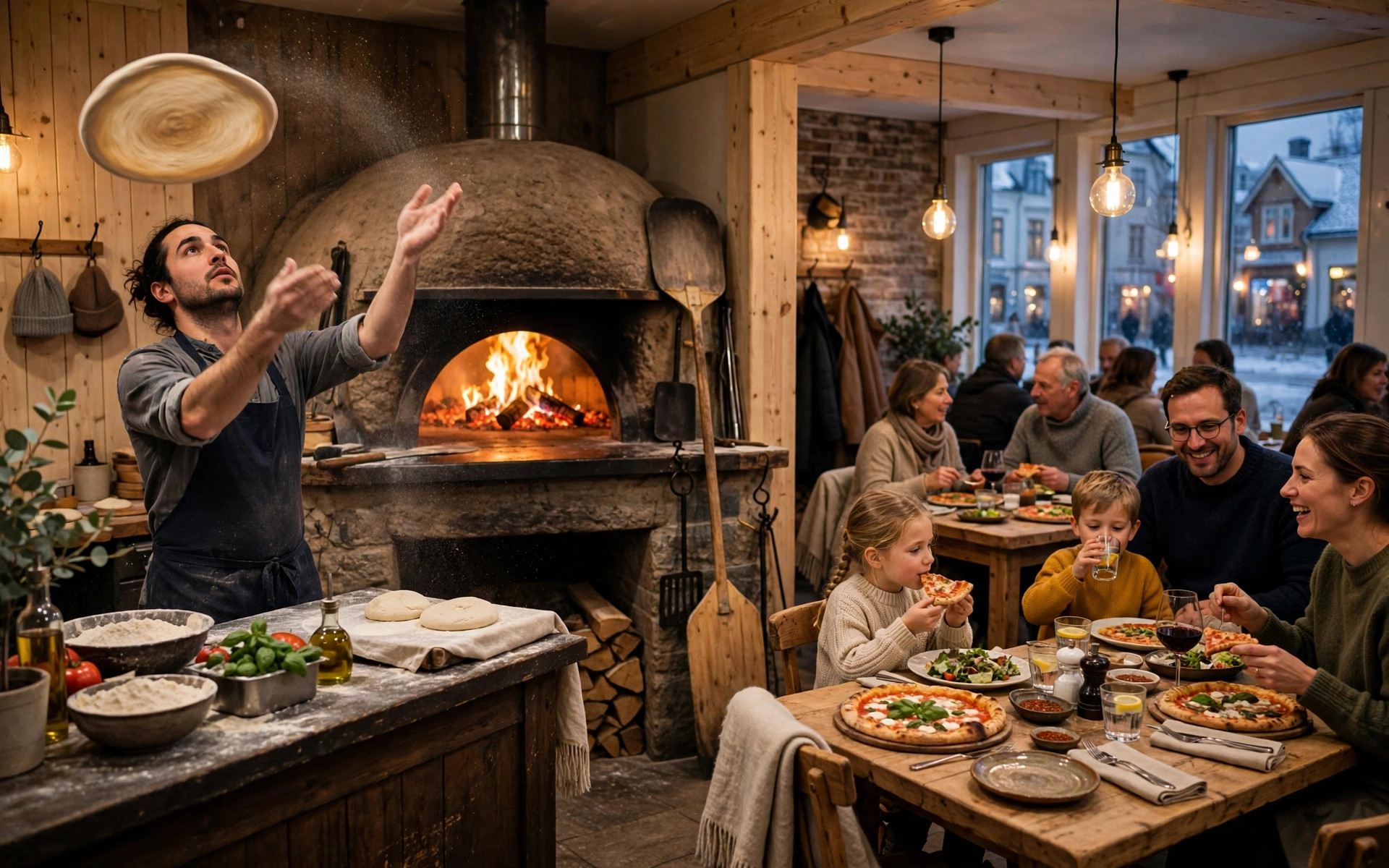
Pizzerias sit in an awkward middle. You're not a fine-dining restaurant where every table is a two-hour, high-margin event, and you're not a pure takeaway joint either. Most pizzerias in the Nordics run both: a dining room that fills on weekends and a steady stream of takeaway and delivery orders all week. The booking system has to serve the tables without getting in the way of the ovens.
This guide walks through what a pizzeria booking system actually needs to do, compares the realistic options — from a free form to the big Nordic and international platforms — with honest price ranges, and shows how to combine table bookings with takeaway in one flow instead of two disconnected tools.
Why pizzerias are different
Most booking-system advice is written for generic restaurants. Pizzerias have their own shape, and it changes what "good" looks like:
- Fast table turns. A pizza dinner is often 45–75 minutes, not two hours. Your booking system needs short, configurable seating slots and tight turn management — a system designed around leisurely fine dining will leave gaps you could have sold twice.
- Extreme weekend peaks. Friday and Saturday can be three times a quiet Tuesday. The system must handle the rush without you touching it — automatic confirmations, no manual approval bottlenecks during service.
- Takeaway competes with tables. On a busy night the phone rings for takeaway while the dining room fills. Every minute staff spend taking table bookings by phone is a minute not spent on the orders that actually scale.
- Groups and families. Pizzerias attract larger, mixed parties — birthdays, team dinners, families with kids. The system should handle party-size rules, children's notes, and high chairs without a phone call.
- Lower average spend per cover. A €15–25 per-person average means per-cover marketplace fees eat a bigger share of margin than at a fine-dining restaurant. The fee math matters more for you, not less.
The practical consequence: a pizzeria needs a booking system that is fast, automatic, cheap per booking, and integrated with everything else — the website, the takeaway flow, and ideally the POS. Anything that adds manual steps during the Friday rush is the wrong system, however pretty its dashboard looks.
What a pizzeria booking system must do
Strip away the marketing and a booking system has one job: turn a guest's intent into a seated, committed table with minimum staff effort. For a pizzeria, that breaks down into non-negotiables and nice-to-haves.
Non-negotiable
- Real-time availability on your website. Guests pick a time and it's confirmed instantly — no "request" that sits unanswered for hours. (A request form that needs manual approval is just email with extra steps.)
- Automatic confirmations and reminders. Immediate confirmation plus a reminder 24–48 hours before, with one-tap confirm/cancel. This alone cuts no-shows dramatically — see our guide on 8 ways restaurants can cut no-shows down.
- One shared book. Online, phone and walk-in bookings land in the same place, visible to whoever is hosting. Double bookings are a trust-destroying failure — the system must make them impossible.
- Party-size and time-slot rules. Cap online bookings at your comfortable table size (large parties by phone), set slot lengths that match your real turn time, and block the impossible combinations.
- Mobile-first booking flow. Most guests book from a phone, often from Google Maps or Instagram. If the flow isn't painless on a small screen, it doesn't exist.
Nice to have
- Card guarantees or deposits for large parties and peak nights.
- Waitlist automation — guests join online when you're full; the system texts them when a table opens.
- Guest history — who no-shows, who always comes, who's a regular.
- Google and social booking buttons ("Reserve with Google") so guests can book without finding your website first.
- POS integration so the booking, the order and the bill live in one system.
The 60-second test
Before committing to any system, run this test: open your website on a phone, tap "book a table", and time how long it takes to complete a booking for two this Friday. If it's over 60 seconds, if any step is confusing, or if the design doesn't match your restaurant — keep looking. Your guests will do exactly this test once, and they won't give you a second chance.
Four ways to take bookings, compared
Every pizzeria ends up with one of four setups. Here's the honest trade-off of each:
1. Phone only
Cost: €0. Works until it doesn't. The phone interrupts service, bookings get scribbled down wrong during the rush, there's no confirmation trail, and younger guests increasingly won't call at all. Our phone booking script guide makes the best of it — but as a primary system, the phone doesn't scale past a quiet neighbourhood spot.
2. A simple booking form on your website
Cost: €0–20/month. A form collects date, party size and contact details and emails you. Better than phone-only because guests can book at midnight, but every booking still needs manual confirmation, there are no automatic reminders, and the "book" isn't real until a human replies. Fine for a pizzeria doing a handful of table bookings a week; a bottleneck beyond that.
3. A dedicated subscription booking system
Cost: roughly €30–150/month flat. Systems like DinnerBooking and resOS give you real-time availability, automated reminders, card guarantees, waitlists and a proper book — running on your own website, with you keeping the guest data. This is the sweet spot for most independent pizzerias: professional booking infrastructure at a fixed, predictable cost.
4. A marketplace (TheFork, OpenTable)
Cost: subscription plus per-cover fees on network bookings. You get discovery — diners browsing the marketplace find you — and polished tools. The price is margin: per-cover fees on every booking made through their network, and the guest relationship lives partly on their platform. Sensible if you need to fill seats fast or you're in a tourist-heavy location; expensive as a permanent primary channel.
The Nordic systems, compared
For a pizzeria in Finland, Sweden or Norway, four names come up constantly. Here's how they differ in practice — prices are estimates based on publicly listed plans and change regularly, so treat them as starting points:
| System | Model | Indicative price | Strengths for pizzerias | Watch out for |
|---|---|---|---|---|
| DinnerBooking | Flat subscription, your website | Flat monthly fee (tiered by volume) | Long-established in Scandinavia; solid table management; no per-cover fees on direct bookings | Older interface on some plans; check reminder automation is included in your tier |
| resOS | Flat subscription, your website | Free up to 25 bookings/mo; paid from ~€36/mo billed annually | Modern, simple to run; free tier lets a small pizzeria start at €0; deposits and no-show fees as add-ons | Add-ons (SMS, payments, marketing) are priced separately and add up — price the full stack, not the base |
| TheFork | Marketplace + subscription | Subscription plus per-cover fee on network bookings | Discovery: diners browsing the app find you; strong in Sweden; good review ecosystem | Per-cover fees compound at volume; guest data sits partly with the platform; check the contract terms |
| OpenTable | Marketplace + subscription | From ~$149/mo plus per-guest fees on network bookings (reported) | Huge diner network; advanced floor management; strong no-show tooling | The most expensive option; overkill for a neighbourhood pizzeria; per-guest fees add up fast |
| Built into your website (e.g. via PowerfulWebsite) | Included in site subscription | €59–239/mo for the whole website incl. booking | One bill, one system: booking lives on your site with your branding and your guest data | Verify the widget covers your must-haves (reminders, card guarantees) before committing |
A note on the comparison you won't find on vendor websites: most articles comparing booking systems are written by the vendors themselves. TheFork's blog will tell you marketplaces are essential; resOS will tell you flat-fee independence wins. Both are selling something. The test that matters is your own math: take your monthly covers, multiply by the per-cover fee, and compare with the flat subscription. For a pizzeria doing 1,000+ covers a month, flat-fee almost always wins — that's not an opinion, it's arithmetic.
What booking systems cost
Total cost has three layers, and most pizzeria owners only price the first:
- The subscription. €0 (free tiers, simple forms) to ~€150/month for dedicated systems. This is the number vendors advertise.
- Per-cover or per-booking fees. Marketplaces charge per diner booked through their network — a few euros per cover is typical. At 800 network covers a month, that's more than most subscriptions. This is the number that actually decides the deal.
- Add-ons. SMS reminders (a few cents each — hundreds of reminders a month adds up), online payment/deposit modules, "reserve with Google" integrations, marketing tools. resOS, for example, prices several of these as separate add-ons. Always price the stack you'll actually use.
Then there's the hidden fourth cost: your time. A cheap system that needs manual confirmation of every booking costs you hours a week during the periods you can least afford them. When comparing, ask every vendor the same question: "On a fully-booked Friday, what does my staff have to do manually?" The best answer is "nothing."
For context on the full picture: a professionally built restaurant website with booking included runs €59–239/month on PowerfulWebsite's current pricing (build free, VAT-inclusive, invoiced in EUR) — which is worth comparing against a standalone booking subscription plus a separate website bill. Our pizzeria website cost guide breaks down the whole 2026 pricing picture, from build to ordering.
Bookings and no-shows
A booking system is also your no-show prevention system — or it isn't, and then it's just a prettier phone book. When evaluating, check specifically:
- Automated reminders with one-tap confirm/cancel, by email free and SMS as an option. Industry data consistently shows reminders cutting no-shows by 30–50%.
- Card guarantees you can switch on for large parties and peak nights without applying them to every Tuesday lunch.
- Deposit support for set menus, events and big groups.
- A cancellation policy displayed at booking and repeated in the confirmation — agreed upfront, not sprung afterwards.
- Guest history so repeat no-shows get flagged and your regulars get recognised.
Pizzerias have one structural advantage here: high weekend demand means a waitlist actually works. A no-showed table released to a waitlist at 19:20 still does a full turn — which makes the combination of "card guarantee on big parties + automated waitlist for everything" the highest-ROI setup for most pizzerias. The full playbook is in our guide to cutting restaurant no-shows.
Table bookings plus takeaway
Here's where pizzeria owners get burned: they buy a table-booking system, then realise takeaway — often half the business — runs on a completely separate tool, usually a delivery marketplace taking 15–30% commission per order. Two systems, two bills, two sets of guest data, and staff juggling both during the rush.
The fix is to treat ordering and booking as one flow on your own website:
- One menu, everywhere. The menu on your site feeds both the booking widget ("book a table") and the ordering flow ("order takeaway"). Update it once.
- One set of opening hours and blackout dates. Nothing erodes trust like a booking system that accepts tables when the kitchen is closed for a private event.
- Direct ordering before marketplaces. Every takeaway order through your own site keeps the full margin; marketplace orders are for discovery, not for your regulars. A simple "order direct and save" nudge moves surprising volume.
- Shared customer data. The guest who books tables monthly and orders takeaway weekly is one customer — your system should know that.
You don't need one mega-platform that does everything (those tend to do everything averagely). You need two good tools that share the website, the menu and the customer record — which is exactly what a well-built restaurant site gives you. If your current setup has the booking widget on one provider's subdomain and ordering on another, with your actual website linking out to both, you've built a funnel that leaks at every joint.
Switching without losing bookings
Changing booking systems mid-service terrifies owners, and for good reason — lost bookings are lost revenue and angry guests. But a careful switch takes an afternoon, not a month. The checklist:
- Export everything first. Future bookings, guest history, no-show records. If your current system won't export, screenshot the book for the next 30 days.
- Run both systems in parallel for two weeks. New system live on the website; old system still monitored for stragglers. Overlap is cheap insurance.
- Move the buttons everywhere. Website, Google Business Profile, Instagram bio, Facebook — every "book a table" link must point at the new system. Miss one and guests book into a void.
- Re-enter future bookings manually. Tedious, but a 20-minute job for most pizzerias, and it lets you add confirmation reminders to each one.
- Tell your regulars. A short post and an email: "We've upgraded our booking — same tables, easier flow." Regulars forgive change when they're told about it; they resent discovering it.
- Watch the first Friday like a hawk. Have someone monitoring the new book all evening. The first peak service surfaces every configuration mistake at once — slot lengths, party-size caps, reminder timing.
When NOT to switch
Don't change booking systems in December, during your local festival week, or right before a planned marketing push. Switch in a quiet period, when a hiccup costs you a Tuesday — not a New Year's Eve. The best time to fix the roof is when it's not raining; the same applies to booking infrastructure.
The pizzeria booking checklist
Bring this to every vendor demo. If the answer to any of the first six is no, walk away:
- Does it show real-time availability and confirm instantly, with no manual approval step?
- Does it send automatic confirmations and reminders with one-tap cancel?
- Can I take card guarantees or deposits for large parties and peak nights?
- Does every channel — website, Google, social, phone, walk-in — land in one book with no double bookings?
- What is my total monthly cost at my current volume, including per-cover fees and add-ons?
- Do I keep my guest data, and can I export everything if I leave?
- Does it handle my turn times — short slots, back-to-back seatings on weekends?
- Can it run a waitlist automatically when we're full?
- Does it integrate with (or at least not fight) my takeaway ordering flow?
- Can my least technical employee run the host view on a busy Friday without training?
The right answer for most independent pizzerias in 2026: a flat-fee subscription system running on your own website, with automated reminders and card guarantees switched on for the bookings that need them, a waitlist for the nights that fill up, and takeaway ordering living on the same site. Simple, fixed cost, your data, your guests. Everything else is details — and the details are in the checklist above.
Frequently asked questions
Do pizzerias need an online booking system?
Most pizzerias benefit from one, but the need depends on your mix of dine-in versus takeaway. If a meaningful share of revenue comes from seated guests — especially on weekends — an online booking system captures reservations around the clock, cuts phone interruptions during the rush, and reduces no-shows with automated reminders. Takeaway-heavy pizzerias can often start with a simple free booking form and add a full system later.
How much does a booking system cost for a small pizzeria?
Expect roughly €30–150 per month for a dedicated booking system, depending on volume and features — these are estimates and prices change, so check current plans. resOS, for example, offers a free tier for up to 25 bookings a month and paid plans from around €36/month billed annually. Marketplace systems like TheFork and OpenTable add per-cover fees on bookings made through their diner networks, which can exceed the subscription cost at high volume.
TheFork vs OpenTable vs DinnerBooking vs resOS — which is best for a pizzeria?
It depends on your goal. TheFork and OpenTable bring exposure through their diner marketplaces but charge per-cover fees and own the guest relationship. DinnerBooking and resOS are Nordic-focused subscription tools you run on your own website — you keep the guest data and pay a flat fee. For an independent pizzeria, a flat-fee system on your own site is usually the better long-term deal; marketplaces make sense if you need to fill seats fast.
Can I take table bookings and takeaway orders in the same system?
Some platforms combine both, but most dedicated booking systems handle tables while takeaway needs an ordering flow — either built into your website or via a delivery platform. The cleanest setup for a pizzeria is one website with both: a booking widget for tables and an ordering flow for takeaway and delivery, sharing the same menu, opening hours and customer data. Avoid running them on disconnected tools that double your admin work.
Is a free booking form enough for a small pizzeria?
For a small pizzeria doing a handful of table bookings a week, a well-designed form with email notifications can be enough — provided someone confirms each booking promptly and you keep a single book. The form stops being enough when bookings get missed during the rush, no-shows climb, or you spend evenings on the phone. That is the moment to move to a system with automated confirmations, reminders and a real-time book.
How do I avoid per-cover booking fees?
Use a subscription-based booking system on your own website rather than a marketplace. Systems like DinnerBooking and resOS charge a flat monthly fee with no per-cover charge for direct bookings, so your cost stays fixed as you grow. If you also list on TheFork or OpenTable for discovery, route repeat guests to book directly on your site — a small discount or loyalty perk for direct booking usually pays for itself within weeks.
Want booking built into your pizzeria's website?
PowerfulWebsite builds your pizzeria's website for free — you only pay from €59/month. Online table booking with confirmations and reminders, plus takeaway ordering on the same site. Everything included: domain, hosting, maintenance and updates.
See the packages