Google Business Photos: A Strategy That Gets Clicks
Photos are the highest-click surface on your Google Business Profile — listings with photos get 42% more direction requests and 35% more website clicks, and profiles with 100+ photos dominate engagement. The strategy is simple: upload at least three of every photo type Google cares about, aim for 30-50 strong photos, then add 3-4 fresh ones every month. Here is exactly how.
Key takeaways
- Google's own data: businesses with photos receive 42% more direction requests and 35% more clicks to their websites.
- Google's baseline is at least three of every relevant photo type — exterior, interior, food and drink, team. Aim for 30-50 total to start.
- Your cover photo is a suggestion, not a command: customer photos with more engagement can take the top slot unless you out-shoot and out-engage them.
- You cannot delete customer photos. The defence is volume — a deep owner gallery drowns out the bad ones.
- Phone photos in good daylight beat professional shots in bad light. Book a pro once a year; do the rest yourself, monthly.
- Nordic specifics: shoot in daylight windows, refresh for the seasons guests actually search for — summer terraces, crayfish, Christmas tables.
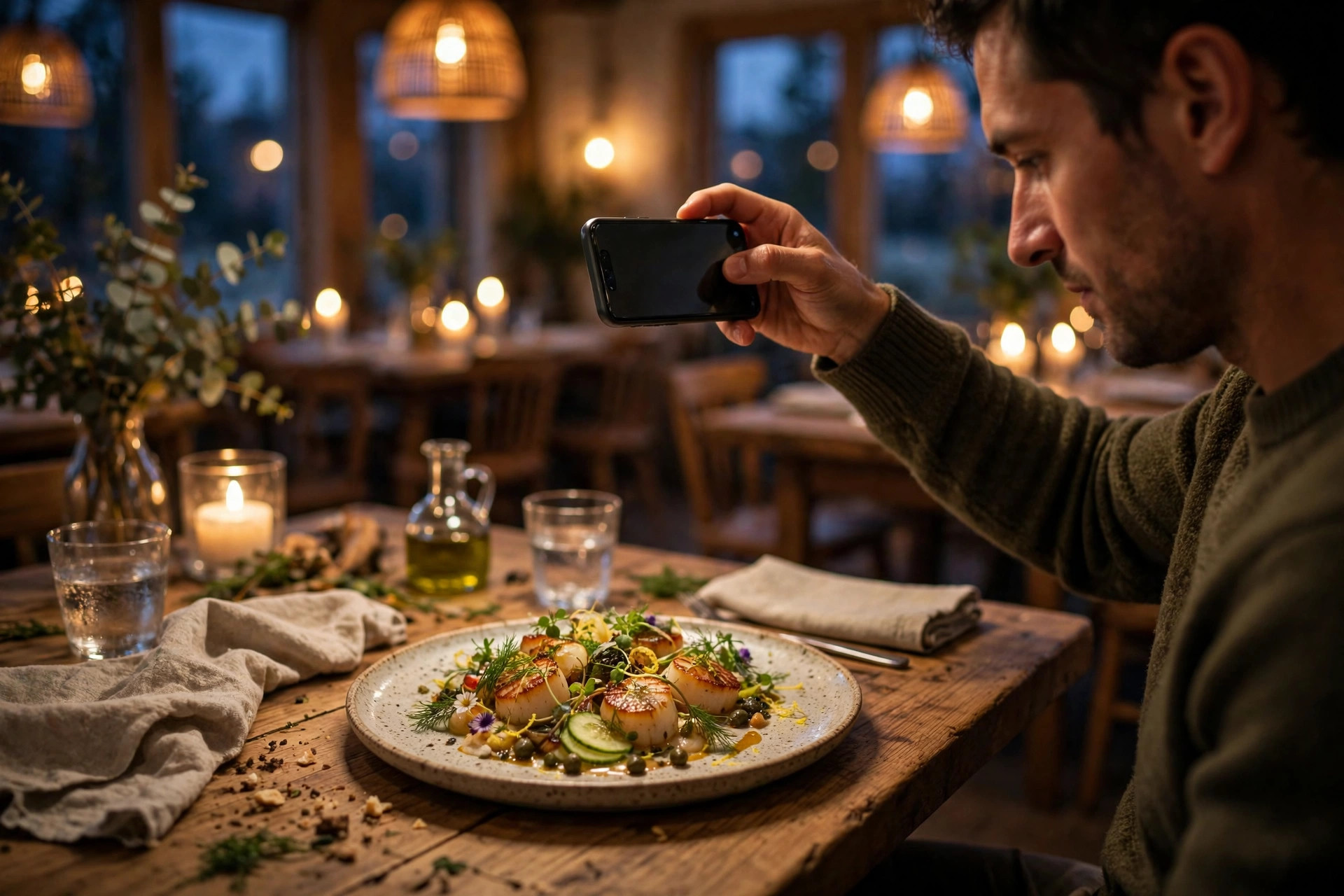
When a hungry guest compares three restaurants on Google Maps, they barely read the descriptions. They tap photos. The listing with a glowing dining room, sharp-looking dishes and a visible front door gets the tap; the one with two grainy pictures from 2021 gets skipped. Google has published the numbers behind this behaviour: businesses with photos receive 42% more requests for directions and 35% more click-throughs to their websites. Profiles with 100 or more photos pull dramatically more engagement than the average business.
And yet most restaurants treat the gallery as decoration — a handful of uploads at opening, then silence. This article is the photo strategy those listings are missing. It covers what Google actually wants in the gallery, how many photos you need, how to beat customer photos for the cover slot, the honest phone-vs-professional calculation, a month-by-month Nordic upload calendar, and how to see whether it is working. No invented stats, no fluff — just the playbook.
Why photos win the click
Photos are the largest, most emotional surface on your Business Profile. Before a guest reads a single word of your description, the photo strip tells them whether this place looks good enough to try tonight. That judgement happens in about two seconds, and it answers three questions: does the food look worth the price, does the room match the occasion, and can I find the entrance?
The engagement numbers make this the single highest-leverage free task in local marketing. Google reports 42% more direction requests and 35% more website click-throughs for businesses with photos. Local SEO practitioners consistently observe that profiles crossing the 100-photo mark pull far more views and actions than profiles with a handful. Complete profiles in general earn several times the clicks of incomplete ones, and photos are the fastest way to close that completeness gap — you can add thirty good photos in one afternoon.
Nobody chooses a restaurant from the description. They choose from the photo strip — in about two seconds.
There is a second, subtler effect. Fresh photos signal that the business is alive. A gallery whose newest photo is from last week tells Google and the guest the same thing: this kitchen is running, this room is full, this place is current. Practitioners report that profiles left dormant for months get treated as potentially inactive. Photos are the easiest freshness signal you control, and unlike reviews, you can schedule them entirely on your own terms.
What Google wants in your gallery
Google is explicit about the structure of a good gallery. Its guidance for restaurants asks for at least three photos of every relevant type: three of the exterior, three of the interior, three of food and drink, three of the team. Three is the floor. The gallery is split into labelled categories — exterior, interior, food & drink, team, and at work — and Google's vision systems analyse each image to understand what your business looks like. Images that clearly show the venue and its dishes are more likely to be surfaced prominently.
Think of the gallery as answering a guest's decision sequence, not as a random album:
The five photo types that convert
- Exterior (3-5 photos). The storefront in daylight, the entrance close-up, and a wider street view. Purpose: guests navigating to you by foot recognise the door. Shoot in daylight; a night shot is a nice bonus in the Nordics, where winter guests arrive in darkness.
- Interior (5-8 photos). The dining room, the bar, seating details, the terrace. Purpose: matching the room to the occasion — a date-night couple needs to see candlelight, a business lunch needs daylight and space. One busy-night shot proves the place is alive.
- Food & drink (15-25 photos). Signature dishes, bestsellers, desserts, drinks, the seasonal menu. Purpose: the menu preview. Guests decide with their eyes, and a dish gallery is the closest thing to tasting before booking.
- Team (3-5 photos). Chefs at work, the dining room team, the owner. Purpose: personality and trust. People book tables from people, and team photos consistently earn high engagement.
- At work / behind the scenes (3-5 photos). The kitchen in action, a dish being plated, the wood-fired oven. Purpose: craft. It tells guests this is a real kitchen, not a reheating operation.
Google's photo rules, briefly
Google accepts JPG and PNG photos. Keep images sharp, genuine and representative — overlaid text, logos-as-content, stock photos and promotional graphics get rejected. Blurry, dark or misleading images will not survive review. Shoot at your phone's full resolution; Google displays photos at high quality on desktop and mobile, and small, compressed images look worse on the big map cards.
The 30-photo playbook
If your gallery is thin right now, here is the fastest route to a gallery that actually sells: a single afternoon's work, 30 photos, in a deliberate order. Start with the money shots — the dishes — because they earn the most views, then fill the room and the team.
- Pick the light window. Shoot food between 11:00 and 14:00 near your biggest windows. Nordic winter light is scarce; plan the shoot for a bright day and ask the kitchen for the day's best-looking plates.
- Food first (12-15 shots). Your 5-8 bestsellers, two desserts, two drinks, one seasonal special. Plate exactly as served — real portions, real plates. Shoot from a slight angle above the plate (roughly 30-45 degrees), which flatters almost every dish.
- Room (5-6 shots). One wide dining-room shot, one of the bar, one seating detail, one terrace if you have it, one busy-evening shot (shoot during service, guests' faces not needed). Capture the room as guests will experience it, not as an empty hall.
- Exterior (3-4 shots). Daylight storefront, entrance close-up, one wider street-context shot. If your signage is distinctive, make it legible.
- Team and craft (4-6 shots). The chef or kitchen team at the pass, a dish being finished, one warm team photo. Candid beats posed — Google's systems and guests both prefer photos that look real.
- Upload in waves. Add them all in one session, but keep the best food shot back: upload it a week later as a "new" photo so the freshness signal starts immediately.
- Set the cover. In the Business Profile dashboard, mark your strongest exterior-or-dish shot as the cover photo. Then keep reading the next sections, because keeping it there is a separate battle.
From there the maintenance rhythm is simple: 3-4 new photos a month. One seasonal dish, one room shot, one team or behind-the-scenes shot, one of anything new. That cadence keeps the gallery growing past 50 and then 100 photos within two years — and each upload is another freshness signal.
Food photos that book tables
Food photos carry the gallery. They earn the most views and they are the only photos that can directly make someone hungry enough to book. Three rules separate the ones that work from the ones that do not: shoot in daylight, show the real dish, and skip the filter.
Daylight is the single biggest quality lever. A phone photo taken in good window light will beat a professional camera shot taken in bad light, because bad light — warm yellow restaurant lighting, or worse, flash — is what makes food look tired and grey. Move the plate to your brightest table, turn the flash off, and shoot with the light coming from the side or slightly behind the dish, not head-on. Side light creates the gentle shadows that make texture visible: the crisp, the steam, the glaze.
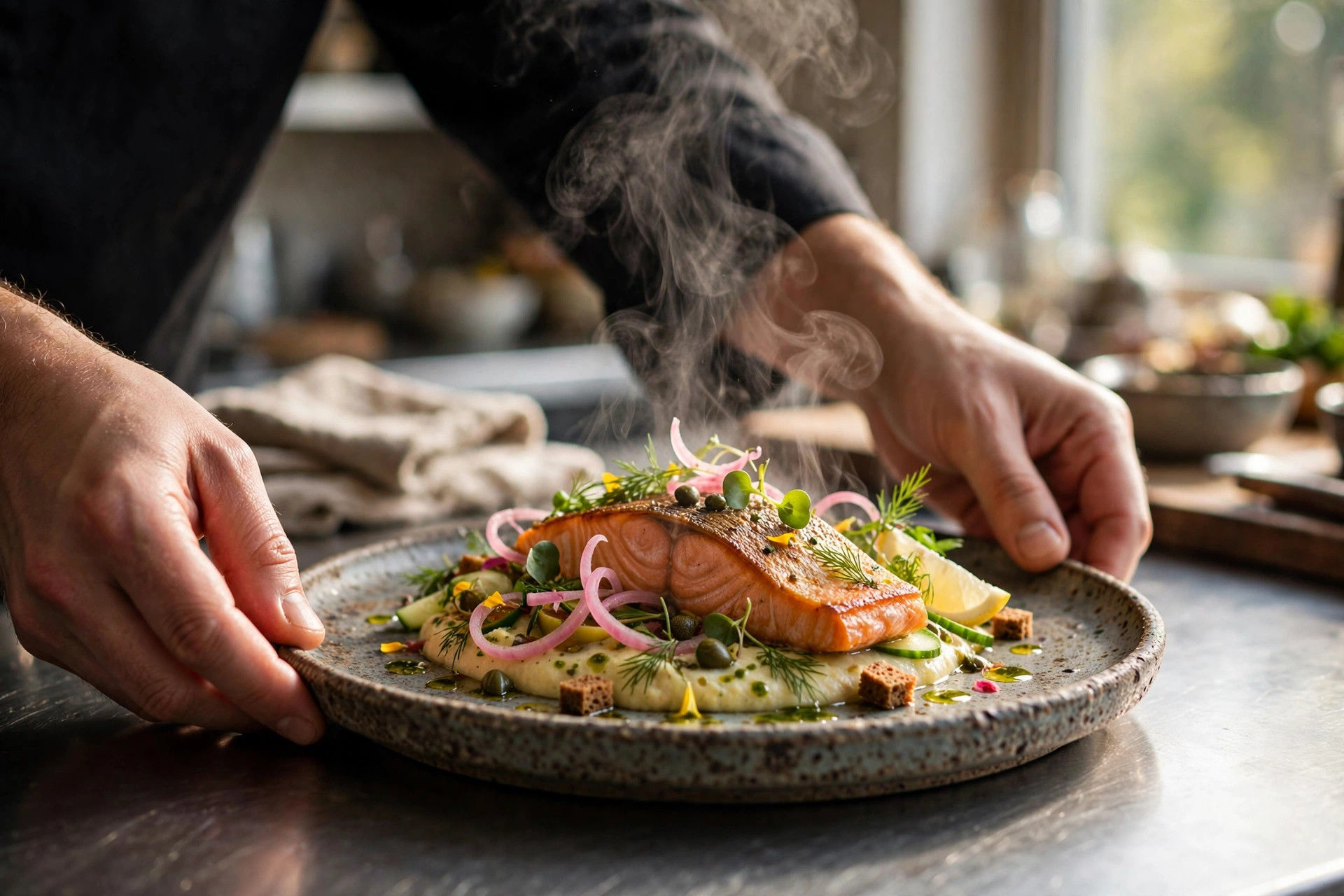
Show the real dish — the portion a paying guest actually gets, on the plate it actually arrives on. Styled shots that promise more than the kitchen delivers create a different problem: the guest arrives, compares, and leaves a review about the gap. Google's photo policies also reject misleading images, and guests' own uploads will expose the difference anyway. Honest photos pre-sell the experience instead of undermining it.
Finally, skip filters. The heavy-contrast preset that looks good on a personal feed makes food look artificial in a business gallery, and inconsistent styling across photos makes the gallery feel disjointed. Natural colour that matches what the guest will see is the goal. Wipe the plate edge, tuck the napkin, shoot, done — two minutes per dish.
The best food photo policy is a boring one: real dish, real light, no filter, every month.
The cover-photo problem (and how to win it)
Here is the frustration every owner discovers: you set a beautiful cover photo in the dashboard, and a week later Google is showing a guest's dark selfie at your table instead. That is not a bug. Google treats the cover photo as a suggestion. If another photo — usually a customer upload with more clicks or engagement — is judged more useful to searchers, Google promotes it to the primary position. The cover setting is an opening bid, not a final decision.
You can still tilt the odds heavily in your favour. First, make your chosen photo unmistakably representative: Google's vision systems categorise images, and a photo that clearly reads as "this restaurant's dining room" or "this restaurant's signature dish" is far more likely to be featured than a generic pretty image. Second, mind the aspect ratio and composition — wide, well-framed shots survive Google's cropping across search, Maps and mobile. Third, drive engagement to it: share the photo link, view it, and let it accumulate the interactions that signal usefulness. Owner-uploaded photos start with a trust advantage; engagement cements it.
Multi-location owners should note one more thing: each location needs its own unique photos. Reusing the same brand assets across locations reads as a chain pattern and dilutes each profile's distinctiveness — independent-looking galleries consistently outperform duplicated ones on local queries.
Customer photos: you can't delete them
Customer-uploaded photos appear in their own section of the gallery and are outside your control. You cannot delete them. You can flag photos that violate Google's content policies — irrelevant, offensive, misleading, or clearly not of your business — and Google will review the report. Everything else stays.
This sounds alarming, but the numbers favour the active owner. A profile with 60 strong owner photos and 200 customer photos still has an owner-controlled visual narrative; the top slots and the category labels are dominated by your uploads. A profile with 4 owner photos and 200 customer photos is letting strangers art-direct the business. The defence is volume, and it is the same playbook as the rest of this article: out-shoot, out-upload, stay current.
There is also an offensive play. Encourage good guest photos deliberately: a review-request card that mentions "we'd love to see your photos" on Google turns your happiest guests into your gallery's biggest contributors. Guest photos carry authenticity that owner photos never can, and a steady stream of them is itself a freshness signal. You want lots of customer photos — just not as your only photos.
Phone vs pro: the honest trade-off
Do you need a professional photographer? For most independent restaurants, the answer is: once a year, and not for everything. Here is the honest breakdown.
| Approach | Typical cost (estimate) | Best for | Watch out for |
|---|---|---|---|
| DIY smartphone | €0 | Monthly uploads, seasonal dishes, team and behind-the-scenes, busy-room shots | Bad light ruins everything; inconsistency if several people shoot |
| Professional shoot | €300-800 for a half-day session (estimate) | Hero images, cover photo, seasonal menu launch, website + Google combined shoot | Dated styling if you never refresh; over-styled shots that misrepresent portions |
| Combined: pro once a year + phone monthly | €300-800/year | Almost every independent restaurant | Assign one person the monthly phone duty, or it won't happen |
The combined approach is the sweet spot. Book the photographer for the menu launch or the spring terrace season and brief them explicitly: these photos are for Google too, so deliver a set of the 20 best dishes in real portions, plus room and team shots. The rest of the year, the phone covers it. Give one person — not "everyone" — the monthly upload job, with a simple rule: four photos, near a window, no flash, uploaded the first week of the month.
One more honest note: professionals produce quality on demand. They deliver in bad weather, in a dark dining room, on a Tuesday when the light is awful. If your restaurant is in a basement in February with small windows, that reliability alone can justify the annual shoot.
The Nordic photo calendar
Generic advice says "upload seasonally." In the Nordics, seasons are search behaviour: guests literally search for different things at different times of year, and your gallery should mirror that. Use the calendar below as the backbone of your monthly uploads.
- January-February: winter comfort — glowing interiors, hearty dishes, candlelight. Shoot the room at dusk when it looks its warmest; this is when "cosy restaurant" searches peak.
- March-April: spring menus, Easter tables. Refresh the food shots with the lighter dishes guests expect; daylight shooting gets easy again.
- May-June: terrace season prep. Upload terrace and outdoor seating photos before the first warm weekend — guests search for terraces in May, not July.
- July-August: summer menus, crayfish season (kräftskiva), midnight-sun terraces. Action shots of full terraces perform best here.
- September: autumn menus, mushroom and game dishes. The year's second menu refresh — photograph it like a launch.
- October-November: pre-Christmas. Start uploading Christmas-table (joulupöytä/julbord) imagery early; corporate bookings are decided in October.
- December: festive tables, private-dining rooms, New Year's Eve setups. Party-bookers browse galleries, not menus.
The winter-light trick
Nordic winter gives you perhaps six usable hours of daylight. Use them: schedule food shoots for 11:00-13:00 on bright days, shoot next to the biggest windows, and ask the kitchen to plate the shoot dishes during the lunch rush so nothing cools while you fiddle. One bright February afternoon can produce three months of gallery material.
Measuring what works
Your Business Profile dashboard shows how many times your photos were viewed compared to similar businesses — that comparison line is the metric that matters. If your photo views are flat while similar businesses climb, your gallery is losing the engagement battle and it is time for the 30-photo playbook. Also watch the actions around the photos: direction requests, calls and website clicks are the downstream clicks the strategy is designed to win.
A practical monthly check takes five minutes: photo views vs the previous month, number of new photos added, and which photo is currently the primary one. If the primary slot has been taken over by a customer photo you dislike, that is the signal to upload a stronger owner contender and drive some engagement to it — not to flag the customer's photo, which will only work if it actually violates policy.
And keep the loop closed with your website. Your Google photos create the click; your website converts it. Make sure the profile's website link points to your own domain — with a PowerfulWebsite site, the gallery and the menu page share the same photo style, so guests arrive feeling like they already know the place. The full profile playbook, including categories, reviews and menus, is in our complete Google Business Profile guide for restaurants.
Frequently asked questions
How many photos should a restaurant add to Google Business Profile?
Google's baseline is at least three of every relevant photo type: three exterior, three interior, three food and drink, three of the team. Treat that as the floor, not the target. Profiles with 100 or more photos get drastically more engagement than average, and a practical target for a competitive restaurant is 30-50 strong photos to start, then 3-4 fresh ones every month.
What kind of photos should a restaurant upload to Google Business Profile?
Upload photos that answer a guest's three questions: where is it, what does it look like, and what will I eat. That means an exterior shot that helps people find the door, 3-5 interior shots showing the atmosphere and seating, 10-20 food photos of real dishes at real portions, a few staff or team shots for personality, and seasonal specials to keep the gallery current. Natural daylight beats flash every time.
Can I remove a customer's photo from my Google Business Profile?
Generally no. Customer-uploaded photos live in a separate part of the gallery and you cannot delete them — you can only flag photos that violate Google's content policies, such as irrelevant, offensive or misleading images. The real defence is volume: the more strong owner-uploaded photos you have, the less attention any single customer photo gets, and Google's algorithm tends to favour owner photos for the prominent slots.
Why does Google keep showing a different cover photo than the one I chose?
Google treats the cover photo you set as a suggestion, not a command. If a customer-uploaded photo gets more clicks or is judged more useful, Google will promote it to the primary position instead. To keep your preferred photo, make it unmistakably representative of the business, upload it in the right aspect ratio, and encourage engagement with it — views and interactions signal to Google that it is the most useful image.
Do I need a professional photographer for my Google Business Profile photos?
No. A smartphone photo taken in good light will beat a professional shot taken in bad light, and for Google's gallery, authenticity matters more than polish. Book a professional shoot once a year for hero images and seasonal menus, and fill the gaps yourself: 3-4 fresh phone photos a month shot near windows, without flash, showing real dishes and a busy dining room.
Do Google Business Profile photos help my restaurant rank higher?
Photos do not directly move you up the local pack, but they drive the engagement signals that matter: Google's own data shows businesses with photos receive 42% more requests for directions and 35% more click-throughs to their websites. More photos also keep the profile looking active, and freshness is read as a sign of a living, well-run business — which is exactly what both Google and guests prefer to see.
Want a website that turns photo clicks into table bookings?
Your Google photos bring the guests — your website closes the deal. PowerfulWebsite builds your restaurant's website for free; you only pay from €59/mo, with the menu, booking flow and local SEO handled. See what your site could look like.
See the packages