Restaurant Staff Photos: How to Get Them Right
Good restaurant staff photos come from planning, not equipment: decide what each photo is for, shoot in real work clothes in your own space, keep the background and crop consistent, and get written GDPR consent before anyone publishes anything. A well-run DIY session beats an expensive shoot with no plan.
Key takeaways
- Staff photos are trust signals: guests who see the team before they visit feel they know where they are going. Put them on the website's About page and Google profile.
- Decide each photo's job first — website portraits, action shots for social, ID-style images for delivery apps — because purpose determines style, crop and budget.
- A phone plus window light is enough for routine portraits; hire a photographer for the annual website set or any group shot that needs to look polished.
- Keep a fixed style: same background, same light direction, same crop for every portrait. Consistency is what makes a team page look professional.
- Get written GDPR consent before the shoot, file it with the photos, and archive portraits when people leave. Update individual photos as the team changes.
Walk into any restaurant's website and look for the people. The ones with real staff photos — the chef mid-service, the team lined up in the dining room, the owner behind the bar — feel immediately more trustworthy than the ones with stock imagery or no people at all. Guests are not just choosing food; they are choosing who they trust with their evening. Staff photos are how a restaurant says "these are the people who will take care of you," and that signal works on the website, in the Google Business Profile, and on every platform in between. Yet staff photos are where restaurants most often go wrong: the group shot taken at a Christmas party in bad light, the five-year-old portraits that no longer match anyone, the "meet the team" page featuring people who left two years ago. This guide covers the whole job — purpose, planning, shooting, style, costs and consent — for a restaurant in the Nordics, whether you shoot with a phone or hire a professional.
Why staff photos matter for restaurants
People book with people. A restaurant is an unusually personal purchase: guests hand over their evening, their appetite and often their celebration to strangers, and anything that makes those strangers feel known reduces the perceived risk. This is why the "meet the team" page is consistently one of the most visited pages on restaurant websites, and why Google Business Profiles with staff photos alongside food and interior shots tend to feel more complete and welcoming. Photography research consistently finds that faces draw the eye first in any image, and in hospitality that instinct works for you.
Staff photos also do quiet work inside the business. A team that sees itself presented proudly on the website feels recognised — several restaurateurs report that a proper team shoot is one of the cheapest morale investments they make. And there is a practical side: private dining and event enquiries convert better when the enquiry form sits next to a photo of the person who will answer it. Catering clients booking a wedding tasting want to see the chef whose food they will serve. In each case the photo is not decoration; it is part of the sale.
Guests do not just choose food. They choose who they trust with their evening — and staff photos are how you introduce the people before the booking.
None of this requires glamour. The bar is "genuine and consistent," not "magazine cover." A relaxed portrait of the actual team in the actual restaurant outperforms a stiff studio composite every time, because it matches the experience the guest will have.
Define the purpose first
Before touching a camera, list what each photo needs to do. The purpose decides everything downstream: the style, the crop, the background, the budget and even whether you need a photographer at all.
The four jobs staff photos do
- Website portraits — the About or Team page. Head-and-shoulders, consistent background and crop, warm and professional. These live for years, so they deserve the most care.
- Action shots — staff at work: the chef plating, the bartender pouring, the server carrying a tray. These fuel social media, the Google profile and the homepage. They can be candid and frequent.
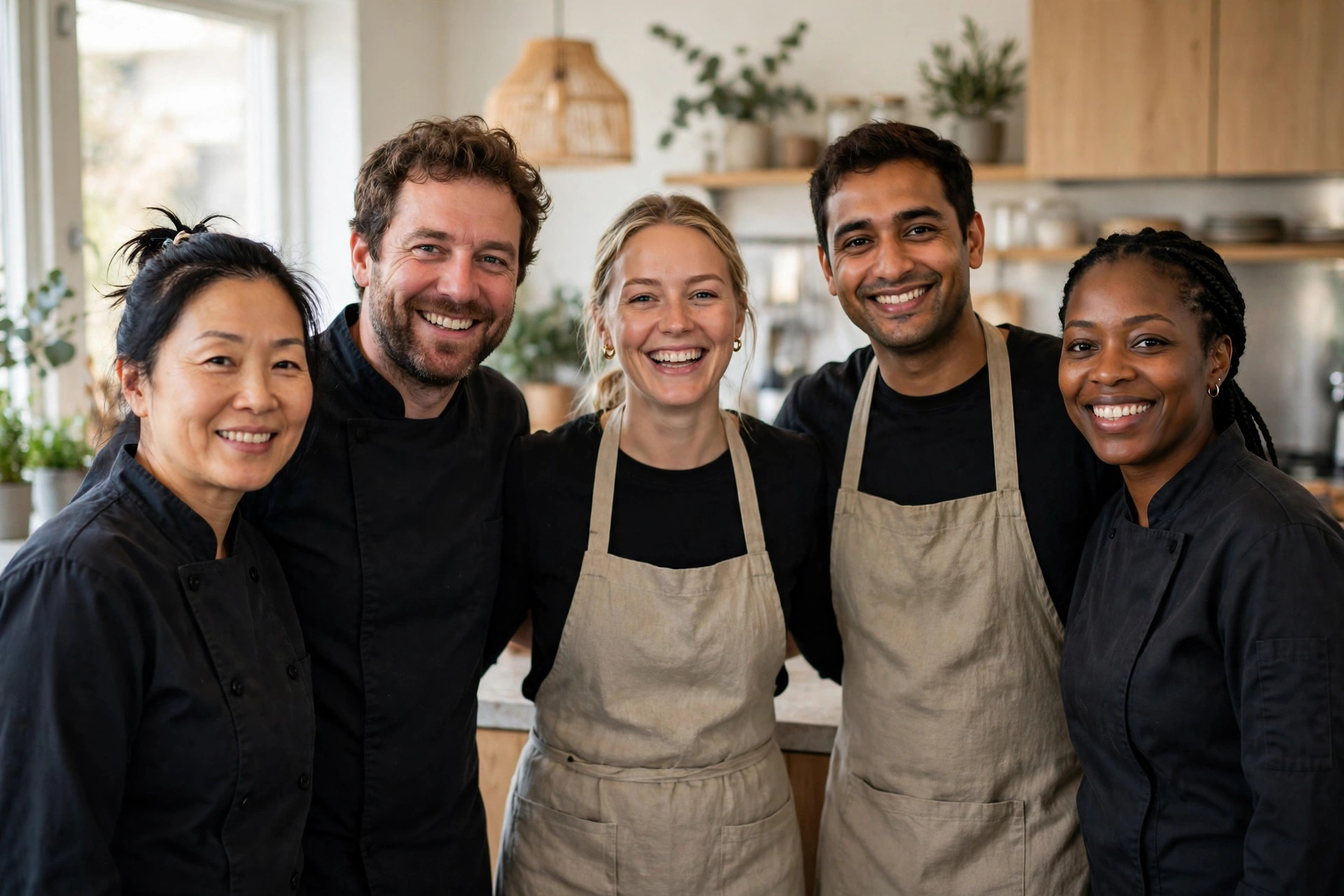
- The group photo — the whole team together. One strong group shot works on the website header, the recruitment page and press enquiries. It needs everyone present at once, which makes scheduling the hard part.
- Functional images — lanyard and ID photos, delivery-app profile pictures, the small circular avatar on booking platforms. Plain background, front-facing, tightly cropped. Ugly but useful.
Write a one-page shot list from this: who, what style, where each photo will be used. The shot list is also your brief if you hire a photographer — see our guide to hiring a food photographer for how a good brief saves money. A useful trick: shoot the portraits and the functional images in the same session with the same setup, and add ten minutes at the end for candid action shots while everyone is already gathered.
DIY or professional photographer: an honest comparison
The honest answer is that most restaurants need both, at different times. A phone in good light produces perfectly usable portraits for social media and routine updates; a professional earns their fee on the images that define the brand for years. Here is how the options compare:
| DIY (phone + window light) | Local portrait photographer | |
|---|---|---|
| Cost | Near zero — your time only | Roughly €150–400 for a half-day team session |
| Best for | New starters, social posts, quick updates | Website portraits, the group shot, brand imagery |
| Time per person | 5–10 minutes once the setup is fixed | 10–15 minutes with direction and lighting |
| Consistency | Good if you fix the setup and never move it | Excellent — lighting and direction standardised |
| Downside | Flat light, no direction for shy staff | Needs scheduling; everyone must be present |
The smart split for most restaurants: a professional session once a year for the website portraits and the group photo, and quick DIY updates whenever someone joins the team. If the photographer is already booked for a food and interior shoot, adding staff portraits to the same day is usually the cheapest professional option — the lighting is set up and the team is on site anyway. Ask for a package price that includes 20–40 edited portraits plus the group shot, and confirm in writing where you may use the images (website, social, print) and for how long.
The smart split: a professional session once a year for the website and group shots, and quick phone updates whenever someone joins the team.
If you go DIY, the camera is not the bottleneck — a modern phone is enough for restaurant portraits. The bottleneck is always light, background and consistency, which is what the next sections fix.
Planning the shoot: timing, location, shot list
Staff photography fails on logistics far more often than on technique. The classic failure is trying to shoot during service, when half the team is busy, everyone is stressed, and the photographer is in the way. Plan around the restaurant's rhythm instead.
When to shoot
The golden window is between services or before opening: the kitchen is set but not chaotic, daylight is available, and staff are present without the pressure of guests. For most restaurants that means late morning or mid-afternoon. Schedule the session on a day when the full team is in — a staff meeting day or a training day works well — because chasing missing people for retakes destroys consistency. Tell everyone the schedule a week ahead: who is needed when, for how long, and what to wear. Time slots of 10–15 minutes per person keep the day moving and respect the fact that people have work to do.
Where to shoot
Shoot in your own space — it is the point of the exercise. The best portrait spot in most restaurants is near a large window: soft, flattering daylight that needs no equipment. Pick one spot and do not move it, because a fixed setup is what makes every portrait match. The background should say "restaurant" without shouting: a calm stretch of dining room, a warm section of bar, a clean kitchen pass. Avoid clutter, bins, fire exits and anything with readable text or other brands. For the group shot, the dining room or terrace with the team arranged in two rows (tall at the back, or use the bar stools) beats the kitchen — kitchens are photogenic in action shots and cramped in group shots.
The shot list, written down
Walk the photographer (or yourself) through the list before the day: individual portraits of everyone, the full group, two or three action shots per department (kitchen, bar, floor), and the owner or chef separately for press use. Tick them off as you go. The written list is what stops you discovering, three days later, that nobody photographed the new sommelier.
Preparing your team: comfort beats direction
Most people hate having their photo taken, and restaurant staff are no exception — especially after a long week. The shoot succeeds or fails on how comfortable people feel, and comfort comes from information and pace, not from photography skills.
Tell them everything in advance
A short message a few days before, covering: what the photos are for, where they will appear, what to wear, how long their slot takes, and that they can say no. That last point matters legally (see the consent section) and practically — a resentful subject photographs badly. For wardrobe, the rule is simple: their real work clothes. Chefs in chef's whites or the house jacket, servers in the uniform or apron they actually wear, the owner in what they wear on the floor. Clean, pressed, and minimal competing logos. Strongly patterned clothes and neon colours fight the background; dark, solid colours photograph best in restaurant light. Avoid asking people to dress up beyond their role — guests should recognise the team when they arrive.
Run the day like a service
Set up before anyone arrives — background, light check, a test shot of a willing volunteer. When people walk in, they should be photographed within minutes, not after forty minutes of watching equipment being adjusted. Start with a couple of warm-up frames for each person (delete them later), give simple direction ("chin slightly down, look just past the camera"), and keep it moving. A mirror near the setup lets people check themselves without asking. Assign one staff member as the runner to fetch the next person — it keeps the schedule tight and the photographer shooting instead of herding. And feed people: a shoot scheduled over lunch without food breeds exactly the expressions you do not want.
Comfort is a production input. A team that was informed, scheduled and fed photographs like a team — a team kept waiting does not.
Style: background, light and crop
Consistency is the entire difference between a team page that looks professional and one that looks like a collage of LinkedIn imports. Four elements need to be fixed, written down, and repeated for every portrait — including the DIY updates you shoot six months later.
The four fixed decisions
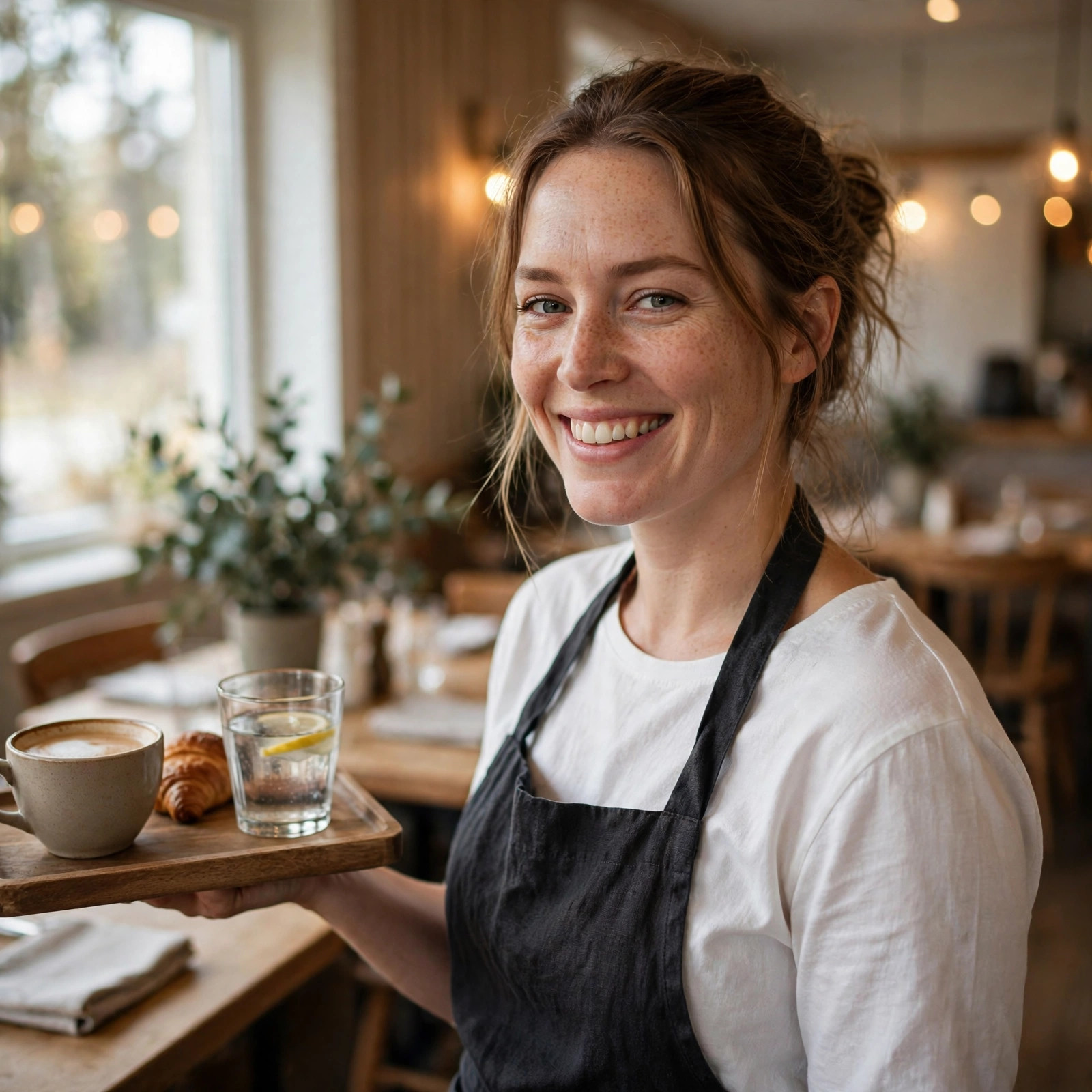
- Background. One background for all portraits — the same stretch of wall, bar or dining room. It should be calm and slightly darker than the subject's face. Blurred is good: shoot with the background a few metres behind the person.
- Light. One light direction for all portraits — usually a large window to one side, with the person angled toward it. Note the time of day and the window; the update shoot in six months needs the same light.
- Crop. Head-and-shoulders, same framing for everyone: eyes roughly on the same horizontal line, the same amount of space above the head. Vertical or square, depending on where the photos will live — square crops are the most versatile for websites and Google profiles.
- Colour and tone. The same white balance and the same light edit on every portrait. If the annual set was edited warm, the new starter's DIY portrait should be edited warm too, or the team page will look stitched together.
Write these four decisions on your one-page photo rules sheet — the same document that holds your brand identity notes — and photograph the setup itself (a phone snap of the chair position, the window, the background) so anyone can recreate it. That reference photo is the cheapest consistency tool you will ever own. For more on the visual side, our interior photography guide covers the same light-and-background thinking for rooms.
Portraits vs action shots: shoot both
Portraits introduce the team; action shots sell the atmosphere. They are different disciplines, and a complete staff photo set needs both.
Portraits: posed, calm, repeatable
The classic head-and-shoulders portrait works because it is legible at every size — from the website team grid to a tiny Google profile circle. Keep the pose simple: shoulders angled slightly, chin level, a natural expression. The most common mistake is the over-grinned corporate smile; aim instead for the expression staff wear when greeting a regular — warm, relaxed, real. Shoot several frames per person and let them pick their favourite afterwards; people accept their photo far more readily when they chose it.
Action shots: candid, in motion, in place
Action shots are the chef finishing a plate, the bartender mid-pour, the server laughing with a colleague between tables. The technique that works in a working restaurant: shoot between services or during a quiet stretch, ask the team to do real tasks, and stay out of the way. Staged-but-real beats genuinely candid — a chef asked to plate one dish slowly photographs beautifully; a chef genuinely rushing the Friday rush does not. Keep the depth of field shallow so the subject pops from the background, and shoot plenty: the keeper rate on action shots is low, and that is normal. These are the photos that power social media and give your Google Business photos their human warmth.
The group photo, done once and done well
One strong group photo a year is enough. Arrange two rows — or three for a big team, with the back row standing on something stable — keep faces visible and unblocked, and shoot from slightly above eye level. Take many frames: someone always blinks. And take it early in the session, while energy is high and everyone is actually present.
Consent, GDPR and what happens when people leave
Photos of identifiable staff are personal data under GDPR, and the rules are not optional. But they are also not complicated — they just need to be handled as a routine, not as an afterthought.
Get written consent before the shoot
Use a simple consent form, signed by each person before they are photographed. It should state: who is taking the photos, what they will be used for (website, social media, Google Business Profile, print — be specific), how long they may be kept, and that consent can be withdrawn at any time. Keep the signed forms with the photos themselves — ideally referenced in your photo register so each staff portrait links to its consent record. For staff under 18, a parent or guardian signs. Anyone who declines is simply not photographed for marketing; respect it without fuss.
When someone leaves
Staff turnover is the part restaurants forget. Build a small routine into your offboarding: when a team member leaves, archive their marketing photos and remove them from the website team page and any active campaigns. You do not necessarily have to delete every historical post, but you must stop using their image in new material, especially if consent is withdrawn. This is another reason to keep staff photos tagged by person in your library — finding every photo of one individual should take a search, not an excavation. The full system for that lives in our guide to organising your photo library.
Staff photo consent checklist
- Written consent signed before the shoot — purpose, channels and duration stated.
- Under-18s: signed by a parent or guardian.
- Forms stored with the photos; each portrait traceable to its consent record.
- Offboarding step: archive the portraits, remove from the team page and active campaigns.
- Never publish identifiable guest photos without their explicit permission.
Guests in the frame
The practical rule for guests: photograph food, interiors and atmosphere — not recognisable faces — unless you have explicit permission. If a wonderful candid moment includes a guest, ask them; a compliment and a one-line consent takes a minute and most people are flattered. For private events and weddings, clear photography expectations with the organiser in advance.
Where the photos go — and keeping them current
Good staff photos earn their keep in more places than the About page. The full distribution list:
- The website team page — the primary home. Names, roles, one line each if you like. Keep it to current staff only.
- Google Business Profile — team and action shots alongside food and interior photos. Profiles with people feel more trustworthy to browsing guests.
- Social media — action shots and behind-the-scenes portraits are consistently among the best-performing organic content for restaurants.
- Recruitment — the careers or jobs page. Candidates apply to places where the team looks like somewhere they would want to work.
- Press and partnerships — keep two or three high-resolution portraits of the owner and head chef ready for journalists, delivery platforms and event organisers. Having them on file turns a same-day press request from a scramble into an email.
The update rhythm
Individual portraits: update when someone joins or leaves — no exceptions, because a team page with departed staff is worse than no team page. Full team refresh: once a year, or whenever uniforms, interior or branding change. And set a simple rule: any staff photo older than two years gets reviewed, not automatically kept. A photo library that stays current is a marketing asset; one that does not is a liability wearing your logo.
If the team photos are ready but the website still buries them — a slow gallery, a team page from 2019, images that never load properly on phones — the fix is the site itself. PowerfulWebsite builds restaurant websites free, from €59/mo with everything included, so your team finally gets the presentation they deserve.
Frequently asked questions
How much do restaurant staff photos cost?
A DIY staff photo session costs almost nothing beyond your time — a phone, a window and a clean background. A local portrait photographer typically charges roughly €150–400 for a half-day team session in the Nordics, delivering 20–40 edited portraits; bundling staff portraits into a full food-and-interior shoot often brings the effective cost per image down. Estimates vary by city and experience, so always get a written quote.
Should we take staff photos ourselves or hire a photographer?
A DIY session with a phone and good window light is perfectly adequate for small teams and social media portraits. Hire a photographer when the photos will headline the website, when you need 10+ consistent portraits, or when you want group shots with professional lighting. Many restaurants split the difference: a professional session once a year for the website, and quick phone updates when new staff join.
What should restaurant staff wear for staff photos?
Their actual work uniform or typical shift clothing — that is what guests will see, and authenticity beats styling. Give clear guidance a few days ahead: clean uniform or apron, minimal logos other than your own, avoid strongly patterned clothes that clash with the background. Chefs in chef's whites, servers in the house apron: the photo should look like a good day at your restaurant.
How often should we update staff photos?
Update individual portraits whenever someone joins or leaves the team, so the website always reflects reality. Plan a full team refresh once a year, or whenever the interior, uniform or branding changes. Photos that are more than two years old — or show staff who have moved on — should be archived, not displayed.
Do I need consent to put staff photos on the website?
Yes. Photos of identifiable staff are personal data under GDPR, so get written consent before the shoot, stating where the photos will be used (website, social media, Google Business Profile). Keep the signed forms with the photos, and when consent is withdrawn or someone leaves, stop using their photos in new material and archive the old ones.
Want a website that shows your team at their best?
PowerfulWebsite builds your restaurant's website free — you only pay from €59/mo. Everything included: domain, hosting, maintenance and updates, with team pages that make guests want to book.
See the packages