Syncing Your Booking Calendar Across the Team
One calendar, every booking, visible to the whole team — that's the entire system. Double bookings don't happen because software failed; they happen because bookings live in four places at once: the phone diary, the website widget, Google, and somebody's memory. This guide shows you how to merge every channel into a single shared diary, set clear permissions, run shift handoffs that don't lose bookings, and keep a paper backup for the night the system goes down.
Key takeaways
- Every booking channel — phone, website widget, Google, social messages — must land in ONE shared diary. If a booking isn't in the diary, it doesn't exist.
- Double bookings almost always come from a booking that never reached the shared diary: the phone promise, the DM, the regular's text to the owner.
- Give every booking the same fields: name, phone, party size, time, notes and a status (confirmed / seated / cancelled / no-show).
- A 10-minute pre-service handover — walking the team through tonight's book — prevents more chaos than any software feature.
- Keep a printed day sheet at the host stand for outages, and handle all guest data under GDPR from day one: consent for marketing, deletion on schedule.
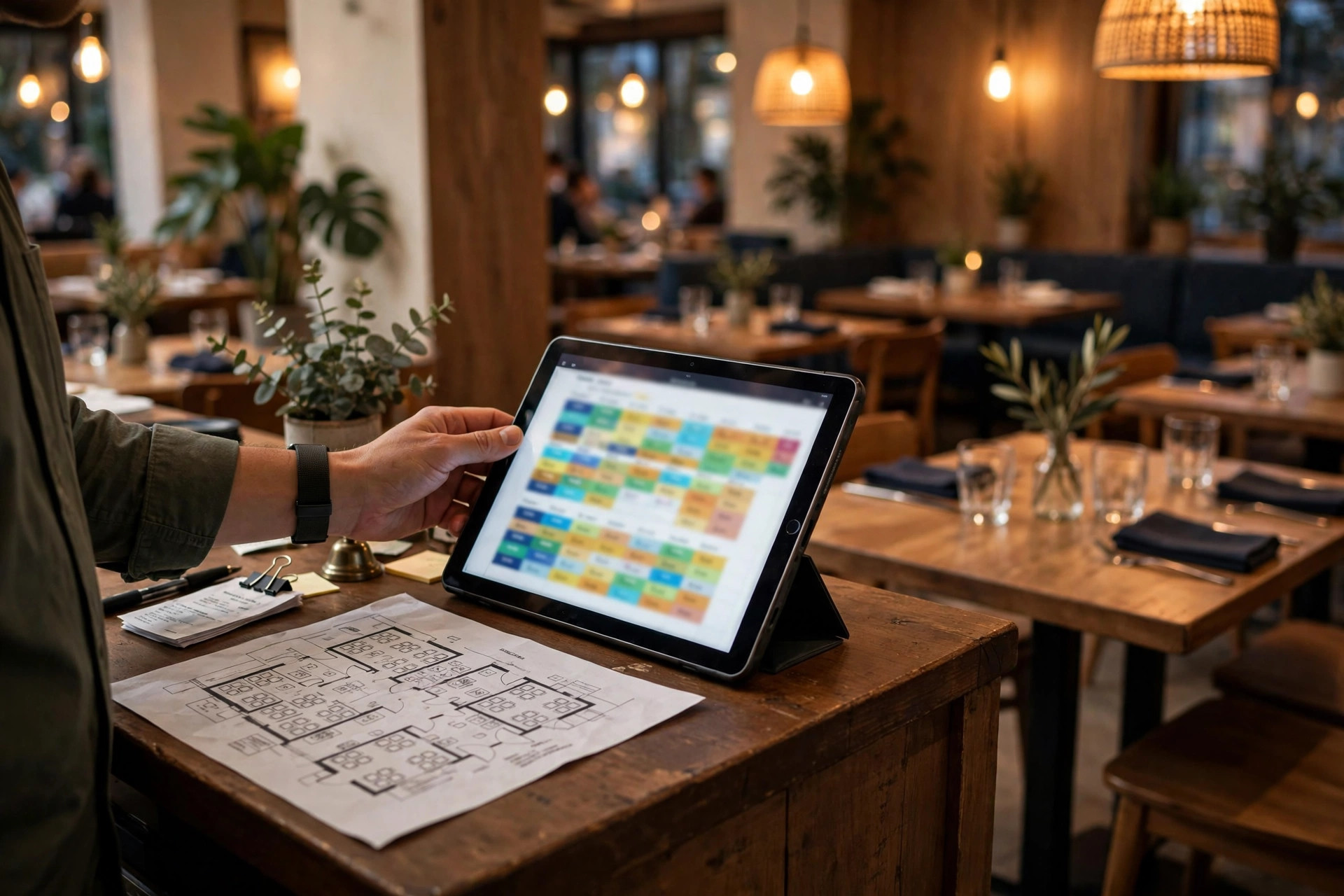
Picture Friday at 19:45. A party of six arrives for their 19:30 booking — confirmed by phone on Wednesday, name in the paper diary by the till. Except the table is occupied: a different party of six, booked online yesterday, seated by the host who never saw the paper diary. Two groups, one table, both with every right to be angry, and a dining room full of witnesses. This scene plays out in restaurants every week, and it is never really a software problem. It is a sync problem: bookings living in different places, visible to different people, colliding at the worst possible moment. This article fixes it — the single-diary rule, the fields and permissions that make it work, the handover ritual that keeps it honest, and the backup plan for when technology has a bad night.
Where double bookings come from
Double bookings have a remarkably consistent set of parents. Learn to recognise them and you can eliminate most conflicts before they happen:
The phone promise. The most common cause, by a distance. Someone calls during the lunch rush, a busy staff member takes the booking on a scrap of paper or — worse — commits it to memory, and it never reaches the diary. Friday arrives, the table is booked twice, and nobody knows until both parties are standing at the host stand. The phone isn't the problem; the gap between the phone and the diary is.
The parallel diary. The owner keeps "their" bookings in a notebook. The events manager keeps corporate bookings in a spreadsheet. The host uses the actual system. Three diaries, three versions of the truth, and a collision every busy week. Parallel diaries usually start innocently — "I'll just note this one down quickly" — and end with a regular being told their table doesn't exist.
The message-channel booking. Instagram DMs, Facebook messages, WhatsApp texts to the restaurant's number, a text to the owner's personal phone: "Hey, table for 4 Saturday?" These feel informal, so they get treated informally — answered with "sure, see you then" and never entered anywhere. But to the guest, that reply was the booking. Every message channel that can produce a booking needs a rule: reply with the booking link, or enter it in the diary yourself, immediately.
The stale online inventory. The website widget shows tables the phone team already promised, or the phone team promises tables the widget just sold. This happens when online and offline bookings don't share one live diary — when the widget runs on its own inventory, or when phone bookings are batched into the system "later". Later is where double bookings live.
The walk-in promise. "Come back at eight, we'll have a table for you" — said to a waiting guest, never written down, forgotten by the next shift. An hour later the table goes to someone else, and the returning guest has a legitimate grievance. Walk-in promises are bookings; treat them as bookings.
The anatomy of a Friday-night collision
Notice what these five have in common: in every case, at least one booking existed somewhere the rest of the team couldn't see it. The double booking is never the first failure — it's the second. The first failure was invisibility. That's why the fix isn't better software or stricter rules about any single channel; it's making every booking visible to everyone, in one place, in real time. Which brings us to the rule that organises everything else.
What a double booking costs
Owners tend to price a double booking as an awkward five minutes. Price it properly and the case for fixing the system makes itself. Start with the immediate cost: you will comp something — drinks, dessert, sometimes the whole meal — for at least one of the two parties. For a party of four at €45 a head, that's €180 of revenue erased before the evening starts, plus the staff time spent firefighting instead of serving.
Then the review cost. A double-booked guest doesn't write "the food was good but the booking was confusing" — they write a one-star review titled with words like "chaos", "unprofessional" and "never again", and that review sits on your Google profile where every future guest reads it. One detailed account of being turned away from a confirmed table does more damage than ten quiet complaints about slow service, because it attacks the thing guests care about most: reliability.
Worst is the regular cost. The guests most likely to be double-booked are regulars — they're the ones who book by phone, text the owner, get the informal promise. And regulars are the guests you can least afford to embarrass: a first-timer who has a bad experience simply doesn't return, but a regular who gets double-booked tells the story to everyone they know, and the lifetime value walking out the door is measured in thousands, not hundreds.
There's a team cost too, and it's the one that compounds. Nothing demoralises a host faster than being handed an impossible situation created by someone else's sloppy booking — apologising for a mistake they didn't make, to guests who don't care whose mistake it was. Do it to your team often enough and your best hosts leave. In a labour market where good front-of-house staff are scarce across the Nordics, retention is a financial line item, and diary chaos is a retention killer.
Do the maths for your room
Take your average spend per head, multiply by your average party size, and multiply by the number of double bookings or near-misses you had last month — then add one lost regular per quarter at a conservative lifetime value. For most restaurants, even two genuine double bookings a month cost more than a year of proper booking software. The system pays for itself; the chaos charges interest.
The one-calendar rule
Everything in this article follows from one rule: every booking lives in one shared diary, and a booking that isn't in the diary doesn't exist. Not in the owner's notebook, not in a DM thread, not "I told Maria". The diary. This rule sounds trivially obvious, which is exactly why restaurants keep violating it — every parallel system starts as a convenience and ends as a collision.
What counts as "the diary" depends on your size, and honesty matters more than sophistication here. A dedicated restaurant booking system — DinnerBooking, TableOnline, Quandoo/Bookatable or similar in the Nordics — gives you table plans, automatic confirmations, reminders and deposit handling, typically from free basic tiers up to roughly €50–150/month for a full-featured setup (estimates; check current pricing). For a busy room, that's cheap. A well-run shared digital calendar can work for a very small room with low booking volume — but "well-run" means one calendar, shared with the whole team, with naming conventions enforced, not a personal calendar that happens to have some bookings in it. Paper can work for a tiny café, but it doesn't sync, doesn't remind, and doesn't survive being left at home — treat it as a backup, not a system.
Whichever you choose, three properties are non-negotiable. Shared: everyone who touches bookings can see it, live, from wherever they are — the host stand tablet, the manager's phone, the bar. Single: there is exactly one of them; the moment a second diary appears, you have two versions of the truth. Immediate: bookings enter the diary at the moment they're made, not "when I get a chance" — the chance is where collisions breed. If your current setup can't do all three, the setup is the problem, not the staff.
The diary also needs to be where your online booking lives. Your website's booking widget should write directly into the same diary the phone team uses — not into a separate inbox that someone reconciles later. When guests book from your site at midnight, that booking should be sitting in the diary when the morning shift opens it. A well-built restaurant website integrates the booking flow with your diary from the start; a booking button that emails someone who might enter it tomorrow is a double booking waiting for a busy Friday. If you're weighing the software options, our guide to what booking software a café actually needs and our booking system comparison will help you choose.
Run the one-diary audit today. List every place a booking can currently exist in your restaurant — the system, a notebook, a spreadsheet, DM threads, texts, memory — and be honest about it. For each one that isn't the shared diary, decide: does it feed the diary automatically, or does it die today? Then check who can actually see the diary right now; anyone who takes bookings but can't see it is a collision waiting to happen, so fix their access this week. Finally, ask the team: "where would you put a booking taken right now?" If you get more than one answer, you don't have a system yet.
Fields and conventions
A shared diary only works if everyone enters bookings the same way. "Table for tonight, some guy called Mikko" is not a booking — it's a riddle the evening shift gets to solve under pressure. Standardise the fields, and half your diary problems disappear:
| Field | Required? | Why it matters |
|---|---|---|
| Guest name | Always | One consistent name per booking — the booker's surname, spelled back to them. "Mikko" is not enough when three Mikkos book this week. |
| Phone number | Always | With country code (+358, +46, +47). This is your lifeline for confirmations, running-late calls and no-show follow-up. |
| Party size | Always | Total heads including children and infants — a "table for 4" that arrives as 6 breaks the table plan. |
| Date and time | Always | Read it back: "Friday the 16th at 19:30" — misheard days are a classic collision source. |
| Seating area / table | When assigned | Terrace, bar, main room, or a specific table. Unassigned bookings need a clear "unassigned" marker, not a blank. |
| Notes | When relevant | Allergies, wheelchair access, pram, surprise/occasion, "regular — usual table". Allergies in particular must be visible to the kitchen, not buried. |
| Status | Always | Confirmed, seated, cancelled, no-show. A diary full of "confirmed" bookings at 22:00 tells you nothing; statuses tell you what actually happened. |
| Source channel | Recommended | Phone, online, Google, walk-in, DM. Tells you which channels earn their keep — and which ones generate the problems. |
| Deposit / card hold | When taken | Amount and status. The host must know at a glance which bookings have skin in the game. |
Beyond the fields, agree on conventions and write them on a card at the host stand. Names: surname of the booker, always. Phone numbers: always with country code — Nordic restaurants serve tourists and cross-border guests constantly, and a number without a country code is unreachable when you need it. Party size: total humans, always. Times: on the hour and half hour only, unless your system genuinely supports finer slots — "19:20" bookings create a diary nobody can read at speed.
Status discipline is what separates a diary from a wish list. Mark bookings seated when guests arrive, cancelled when they cancel, no-show when they don't. It takes seconds, and it's the only way the diary stays truthful through the night — and the only way your month-end numbers (covers, no-show rate, channel mix) mean anything. A diary where everything stays "confirmed" forever is a diary nobody trusts, and a diary nobody trusts gets bypassed, and bypassed diaries produce double bookings. The loop is vicious; status discipline breaks it.
GDPR: the diary is personal data
- Lawful basis: you hold booking data to fulfil the booking (contract) — that's fine. Marketing use needs separate, explicit consent; a reservation is not a newsletter opt-in.
- Retention: keep booking details only as long as needed — the visit plus a reasonable rebooking window (many restaurants use 12–24 months), then delete. Write the rule down and apply it.
- Access: limit diary access to staff who need it (see roles below), and make sure ex-staff lose access when they leave.
- Paper: printed day sheets contain personal data — collect and shred them, don't leave them on the bar. For the marketing-safe way to use guest data, see our GDPR-safe marketing guide.
Who can change what
"Everyone can see everything, but not everyone can change everything" — that's the permissions principle. Universal visibility prevents collisions; restricted editing prevents chaos. A workable setup for most restaurants:
Owner / manager: full access. Add, move, cancel, override — and the only person who reassigns a confirmed booking to a different table or time. When a VIP needs a table that the diary says is taken, the manager makes the call and owns the consequences, including calling the displaced guest personally. Overrides are a management decision, never a host improvisation.
Host / floor manager: add and edit. Takes walk-ins, enters phone bookings, marks statuses, manages the waitlist. Can move unconfirmed or tentative bookings; confirmed bookings move only with manager approval. The host is the diary's guardian during service — if the diary says it, the host enforces it.
Servers and bartenders: read, plus walk-in entry. Everyone serving needs to see tonight's book — allergies, VIPs, large parties, timing. They should be able to add a walk-in seating (that's just recording reality), but not to modify or cancel reservations. If a server promises a guest a table for next Friday, the rule is: enter it as tentative and flag the host, or better, hand the guest to the host.
Kitchen: read the counts. The kitchen doesn't need guest names, but it needs to see covers by time slot, large parties, allergies and timing notes. A kitchen display or a printed firing schedule derived from the diary keeps the pass aligned with the room — the classic failure is the kitchen prepping for 60 covers while the diary quietly grew to 90.
Temporary and new staff: read-only until trained. The temp who "helpfully" takes a phone booking and writes it on their hand is a folk hero in every restaurant's disaster lore. Temps take messages; trained staff take bookings. Make this explicit on day one.
The override rule
Write this down and put it where the team can see it: only the manager on duty moves a confirmed booking. Not the host under pressure, not the owner by text message, not the server doing a favour for a regular. Every double booking that starts with "I thought it would be fine to move them" ends with two angry parties. One person owns overrides; everyone else enforces the diary as written.
The 10-minute handover
Here's the highest-ROI ten minutes in restaurant operations: before every service, the manager or host walks the team through tonight's book. Not a glance — a walk-through. It costs ten minutes and prevents the entire category of "nobody told me" failures.
What the handover covers: the shape of the night (how many covers, when the peaks hit), the bookings that need attention (VIPs and regulars by name, large parties, anyone with allergies or access needs, tight turnarounds where one table feeds the next), the status of the room (which tables are held for walk-ins, what's on the waitlist, any maintenance issues — the wobbly table 12), and who's doing what (who owns the door, who owns the phone, who handles the waitlist). Everyone leaves the handover knowing the evening's pressure points before the first guest arrives.
Mid-service updates keep the handover alive. The diary is a living document during service: mark no-shows at 15 minutes past, mark tables freed early, note the party that's running long and the downstream booking it affects. The host should broadcast the important changes — a quick word to the servers ("table 8 just freed, that's 20 minutes early") is worth more than a perfectly updated screen nobody looked at. Communication beats software; software just makes communication possible.
The closing handover matters as much as the opening one. The night team leaves a note for the morning: bookings moved, guests promised callbacks, the regular who wants the corner table next Friday (entered in the diary, obviously), the complaint that needs a manager's call. A shared log — digital or a simple notebook at the host stand — means the morning shift inherits knowledge instead of mysteries. Our booking confirmation templates include the reminder wording that makes tomorrow's handover easier, because confirmed bookings are bookings that behave.
Make it a ritual, not a memo
Handover fails when it's optional. Same time, same place, every service — two minutes before doors, team gathered, diary open. New staff learn the rhythm by watching it happen; within a fortnight it's just "how we start service". The restaurants with the fewest booking disasters aren't the ones with the best software; they're the ones where the team actually looks at the book together, every single day.
Keeping every channel in sync
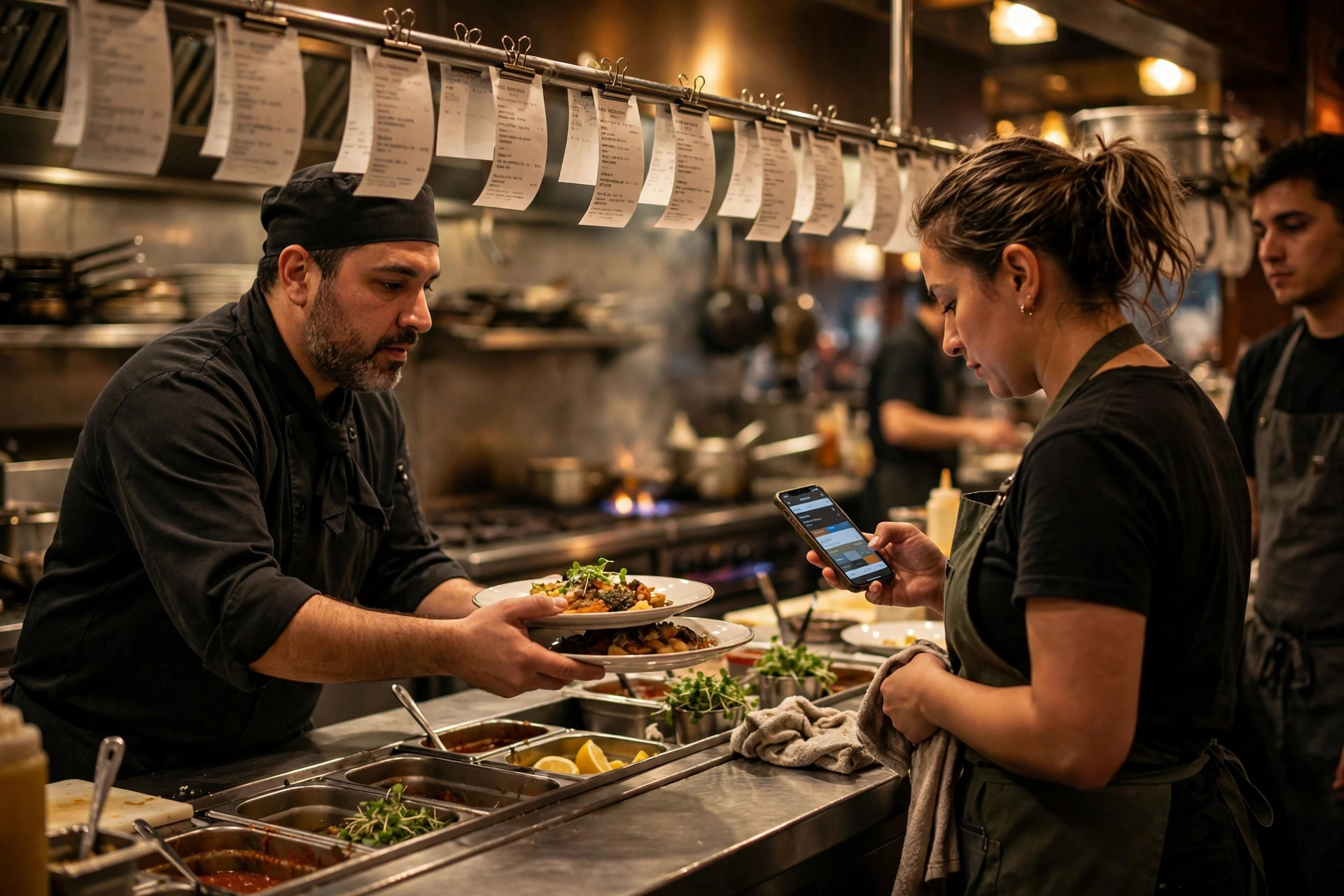
The diary is the destination; now make sure every channel actually arrives there. Go channel by channel and close the gaps:
Phone: the booking is entered during the call, while the guest is on the line — name, phone with country code, party size, date and time read back for confirmation. Our phone booking script gives your team the exact flow, including what to say when the requested time is full. Never "I'll enter it later"; later is where the Friday collision was born.
Website widget: should write directly into the diary in real time — verify this rather than assuming it. Check weekly that online bookings appear instantly and that the widget's available inventory matches what the host sees. If your widget runs a separate availability pool, that's a parallel diary wearing a digital costume; fix the integration or change the tool.
Google: if you accept bookings through Google (Reserve with Google or similar), they must flow into the same diary — or be switched off. A booking channel you forgot you enabled is worse than no channel at all, because guests believe they're booked and you have no record. Audit your Google Business Profile quarterly: is the booking link current, does it point at the right system, and do those bookings actually arrive?
Social DMs and messages: the rule is simple — never confirm a booking in a DM thread. Reply with your booking link ("you can grab that table here — it takes 30 seconds") and let the guest book properly. If they can't or won't, enter it in the diary yourself, immediately, and confirm back in the thread with the details. The thread is a conversation; the diary is the booking.
Walk-ins: entered the moment they're seated — name (ask for it; "under what name shall I put this?"), party size, time, table. An unrecorded walk-in is invisible to the next shift and to your numbers. It takes fifteen seconds and it's the difference between a diary you trust and one you don't.
The five-minute daily audit
Once a day — morning, before the lunch shift — someone spends five minutes reconciling: diary vs widget dashboard, diary vs yesterday's phone log, any DMs or messages from overnight, today's statuses from yesterday's service (no-shows marked? cancellations processed?). Five minutes catches the strays while they're still fixable: the online booking that didn't sync, the phone booking entered under the wrong date, the DM promise nobody logged. Make it one person's named job, not everyone's vague responsibility.
The paper backup
Every system goes down eventually — internet outage, power cut, the booking platform having a bad day, a tablet dropped at the worst moment. The restaurants that sail through outages aren't lucky; they have a paper ritual. And it's simple:
Every service starts with a printed day sheet. Before doors open, print the diary: every booking, in time order, with name, party size, phone, notes and table assignment. It lives at the host stand, on a clipboard, for the whole service. When the system is up, it's a reference; when the system is down, it's the diary. The cost is one sheet of paper and thirty seconds. The value is a service that doesn't stop when the Wi-Fi does.
During an outage, the paper becomes the system. New bookings go on the sheet by hand — full details, same fields, no shortcuts. Cross out cancellations, annotate no-shows, note walk-ins with time and table. The host owns the clipboard; nobody else writes on it. When the system comes back, everything gets entered — bookings, statuses, notes — before anyone goes home. The reconciliation is non-negotiable: an outage followed by "I'll enter it tomorrow" is just a parallel diary with extra steps.
Call the affected guests. If the outage might have lost or duplicated bookings — the widget was down during peak booking hours, say — proactively call the guests booked for the next two services and confirm. Yes, it's work. It's also the difference between "they called to make sure" (a loyalty story) and a double booking at the door (a review story).
Rehearse it once. Run the drill on a quiet Tuesday: system "down", paper out, one service on the clipboard, reconcile after. Thirty minutes of practice means the first real outage is the second time, not the first. The team will also discover the gaps — the printer nobody refilled, the clipboard that vanished — while they don't matter.
The 3-minute outage drill
- Minute 1: host grabs the printed day sheet (printed before every service — no exceptions) and announces "we're on paper".
- Minute 2: manager confirms the phone team knows: bookings taken by hand, full details, read back to the guest.
- Minute 3: online booking is paused or switched to "call us" mode so the widget doesn't sell tables the paper can't see.
After service: everything on the paper goes into the system, day sheets are collected and shredded (they contain personal data), and the outage gets a two-line note in the log so patterns show up.
None of this is glamorous. That's the point. Booking sync isn't a technology project — it's a discipline project that technology makes easier. One diary, visible to everyone, entered immediately, handed over every service, backed up on paper. Do that, and the Friday-night collision scene from the introduction becomes something that happens to other restaurants. If the weak link in your setup is the booking flow on your own website — the widget that doesn't sync, the form nobody trusts — that's a website problem with a website solution: a PowerfulWebsite restaurant site (from €59/month, booking integration included) puts the diary-connected booking flow where your guests actually are, instead of leaving it as the gap your team has to bridge by hand.
Frequently asked questions
How do I stop double bookings at my restaurant?
Run one shared booking diary that every channel feeds into — phone, website widget, Google and messages — and make it the rule that a booking doesn't exist until it's in the diary. Enter phone bookings during the call, check the diary before confirming anything, and give the whole team read access so anyone can spot a conflict before it becomes a confrontation at the door.
Should my restaurant team share one booking calendar?
Yes — one shared calendar is the whole point. Individual calendars, parallel diaries and "I wrote it in my notebook" are where double bookings are born. Everyone who touches bookings needs at least read access to the same live diary; who can add, move or cancel is a permissions question, but visibility should be universal.
What is the best booking calendar for a small restaurant?
The best one is the one your team will actually use every shift. Dedicated restaurant booking systems (from free tiers up to roughly €50–150/month for Nordic tools) add table plans, reminders and deposits; a well-run shared digital calendar works for very small rooms. Choose based on your booking volume and team size, then enforce the one-diary rule regardless of the tool.
How do I sync online bookings with phone bookings?
Both must land in the same diary — that's the entire sync. Online bookings should flow in automatically from your booking widget; phone bookings get entered manually during the call, with the name, phone, party size and time read back to the guest. Run a five-minute daily audit comparing the diary against every channel, and you'll catch the strays before service.
How long can we keep guests' booking data?
Under GDPR, keep personal data only as long as you have a legitimate reason — booking details for the visit plus a reasonable period for rebooking and follow-up (many restaurants use 12–24 months), then delete. Marketing use needs separate, explicit consent; a booking is not permission to send newsletters. Document your retention rule and apply it consistently.
What do we do if the booking system goes down mid-service?
Fall back to the printed day sheet: every service should start with a paper printout of the diary at the host stand, updated by hand as the night evolves. Take new bookings on paper with full details, enter everything into the system when it's back, and call any guest whose booking might have been affected. Rehearse the drill once so the first outage isn't the first practice.
Want a website that brings table bookings?
PowerfulWebsite builds your restaurant's website for free — you only pay a monthly subscription from €59/mo. Everything included: domain, hosting, maintenance, updates, and booking integration.
See the packages