Food Photography With Your Phone: The Complete Restaurant Guide
Food photography with your phone works — side-by-side tests against cameras costing thousands show that light matters far more than the device. The formula: shoot in soft daylight by a window, clean the lens, lock focus and exposure, choose the angle that flatters each dish, and edit with one consistent preset. This guide gives restaurant owners the complete phone workflow, including how to handle dark Nordic winters.
Key takeaways
- Your phone is enough for menu, Google profile and social photos — lighting matters more than the camera, proven in direct phone-vs-€6,000-camera shootouts.
- Soft window daylight is the whole game; never use the phone flash, and turn off yellow ceiling lights when shooting.
- Clean the lens, use the main 1x camera (never digital zoom), lock focus and exposure with a long press, and enable grid lines.
- Match the angle to the dish: 45 degrees for burgers and stacked plates, overhead for pizza and salads, slightly above 45 for bowls.
- Photograph the portion guests actually receive — honest photos build trust; stock photos and misrepresentation destroy it.
- One 2-minute edit preset applied to every photo gives your whole menu a consistent, professional look for free.
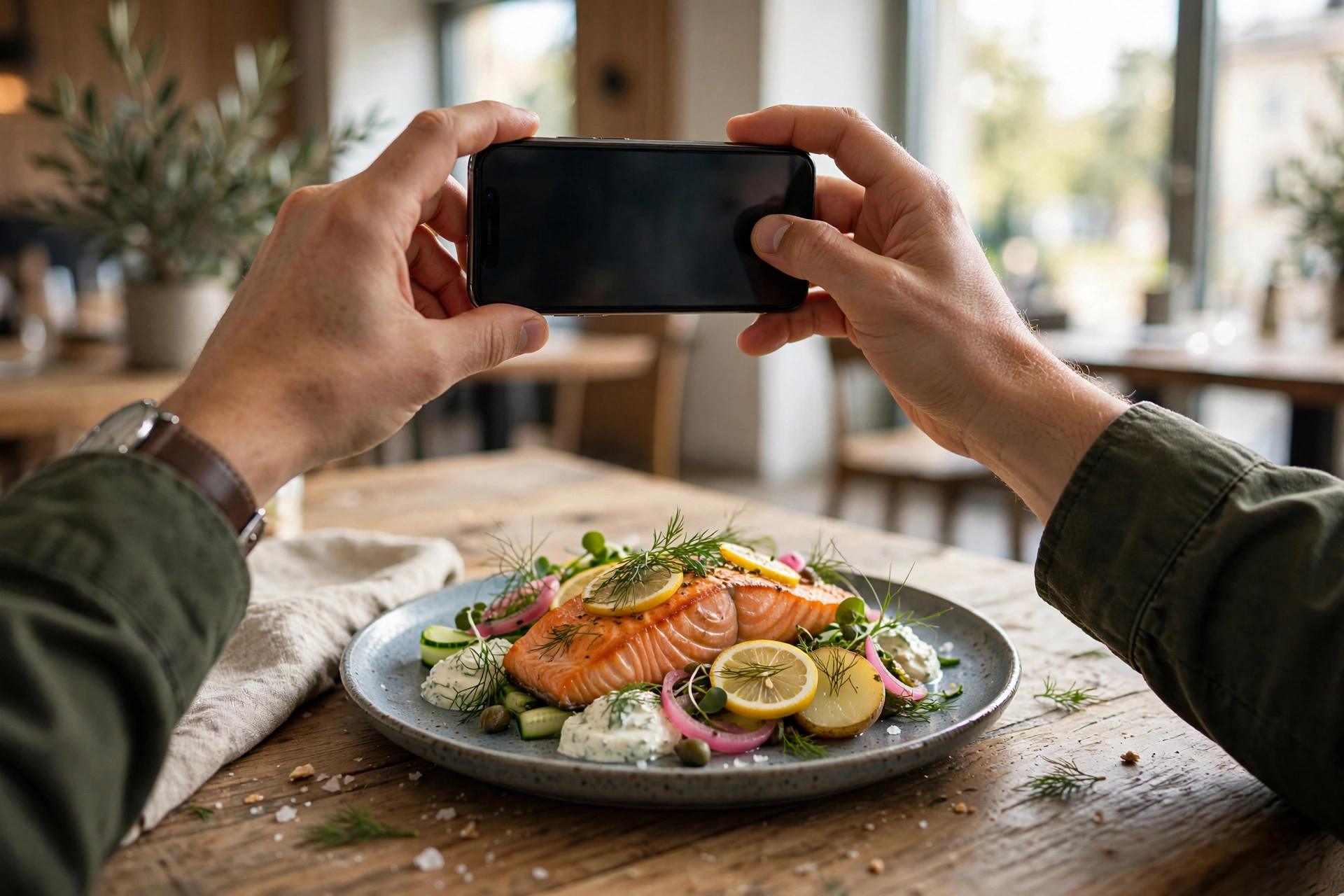
Your menu photos are doing the selling before your staff say a word — on your website, on Google, on delivery apps. And here's the good news most photographers won't tell you: the phone in your pocket is already good enough to take them. This guide is the complete phone-specific workflow for restaurant owners: why the device doesn't matter as much as you think, how to solve the light problem (including the dark Nordic winter version of it), the exact settings to change on your phone, a repeatable shoot workflow you can run in an afternoon, styling rules, a two-minute editing routine, and the small accessory kit that makes everything easier. If you want the broader picture — when to hire a professional, what a pro shoot costs — read our companion guide to food photography for menus alongside this one.
Why your phone is enough
Let's kill the biggest objection first. In a widely shared shootout, a food photographer shot the same dishes with an iPhone and a €6,000 mirrorless camera under identical lighting. The results were strikingly similar — and the photographer's conclusion was blunt: lighting determines how good a photo is, not the camera. A phone in great light beats an expensive camera in bad light, every single time.
Modern phones also have three advantages a big camera doesn't: computational photography (HDR, portrait mode and night processing that rival entry-level DSLRs in good light), instant editing and publishing from the same device, and discretion — a phone doesn't disrupt the dining room the way a tripod and strobes do. Many of the most-followed food accounts on Instagram are shot entirely on phones. For the places your photos actually appear — your menu page, your Google Business Profile, Instagram — viewed overwhelmingly on phone screens, a well-shot phone photo is not a compromise. It's the native format.
Where the phone genuinely struggles
Honesty requires the caveats. Phones struggle in very low light (evening service under warm spots), have less manual control than a dedicated camera, and produce smaller files that can limit large-format print. For a billboard or a printed fine-dining menu at A3 size, hire a professional. For everything on a screen — which is where your guests actually decide — the phone wins on practicality. The smart pattern most restaurants land on: DIY phone photos for everyday updates, seasonal dishes and social content, plus one professional shoot a year for the core library.
A €6,000 camera in bad light produces a bad photo. A three-year-old phone by a window produces a great one. Light is the camera.
Light: the one rule (and Nordic winters)
If you take one thing from this guide, take this: light matters more than the camera, the lens, the styling and the editing combined. Bad light makes food look grey, flat and tired. Good light makes the same dish look like it costs twice as much. Everything in this section is about getting the light right, because nothing else you do matters until this is handled.
The window is your studio
Shoot in soft, indirect daylight near a window. Not direct sun blasting across the plate — that creates harsh shadows — but the soft glow a metre or two back from the glass. Overcast days are a gift: the clouds are a giant free diffuser. Position the dish so light comes from the side (around 10 o'clock or 2 o'clock relative to the plate), which reveals texture — the sear on the salmon, the crumb of the bread. Backlight (window behind the dish) can be gorgeous for drinks and anything translucent, but it's advanced; start with side light.
Turn off the competition
When shooting by the window, turn off the room's artificial lights. Mixed lighting — daylight plus yellow ceiling spots — is the number one cause of weird colour casts in restaurant photos, and it's the hardest thing to fix in editing. One light source, daylight, clean colour. If the window light alone feels dim, move closer to the window rather than turning the ceiling lights back on.
The Nordic winter problem
Here's the part most food-photography guides skip: in Helsinki, Oslo or Stockholm, the sun sets at 3 PM in December and the "golden hour" is a rumour. You cannot build a year-round photo workflow on daylight alone. The solution is a small bi-colour LED panel — roughly €25–€60 — that lets you dial the colour temperature from warm (2700K) to daylight (5600K). Set it to match your main light source, place it where the window would be (to the side, slightly above the dish), and diffuse it with a cheap shower curtain or a purpose-made softbox. Candlelight and warm tungsten (around 1500–3000K) are for atmosphere shots only — never as the main light on food, or everything turns orange. With one LED panel and a white foam board as a reflector on the shadow side, you can shoot professional-looking food photos at midnight in January.
Light sources ranked for food
Best: soft indirect daylight by a window (free). Excellent: overcast daylight (nature's diffuser). Very good: bi-colour LED panel dialled to 5000–5600K with diffusion (€25–€60). Acceptable: bright neutral-white kitchen fluorescents, colour-corrected in editing. Avoid: direct harsh sun, yellow ceiling spots mixed with daylight, candlelight as main light — and always, always avoid the phone flash.
Phone settings that actually matter
Before your next shoot, spend five minutes in your camera settings. These are the only ones that move the needle for food:
- Clean the lens. Fingerprint smudges are the number one cause of soft, hazy phone food photos. Wipe it on your shirt before every shoot. Two seconds, biggest quality gain available.
- Use the main 1x camera. The primary lens has the best sensor and optics. Avoid the ultra-wide for food (it distorts plates at the edges) and never use digital zoom — walk closer instead. The 2x telephoto is fine for compression and detail shots.
- Turn on grid lines. The rule-of-thirds grid (Settings → Camera → Grid) is free composition coaching. Place the dish on an intersection point, not dead centre, unless you're shooting a symmetrical overhead.
- Lock focus and exposure. Tap the dish, then press and hold until AE/AF lock engages. Then slide the exposure slightly darker than feels right — protecting the highlights matters more than lifting the shadows, and you can brighten later in editing.
- Shoot at the highest quality. Enable HEIF/ProRAW (iPhone) or RAW (Android) if you plan to edit — the extra data gives you real headroom for white-balance and exposure fixes. For quick social snaps, standard JPEG is fine.
- Portrait mode: use with caution. It creates lovely background blur, but phone portrait modes can blur the wrong thing — the edge of a glass, a fork handle. Check the result at full size before moving on.
- Use the self-timer or a tripod. A 3-second timer eliminates the shake from tapping the shutter. In dim light this is the difference between sharp and mushy.
The repeatable shoot workflow
Great restaurant photography isn't talent — it's a checklist run the same way every time. Consistency across dishes is what makes twenty independently shot plates look like one restaurant's menu. Here's the workflow:
- Plan before firing. Make a shot list: dish name, intended angle, any prop. Put delicate dishes first (fried food dies in minutes, salads wilt, ice cream is a race). Group the rest by station so the kitchen isn't bouncing between grill, fryer and cold prep.
- Set up during a quiet period. Claim one table by the window or set up the LED panel. Photograph a test plate first: lock the surface, phone position, light direction and plate position. Compare the test shot with the previous dishes at thumbnail size — if it matches, don't touch the setup again.
- Plate for the camera, serve the reality. Wipe sauce, crumbs and fingerprints from the rim. Turn the protein or defining ingredient toward the camera. Replace wilted leaves. But photograph the portion the guest actually receives — this is a hard rule, and we'll come back to it.
- Shoot three angles per dish. It takes 30 extra seconds and gives you menu, social and Google-profile crops from one session (more on angles below).
- Review at full size. Zoom in on every keeper: check focus on the hero ingredient, check the rim is clean, check nothing's blurred that shouldn't be. Re-shoot now — you can't re-shoot after the dish is eaten.
Angles: match the angle to the dish
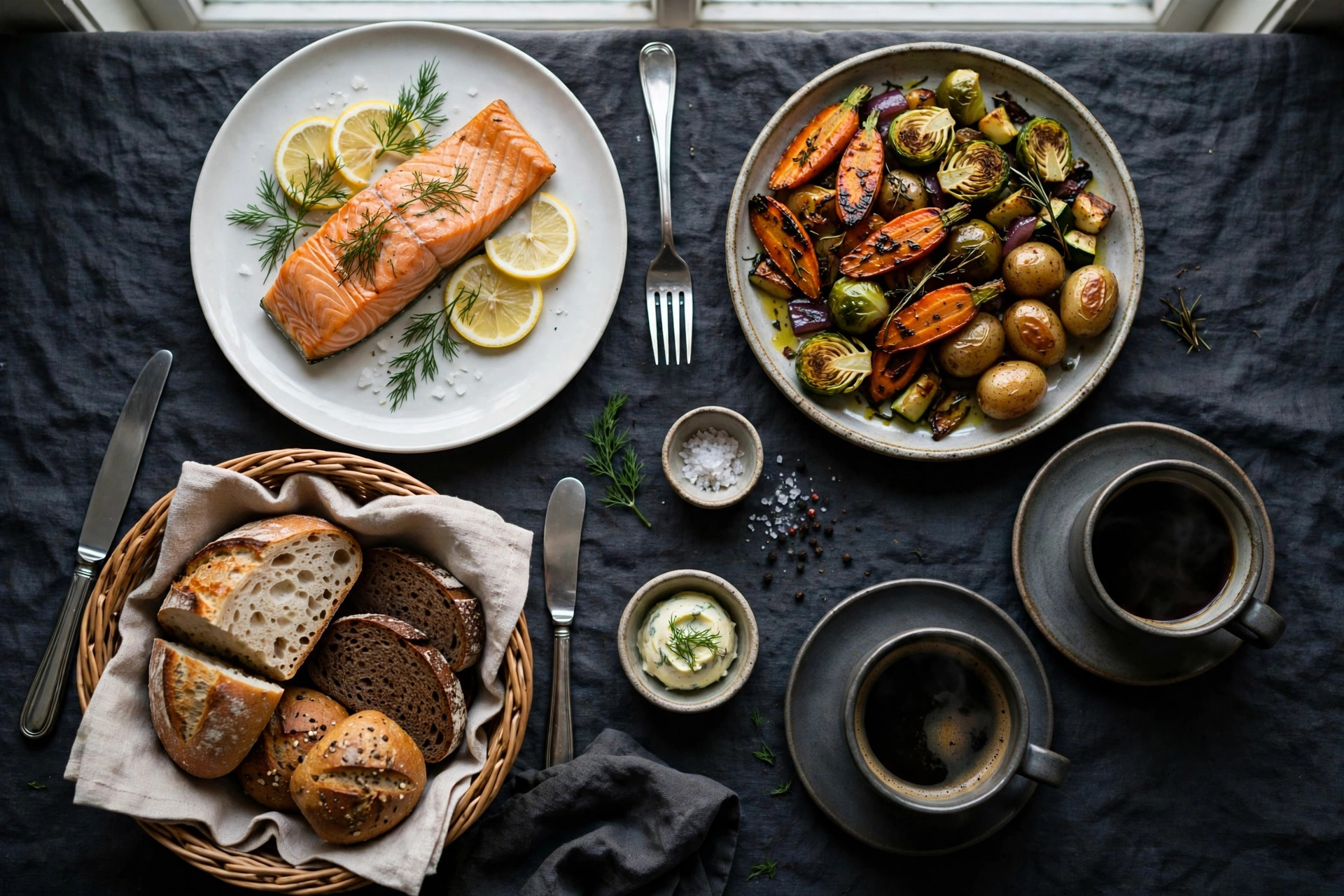
Phones have deep depth of field — nearly everything stays in focus — which makes overhead and 45-degree shots safer than dramatic eye-level angles. The rules of thumb: 45 degrees for burgers, sandwiches, stacked plates and anything where height and layers tell the story. Straight overhead (90 degrees) for pizzas, salads, flatbreads and table spreads where shape and arrangement matter. Slightly higher than 45 degrees for ramen, soups, grain bowls and pasta — high enough to see inside the bowl, low enough to keep a sense of depth. Pick one primary angle per dish category and repeat it across the menu; that repetition is what creates the consistent look.
Styling that survives a phone camera
Phone cameras are brutally honest: deep focus means every crumb, smudge and sad lettuce leaf is visible. Styling for a phone shoot is mostly about subtraction.
- Less is more. Keep props minimal — one napkin, one piece of cutlery, maybe a small ingredient cue (a lemon wedge that belongs to the dish). The food is the subject; everything else is a distraction the phone will render in sharp detail.
- Use surfaces with texture. Dark wood, slate, linen — texture reads beautifully on phone sensors and instantly signals "restaurant" rather than "kitchen counter". Avoid busy patterns that fight the food.
- Colour contrast sells. Phones render muted palettes flatly, so make sure at least one element pops: green herbs on salmon, red pickled onion on a pale plate, a bright sauce drizzle. Contrast is appetite.
- Work fast. Food has a camera lifespan measured in minutes. Have the surface, light and phone ready before the dish leaves the pass. Steam, gloss and fried crispness wait for no photographer — shoot the hero frames first, fuss later.
- Style the truth. This is the ethical line and the business line at once: photograph the dish exactly as your kitchen serves it, garnish and portion included. Guests who receive something different from the photo leave the one-star reviews that hurt most. Honest, slightly imperfect photos of your real food build more trust than perfect photos of food you don't serve.
Style the truth. Guests who receive something different from the photo leave the reviews that hurt most.
Editing on your phone in two minutes
Editing is where phone food photography goes from decent to professional — and it should take about two minutes per photo, not twenty. Use Snapseed or Lightroom Mobile (both free). The order of operations matters:
- White balance first. This is the single most impactful edit. Use the eyedropper on something neutral (a white plate, a napkin) or nudge the temperature slider until whites look white. Mixed-light orange casts die here.
- Exposure and contrast, lightly. Lift shadows a touch, add a little contrast for depth. Resist the urge to crank brightness — overexposed food looks washed out and cheap.
- Warmth and vibrance, not saturation. A small warmth bump (+5 to +10) makes food look appetising; a saturation bump makes it look radioactive. Vibrance is safer than saturation because it protects skin tones and already-vivid colours.
- Crop to purpose. Crop the master to your target format — 4:3 or 3:2 for menu pages, square for Instagram feed, 4:5 for portrait posts. Shoot slightly loose so every crop has breathing room.
- Save as a preset. In Lightroom Mobile, save your adjustments as a preset; in Snapseed, copy the edit stack. Apply it to every dish photo, then tweak individually. One preset across the whole menu is what creates the "these all belong to the same restaurant" look.
The golden rule of food editing: enhance, don't fake. If the edited photo no longer looks like the dish on the table, you've gone too far — dial it back until a guest would recognise their order.
The small accessory kit that punches above its weight
You don't need a studio. This is the complete kit that working restaurant photographers actually carry — everything fits in a tote bag and the total is less than one professional shoot:
| Item | Typical price | What it fixes |
|---|---|---|
| Phone tripod + mount | €15–€40 | Camera shake; frees both hands for styling; enables consistent framing across dishes |
| Bi-colour LED panel | €25–€60 | Dark restaurants and Nordic winters; dial the colour temperature to match any room |
| 5-in-1 reflector (or white foam boards) | €15–€40 (or ~€3 for foam board) | Fills in harsh shadows; bounces window light back onto the dark side of the dish |
| Diffusion material | €5–€15 | Tames harsh direct sun or a hard LED into soft, flattering light (a frosted shower curtain works) |
| Background boards or linen | €10–€30 | Instant consistent surfaces — dark wood, slate, concrete looks without renovating a table |
| Microfibre cloths | €3–€5 | Lens cleaning and wiping plate rims; the highest ROI item on this list |
Total: roughly €70–€190 for a kit that permanently upgrades every photo you'll take this year. Compare that with a single professional half-day shoot at roughly €400–€900 in the Nordics (a fair price for what it delivers — see our menu photography guide for the full comparison) and the kit pays for itself the first time you don't have to call a photographer for a seasonal menu update.
Where your photos go: files, formats and platforms
Taking the photo is half the job. The other half is getting it onto every surface where a guest might decide — in the right format, with the right name.
File basics that most restaurants skip
- Resize before uploading. Phone originals can be 5–12 MB; a menu page full of those loads like it's 2009. Export web versions at 1600–2000px on the long edge, quality ~80% — visually identical, a tenth of the weight.
- Name files like a human.
grilled-arctic-char-helsinki.jpgbeatsIMG_4829.jpg— descriptive filenames are free image-search SEO, and they save you from chaos in six months. - Keep a master archive. Store full-resolution originals in one folder (cloud backup, not just the phone). You'll re-crop them for new platforms for years.
One shoot, every platform
Your phone photos should work everywhere a guest looks: the menu page on your website (landscape masters, consistent preset — photos on a real menu page outperform photos trapped in a PDF by every measure, and our guide to moving your menu online shows the migration step by step); your Google Business Profile (upload the best 10–15 regularly — listings with fresh photos get dramatically more clicks, see our Google photos strategy); Instagram and Reels (square and vertical crops of the same shoot); and QR-code or digital menus in-house. A proper website ties it all together: PowerfulWebsite builds restaurant sites where your dishes live as a real searchable menu page — with your photos, allergen marks and prices — instead of a PDF nobody can read on a phone.
One shoot, every platform: menu page, Google profile, Instagram and the in-house QR menu — all from the same afternoon's work.
Mistakes that make good food look bad
- Using the flash. Harsh shadows, shiny hotspots, flat colour. There is no food photo the flash improves. None.
- Shooting under mixed lighting. Daylight plus yellow ceiling spots equals an orange-grey mess that's painful to fix. One light source at a time.
- Digital zoom. Pinch-zooming is just cropping with extra quality loss. Walk closer or use the 2x optical lens.
- Dirty lens, dirty rim. A smudged lens softens everything; a crumb on the plate rim is all anyone sees. Check both, every dish.
- The ultra-wide distortion trap. The 0.5x lens bends plates at the frame edges into ovals. Keep it for room shots, never for food.
- Over-editing. Maxed-out saturation and HDR-style crunching make food look fake — and fake-looking food makes guests suspicious before they've tasted anything.
- Inconsistent everything. Different tables, different angles, different filters for every dish. The menu looks like a collage of other restaurants. One setup, one preset, every time.
- Photographing cold food. The congealed, the wilted, the sweating. If the dish has died, re-fire it. The camera is honest about temperature.
Frequently asked questions
Can I take good food photos with my phone for my restaurant?
Yes. Modern smartphones produce genuinely menu-ready food photos in good light — side-by-side tests against cameras costing thousands of euros show lighting matters far more than the device. The keys are soft daylight, a clean lens, locked focus and exposure, and the right angle for each dish. Where phones struggle is dark evening service light, which is why the guide covers affordable LED panels for Nordic winters.
What is the best angle for food photography with a phone?
It depends on the dish. Use a 45-degree angle for burgers, stacked plates and layered food where height matters; shoot straight overhead for pizzas, salads, flatbreads and table spreads; go slightly higher than 45 degrees for bowls and ramen so guests can see inside. Phones have deep depth of field, so overhead and 45 degrees are safer than eye-level shots.
Should I use flash for restaurant food photos?
Never. The phone flash creates harsh shadows, flat colours and shiny hotspots that make food look worse, not better. If the light is too dim, move the dish closer to a window, add an affordable LED panel, or stabilise the phone and let it gather more light — anything except the flash.
What is the best free app for editing food photos on a phone?
Snapseed and Lightroom Mobile (both free) are the two best options. The workflow is the same in both: fix white balance first, then adjust exposure and contrast lightly, add a touch of warmth and vibrance if needed, and crop to your target format. Save your adjustments as a preset and apply it to every dish for a consistent menu look.
How do I photograph food in a dark restaurant with my phone?
Avoid the flash and Night Mode for plated food — Night Mode's multi-second exposure softens texture. Instead, seat the dish near the brightest soft light available, clean your lens, lock exposure slightly darker to protect highlights, and brace the phone on a table or tripod. For regular evening shoots, a small bi-colour LED panel (roughly €25–€60) set to match the room gives you clean, controllable light.
Want a website where your food photos sell?
PowerfulWebsite builds your restaurant's website for free — you only pay from €59/month. Everything is included: a proper menu page that shows off your dishes, online booking, domain, hosting, maintenance and updates.
See the plans