Pickup Orders: Building Your Own Channel
A restaurant pickup ordering system is an ordering page on your own website where customers choose dishes, pick a collection time, pay online, and collect their food — with no marketplace taking a cut. For most Nordic restaurants it is the cheapest sales channel they own: the build can be free, the monthly cost is a flat fee, and every order after the break-even point is pure margin.
Key takeaways
- Pickup is the only takeaway channel with no per-order commission and no courier cost — you keep the full order value minus card processing.
- A pickup ordering system costs from $0 to around $500 a month standalone; bundled into a website it can be part of a flat €59–€239 a month.
- Your own channel and Wolt are not either-or: marketplaces bring new customers, your channel keeps regulars.
- Browser-first ordering with no app download and no forced account converts far better than app-only systems.
- Time slots are the heart of the system — cap them by kitchen capacity, not by customer demand.
- Moving regulars takes steady, visible prompts: QR codes on the counter, on receipts, and on the bags themselves.
Every Friday evening, the same thing happens in restaurants across Helsinki, Stockholm, and Oslo. The kitchen is at full stretch, the dining room is full, and the phone rings: a regular wants to order takeaway. Someone has to stop plating, answer, write the order down, read it back, and hope nothing was misheard. Meanwhile, on Wolt, the same customer could have ordered in forty seconds — and the restaurant would have paid roughly a quarter of the order value for the privilege.
There is a third option, and it is the one this article is about: your own pickup channel. A simple ordering page on your own website, where customers order, pay, and choose a pickup time, and the order lands straight in your kitchen. No commission per order. No courier to coordinate. No phone call interrupting service. And — this matters more than most owners realise — the customer's name, phone number, and order history belong to you, not to a platform.
This guide covers what a pickup ordering system actually is, what it costs in 2026, how it compares with the marketplaces, which features matter and which are sales talk, how to set time slots your kitchen can actually keep, and how to move your regulars across without losing them. It is written for independent restaurants, cafés, and bars in the Nordics — the places where one busy Friday can make or break the week.
What a pickup ordering system actually is
A restaurant pickup ordering system is software that takes a takeaway order from your customer's phone to your kitchen without a human in the middle. The customer opens your website, browses the menu, adds dishes to a basket, picks a pickup time, pays by card or MobilePay, and receives a confirmation with an order number. On your side, the order appears on a screen or prints in the kitchen, with the customer's name, the pickup time, and any notes — "no onions", "extra spicy", "allergic to nuts". That is the whole product. Everything else is optional.
It is worth being precise about what it is not. It is not a delivery app: there is no courier, no map, no live tracking. It is not a table-booking system, although the two often sit on the same website. And it is not the same thing as a QR menu — a QR code that shows a PDF of your menu is a nice convenience, but it does not take an order or a payment. A pickup system completes the transaction.
Most systems come in one of three shapes. The first is a standalone ordering platform — a company whose whole product is online ordering, such as Flipdish, UpMenu, or Storekit. You get a branded ordering page, usually on your own domain or a subdomain, and you pay a monthly fee. The second is a feature inside a point-of-sale system — Toast, Square, and several Nordic POS providers include online ordering that writes straight into the same till and kitchen display your staff already use. The third is an ordering module built into your website itself, which is how PowerfulWebsite does it: the Restaurant plan at €239 a month includes the ordering system as part of the site, so there is no separate vendor, no separate login, and no separate bill.
The three jobs it has to do
Whatever shape you choose, judge it on three jobs. First, it must take the order accurately: clear menu, modifiers that make sense, allergen information visible, and a basket that shows the total before payment. Second, it must take the money: card payment at checkout, with MobilePay and Apple Pay or Google Pay if your customers use them. Third, it must tell the kitchen what to make and when: the order has to arrive where the cooks can see it, sorted by pickup time, with a clear signal when it is time to fire the dish. A system that does those three things well is worth paying for. A system that does them badly will cost you more in refunds and remakes than any monthly fee saves.
Why pickup is your most profitable channel
Take a €30 takeaway order and follow the money through each channel. Through a marketplace with courier delivery, the platform typically takes 25–30% — call it €8 or so — plus VAT on the commission, and the customer may also pay a delivery fee that goes to the platform, not to you. Through your own delivery, you keep the commission but pay a courier, fuel, and insurance. Through pickup on your own channel, you keep the whole €30 minus card processing of roughly 1–2%, or about €0.50. The difference between the marketplace order and the pickup order is around €7.50 on a €30 ticket. Do that a hundred times a month and you have kept €750 that would otherwise have left the business.
That is the arithmetic, and it is the reason pickup deserves its own channel rather than being treated as a favour you do for regulars who phone in. But the margin argument is only half the story. The other half is control. On a marketplace, the customer is the platform's customer: you do not get their email, you cannot tell them about a new seasonal menu, and if the platform changes its algorithm or its fees, your visibility changes with it. On your own channel, every order adds a name to a list you own. That list is what lets you fill a slow Tuesday with a message to two hundred regulars, instead of paying a platform to show your restaurant to strangers.
Pickup also sidesteps the hardest problem in restaurant delivery: time. Delivery promises are fragile — traffic, weather, courier availability, and a kitchen running ten minutes behind can turn a 30-minute promise into a 50-minute wait, and the customer blames you even when the delay happened on the road. Pickup has no road. The only promise is the time the food will be ready, and that is a promise your kitchen controls. Our companion article on food delivery times looks at the data in detail: first-party orders average around 31 minutes door to door, third-party around 34, and more than a third of third-party orders arrive later than the time the customer was shown. Pickup removes that whole category of failure.
On a €30 order, the difference between a marketplace sale and a pickup sale on your own channel is roughly €7.50 kept in the business — every single time.
When pickup is not the answer
Honesty requires the other side. Pickup does not suit every restaurant or every customer. If most of your customers live more than a fifteen-minute drive away, or your area has poor parking and no public transport, delivery will always win. If your food does not travel well — delicate fried food, ice cream, anything that dies in ten minutes — a customer collecting it in their own time is a risk, and your delivery menu choices matter just as much for pickup. And if your restaurant is a destination fine-dining room, a pickup channel may simply not fit the brand. Pickup is a volume play for casual dining, lunch spots, cafés, pizzerias, poke bars, and burger joints — the places where takeaway is already a real share of revenue.
What a pickup channel really costs
The honest answer to "how much does a pickup ordering system cost" is that it depends on which of the three shapes you choose, and the range is wide: from free to over €500 a month. A 2026 comparison of nine systems put the spread at $0 to $500 or more per month, and the details matter more than the headline number, because a low monthly fee with a per-order commission can cost more than a higher flat fee once volume grows.
At the free end sit systems such as DoorDash Online Ordering and Square Online, which charge no monthly software fee and no commission on direct orders — they make their money on card processing and, in DoorDash's case, on the option to add their couriers. UpMenu starts at about $49 a month, Restolabs at about $55 billed annually, Flipdish at about $119 a month, and Owner.com at about $249 a month plus a 5% fee. Storekit's plans run from free to £99 and £199 a month, with a flat per-order rate instead of a percentage commission.
For a Nordic restaurant, the comparison that matters is the total monthly cost at your real order volume, not the sticker price. Take a restaurant doing 200 pickup orders a month at an average of €25. On a system charging 10% per order, that is €500 a month in fees — more than double the flat fee of most mid-tier platforms. On a flat €119-a-month plan, the same volume costs €119 plus card processing. On a system bundled into your website at a flat monthly rate, the maths is the same: the fee does not grow with your success. That is the structural advantage of a flat fee, and it is the reason to be suspicious of any "free" system that takes a percentage.
The break-even rule
Work out your break-even in orders, not in months. If your own channel costs €239 a month flat and a marketplace takes 30% of a €25 average order (€7.50 per order), your channel pays for itself once 32 orders a month move across. Every order after that is money the marketplace would have kept. Most restaurants with any takeaway volume cross that line in the first week.
Card processing is the one cost nobody escapes: expect roughly 1.4–2% per transaction in the Nordics, depending on your payment provider. Budget for it, and remember it applies on marketplace orders too — it is not a cost of having your own channel, it is a cost of taking card payments at all.
Marketplace vs your own channel
The question owners actually ask is not "which system is best" but "should I bother, when Wolt already works?" The fair answer is that Wolt does work — for discovery. A customer who has never heard of your restaurant finds you on Wolt, orders once, and maybe becomes a regular. That discovery is worth paying for. What is not worth paying for is the tenth, twentieth, and fiftieth order from the same regular, where the platform adds no value at all and still takes its cut. That is the order your own channel exists to capture.
| Factor | Marketplace (Wolt / Uber Eats) | Your own pickup channel |
|---|---|---|
| Cost per order | Typically 25–30% commission, plus VAT on the commission | €0 commission; card processing only, roughly 1–2% |
| Monthly fee | Usually €0 — you pay per order instead | Flat fee, typically €0–€239 a month depending on the system |
| Customer data | Belongs to the platform | Belongs to you — names, emails, order history |
| Discovery | Strong — new customers find you | Weak — only people who already know you arrive |
| Menu control | Platform rules, platform layout | Your prices, your photos, your layout |
| Delivery | Couriers included | Customer collects — no courier cost or delay |
| Promotions | Platform decides visibility and offers | You decide — loyalty, bundles, regulars-only offers |
| Risk | Fee rises, algorithm changes, account issues | You must drive your own traffic to the page |
Read the table as a division of labour, not a contest. Use the marketplace for what it is good at — putting your restaurant in front of strangers — and use your own channel for what it is good at — serving the people who already chose you, at full margin, with their data in your hands. The restaurants that get this wrong usually make one of two mistakes: they stay only on the marketplace and watch a third of their takeaway revenue leave every month, or they leave the marketplace entirely and wonder why new customers stopped arriving. Keep both. Shift the balance over time, in your favour.
What your pickup system needs
Vendors will show you long feature lists. Most of it is noise. Here is the short list that actually decides whether the channel works, in the order a customer experiences it.
Ordering without an app or an account
This is the single most important feature, and the easiest to get wrong. If a customer has to download an app, create an account, and verify an email before they can order a €14 lunch, a large share of them will simply open Wolt instead, where they are already logged in. The system must work in the phone browser, with guest checkout, and the path from menu to paid should be under a minute. Ask any vendor for a live demo link and order from it yourself on your phone before you sign anything. If you feel friction, your customers will feel more.
A menu you can change in minutes
Menus change constantly: a dish sells out, a price moves, a seasonal item arrives, an allergen note needs updating. If every change means emailing a vendor and waiting a day, the channel will quietly go stale — and a stale menu is worse than no menu, because it takes orders for food you cannot serve. You need a simple admin screen where you or a shift lead can hide a dish, change a price, and add a note in under a minute. Check who can do it: if only the vendor can, walk away.
Time slots tied to real kitchen capacity
The system must let you cap how many orders each pickup slot can take, and let you close slots when the kitchen is full. This is covered in detail in the next section, because it is where most channels fail. A system that accepts unlimited orders for 18:00 on a Friday is not a system; it is a queue of disappointed customers.
Clear kitchen output
The order has to arrive where the cooks work: a kitchen display screen, a printed ticket, or at minimum a clear order list on a tablet at the pass. It must show the pickup time prominently, the customer name, and any modifications. Bonus points if the system fires orders automatically — holding a ticket until fifteen minutes before pickup, so nothing is cooked too early and left to die under a heat lamp.
Payments your customers actually use
Card payment at checkout is non-negotiable. In Finland, add MobilePay — a large share of Finnish customers prefer it and its absence is a real reason to abandon a basket. Apple Pay and Google Pay matter on phones because they skip card-number typing entirely. Cash on pickup is optional; if you offer it, expect almost nobody to use it, and expect the few who do to slow the counter down.
Customer data and GDPR
Your system will hold names, phone numbers, and order histories. That is personal data under GDPR, and you are responsible for it. The vendor should store data in the EU, give you a way to export and delete a customer's data on request, and not use your customer list for their own marketing. Ask where the data lives and who can see it before you sign — a cheap system that sells your customers' data to someone else is not cheap.
Pickup time slots that actually work
Time slots are the heart of a pickup channel, and they are also where most owners get the design wrong. The instinct is to offer the customer any time they want — "ready in 20 minutes" — because that feels like good service. In practice it hands the kitchen an unplannable queue: ten orders all promised for 18:20, a dining room full at the same time, and a cook deciding which promise to break. Slots exist to protect the kitchen's capacity, and the customer experience is better when the promise is honest than when it is fast and broken.
Start with the kitchen's real throughput. If your kitchen can produce, say, twelve takeaway orders an hour alongside dine-in service, then each fifteen-minute slot can take three orders — not ten. Set the slot size from that number and let the system close the slot when it fills. Customers who see "18:15 full, 18:30 available" are not annoyed; they are being given a real choice. Customers who are promised 18:15 and get their food at 18:45 are annoyed, and they tell their friends.
Three practical rules follow from that. First, offer slots rather than a single "as soon as possible" option: fifteen-minute windows work well for most kitchens, thirty-minute windows for places with longer prep. Second, set a sensible minimum lead time — twenty to thirty minutes for most menus, longer for large or complex orders — and let the system enforce it, so nobody can order a ten-person catering tray for fifteen minutes from now. Third, make large orders choose a slot a day ahead: anything over roughly eight portions, or over €100, should book a time slot in advance rather than joining the live queue. Your kitchen will thank you, and so will the customer who gets a properly prepared large order instead of a rushed one.
A slot that says "full, next available 18:30" is good service. A promise of 18:15 that arrives at 18:45 is not.
How to move regulars to your own channel
Building the channel is the easy part. The hard part is getting people to use it, because your regulars already have a habit: they open Wolt. Habits change slowly, and only when the new option is easier and visibly better. The good news is that you do not need to convert everyone at once. Moving a third of your marketplace regulars across is already a large margin gain, and it compounds: every customer who orders direct once is a customer you can reach directly next time.
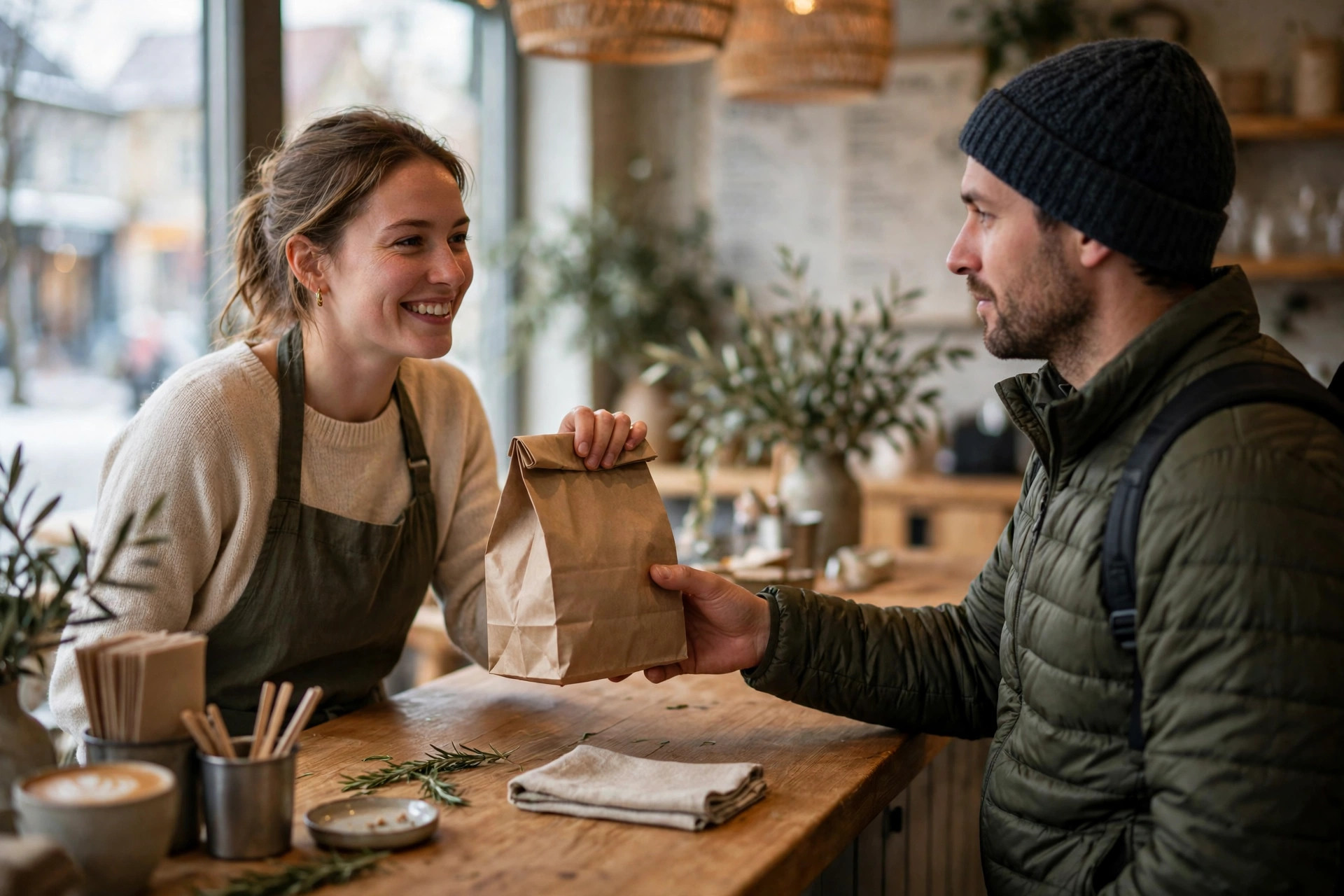
Start with visibility. The ordering link belongs everywhere your customers already look: a big "Order pickup" button at the top of your homepage, not buried in a menu; your Google Business Profile, where people check your hours before they order; your Instagram bio; and a QR code printed on the counter, on the tables, on receipts, and on the takeaway bags themselves. The bag is the most underrated piece of marketing a restaurant owns: the customer who just collected a marketplace order is holding your bag, and a QR code on it that says "Order direct next time — same food, better price" reaches exactly the person you want.
Then give them a reason. A small, honest price difference works: price the pickup menu a little below the marketplace menu — you can afford it, because you are not paying 30% — and say so plainly. "Order direct and save 10%" is a clear proposition; a vague loyalty scheme is not. A first-order incentive helps too: a free drink, a free side, or 10% off the first direct order, delivered as a code on the receipt or in a text message. Keep the incentive simple and time-limited, and make sure the customer can use it without creating an account.
Finally, use the list you are building. Every direct order gives you a name and, with consent, an email or phone number. A short message once or twice a month — a new seasonal dish, a quiet-Tuesday offer, a reminder that the lunch menu changed — keeps the channel warm. Keep it short, keep it useful, and always include the ordering link and an easy unsubscribe. This is where the channel pays for itself a second time: the marketplace charges you to reach your own customers; your own list reaches them for free. Our guide to building an email list from zero, GDPR-safe, covers the consent and practicalities.
Running the pickup counter
A pickup channel only works if the physical handover works. The ordering page can be perfect and the kitchen can be on time, and the whole experience still falls apart if the customer arrives to a confused counter, a bag with the wrong name, or a ten-minute wait in a queue of dine-in guests. The counter is the last metre of the channel, and it deserves the same design attention as the website.
Give pickup a place. A small, clearly signed shelf or section of the counter — "Pickup orders" with the order names visible — lets customers find their food without interrupting the till. Keep the bags in pickup-time order, name facing out, and keep a marker pen at the counter for the inevitable handwritten addition. In a small restaurant this can be a single shelf and a sign; it does not need a renovation. What it needs is a decision: pickup customers do not queue behind dine-in customers. They have already paid, they are on a schedule, and making them wait in line punishes the exact behaviour you are trying to encourage.
Staff the handover. During the lunch and dinner peaks, someone needs to own pickup — not as an extra job piled on the busiest server, but as a named responsibility for the shift. That person checks the kitchen display, bags the orders, sends the ready messages, and hands the food over with a word and a smile. In a small team this might be the shift lead for twenty minutes at the peak; in a larger one it is a dedicated station. Either way, the moment nobody owns pickup is the moment orders start sitting, cooling, and being collected by the wrong person.
Mistakes that kill pickup channels
Most pickup channels do not fail because the technology is bad. They fail because of a handful of avoidable mistakes, usually made in the first month. Here are the ones owners mention most often when they explain why they gave up — and how to avoid each one.
Launching quietly
The most common mistake is building the channel and telling nobody. A link buried in the website footer, no mention at the counter, no QR code anywhere, and then disappointment when nobody uses it. A channel launch is a small campaign: a week of posts, a sign at the counter, a note on every receipt, a message to your email list, and the team mentioning it to every collecting customer. If the first month is quiet, the problem is almost always visibility, not demand.
Promising times the kitchen cannot keep
The second mistake is the one covered in the slots section: unlimited orders, no caps, and a 20-minute promise on a Friday night. The first time a customer waits forty minutes for a promised twenty, they do not blame the kitchen — they blame the channel, and they go back to Wolt. Set honest slots, cap them, and close them when full. A channel that sometimes says "not available" is trusted; a channel that always says yes and sometimes fails is not.
Copying the marketplace menu without thinking
Your marketplace menu was built for delivery: dishes that travel, prices that absorb commission, photos that sell on a small screen. Your pickup menu can be different — and should be. It can include dishes that do not travel well but are fine collected in five minutes. It can carry lower prices, because there is no commission to absorb. And it should use your own food photos, not the platform's cropped versions. Treat the pickup menu as its own product, not a copy of someone else's.
The 90-day test
Give your pickup channel ninety days and judge it on three numbers: how many orders a week it takes, what share of your regulars have used it at least once, and how many of those came back a second time. If the first number is growing, the second is above a quarter of your regulars, and the third is above half, the channel is working — keep investing in it. If all three are flat after ninety days of real promotion, the problem is usually visibility or friction, not the idea itself.
The thread running through all of this is simple: a pickup channel is a relationship, not a piece of software. The software takes the order. The relationship — the regular who orders direct because it is easy, fairly priced, and reliably on time — is what makes the channel worth having. Build the software once, then spend your energy on the relationship: honest slots, a counter that works, a price that rewards the customer for coming direct, and a team that mentions it. Do that for ninety days and the channel will be doing something no marketplace ever will: paying you back.
Frequently asked questions
How much does a restaurant pickup ordering system cost?
A standalone pickup ordering system typically costs from $0 to around $500 a month, depending on features. Commission-free options such as DoorDash Online Ordering and Square Online start at $0 a month, while fuller platforms such as UpMenu start at about $49 a month and Flipdish at about $119 a month. The cheapest route for a Nordic restaurant is usually an ordering system bundled into your website: PowerfulWebsite's Restaurant plan is €239 a month including the ordering system, with the website build free.
Do customers need to download an app to order pickup?
No. The best pickup ordering systems work in the phone's browser with no app and no account — the customer opens your website, picks dishes, chooses a pickup time, pays by card, and gets a confirmation. Requiring an app download typically cuts conversion sharply, so browser-first ordering is the right default for a single restaurant.
Can I run my own pickup channel and stay on Wolt at the same time?
Yes, and most restaurants should. Wolt and other marketplaces bring discovery — new customers who would never have found you. Your own channel serves regulars and repeat orders, where you keep the full margin. Since Finland's competition authority forced Wolt to drop exclusivity clauses in 2025, you cannot be locked into one channel in Finland.
How do customers find my pickup ordering page?
Put the ordering link everywhere your customers already look: a clear 'Order pickup' button on your website homepage, your Google Business Profile, your Instagram bio, a QR code on the counter, on receipts, and on the takeaway bags themselves. Most pickup orders come from people who already know you — the channel's job is to make ordering from you as easy as ordering from a marketplace.
What payment methods should a pickup ordering system offer in the Nordics?
Card payment at checkout is the baseline — Visa and Mastercard cover most orders. In Finland, MobilePay is worth adding because many customers prefer it, and Apple Pay and Google Pay remove friction on phones. Cash on pickup is an option but slows the counter down; most restaurants that offer it find fewer than one in ten pickup customers use it.
Want your own pickup channel — without the commission?
PowerfulWebsite builds your restaurant website free of build cost, and the Restaurant plan at €239 a month includes your own commission-free ordering system for pickup. Everything is included: domain, hosting, maintenance, and updates.
See the packages