AI Chatbot on Your Restaurant Website
An AI chatbot on a restaurant website answers the questions your guests ask at any hour — opening hours, today's menu, allergens, directions — and turns the best of those conversations into table bookings. It works when it is fed your real menu and connected to your real booking system; it fails when it guesses. For most small restaurants, a simple FAQ bot with a booking handoff is the right start, and the expensive part is never the software — it is keeping the answers true.
Key takeaways
- A restaurant chatbot does two jobs: deflecting routine questions and capturing booking and event enquiries.
- It can only answer from what you publish — a chatbot fed an outdated menu will confidently give wrong answers.
- A chatbot collects booking requests; only one wired into your reservation system can confirm a table on the spot.
- Allergen questions are safety-critical: the bot must quote your allergen guide, add a disclaimer, and hand severe cases to a human.
- Typical costs run roughly €25–€200/month for website chatbots (estimates, 2026); start cheap and upgrade on volume, not on promises.
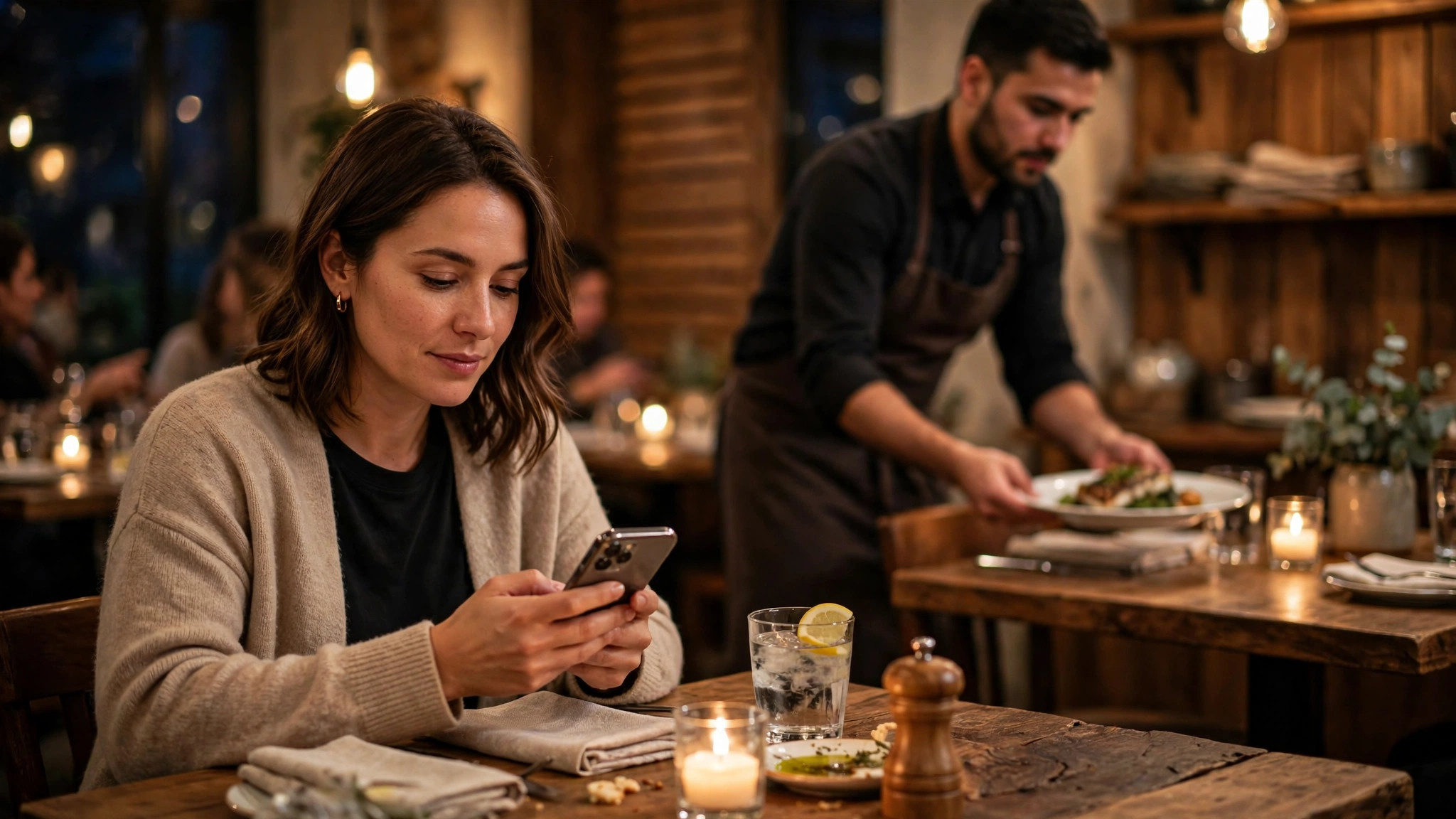
It is 22:40 on a Friday. Your dining room is full, your phone is ringing, and a guest on your website is typing a question: "Are you open tomorrow, and do you have a gluten-free menu?" Nobody on your team will see that message until the morning — and by then the guest has booked somewhere else. This is the gap a restaurant chatbot fills. Not a gimmick, not a robot waiter, just an always-on receptionist that answers the questions your website already contains the answers to, and passes the valuable ones — a table for eight on Saturday, a company Christmas party — to a human before they cool off.
This guide explains what AI chatbots on restaurant websites actually do in 2026, what they cost, where they go wrong, and how to roll one out in two weeks without annoying your guests. It is written for restaurant, café and bar owners in the Nordics, where guests ask in several languages, allergen rules are strict, and the phone still matters — which is exactly why the details of setup matter more than the sales pitch.
What a restaurant chatbot actually does
Strip away the marketing language and a restaurant chatbot is a simple thing: a chat window on your website that answers questions using your own published content — your menu, your opening hours, your location, your booking rules — and collects contact details when the conversation turns into a booking or an enquiry. The "AI" part means it understands free-form questions ("is there parking nearby?") instead of only offering buttons ("press 1 for hours"), and it can answer in the guest's language.
What it does not do is equally important. It does not cook, seat guests, or know anything you have not told it. A chatbot cannot answer "what is the soup today?" unless today's soup is written somewhere it can read. It cannot confirm a table unless it is connected to your booking system. And it cannot make a judgement call — whether a party of fourteen can be squeezed in on Saturday, or whether a guest with a severe nut allergy can safely eat in your kitchen. Those decisions stay human, and any chatbot setup that pretends otherwise is a liability, not a feature.
There are three kinds of restaurant chatbot on the market in 2026, and knowing which one you are looking at saves you from paying for the wrong one. The first is the rule-based FAQ bot: it matches questions to answers you write yourself, costs the least, and is perfectly adequate for hours, directions, and menu questions. The second is the AI chatbot: it reads your website, understands varied phrasing, and answers in multiple languages — the right choice for most restaurants that get questions in Finnish, Swedish, English and more. The third is the AI agent: it takes actions, not just answers — checking availability, creating bookings, calculating catering quotes, sending confirmations. Agents cost more and need real integrations, but they are the only kind that genuinely books tables on autopilot.
The two jobs: answering questions and capturing bookings
A restaurant chatbot does two distinct jobs, and confusing them produces a weak result. The first job is FAQ deflection: answering the dozens of questions every restaurant receives that have nothing to do with revenue — what time do you close, is there parking, do you take walk-ins, is the menu gluten-free, can we bring a toddler, do you have a high chair. These questions arrive constantly, by phone, email, Instagram DM and website chat, and each one costs a member of staff a minute or two. A chatbot that answers them instantly, at any hour, gives your team those minutes back — and gives the guest an answer in seconds instead of after three rings and a hold.
The second job is lead capture: turning a visitor who asks "do you do private events?" or "table for twelve on Friday?" into a named enquiry with a date, a party size and a phone number. These questions are rare compared with the FAQ volume, but each one is worth far more — a private dining booking or a catering enquiry can be worth hundreds or thousands of euros. The chatbot's job here is not to close the sale but to collect the details cleanly and hand them to your team fast, with the full conversation attached so nobody has to ask the guest the same questions twice.
How the two jobs share one widget
In practice, one chat window handles both. The guest asks a question; the bot answers; if the question smells like a booking — a date, a party size, the word "wedding" — the bot switches into a short structured flow: date, time, party size, name, phone number, anything else. The handoff is the critical moment. A good setup tells the guest what happens next ("we will confirm within two hours during opening hours") and actually does it. A bot that collects booking requests into an inbox nobody checks is worse than no bot at all, because the guest believes they have booked and you have no idea they exist. Before you launch, decide who reads the chatbot inbox, and what happens when they are off — a shared inbox, a phone notification, a daily digest, but never silence.
The 30-second test
Open your own chatbot as a guest and ask the three most common questions your restaurant gets. If any answer takes more than 30 seconds to reach, or the bot asks for information the guest has already given, fix that flow before you launch. Guests use chat because it is fast; the moment it is slower than calling, they call — or leave.
What guests actually ask
Before you train a chatbot, you need to know what your guests actually ask — not what you think they ask. The list is remarkably consistent across restaurants, and it is the list your bot should be built around. If you already answer these by phone and email every day, you already have the training data; write down the real questions and the real answers, in the guests' own words.
The most common questions fall into five groups. Practical questions come first: opening hours today, the address and directions, parking, whether you take walk-ins, whether you are open on a public holiday. Menu questions come second: what is on the menu, prices, whether there is a lunch menu, what is vegetarian or vegan, what the dish of the day is. Dietary and allergen questions are third, and they are the most sensitive group — covered in detail below. Booking questions are fourth: can I book a table, how far ahead, what is the cancellation policy, do you take large groups, can we sit outside. And fifth, the commercial questions: private dining, catering, gift cards, events, and whether you are hiring.
Mine your own inbox before you buy anything
The fastest way to build the answer list is to spend one hour with your own channels: the last month of emails, Instagram DMs, Google Q&A, and the questions your staff answer on the phone. Sort them into the five groups above and count them. The top twenty questions will cover the large majority of chatbot conversations, and writing good answers for those twenty is the single highest-value hour you will spend on this project. It also reveals gaps in your website: if guests keep asking a question whose answer is already on your site, the answer is hard to find — and the chatbot will keep getting asked it until the page improves. A chatbot is a diagnostic tool as much as a service tool: it shows you, in writing, what your guests cannot find.
Two details matter when writing the answers. First, write them the way your staff would say them, not the way a brochure would. "Yes — we have a gluten-free menu, and the kitchen can adapt most dishes. Please mention it when you book so we can prepare" is better than "we cater to dietary requirements". Second, every answer should end with a next step where one exists: a link to the menu page, the booking page, the directions. An answer without a next step is a dead end; an answer with a link is a conversion.
From question to confirmed table
The booking flow is where chatbots earn their keep — and where most of them disappoint. The disappointment has a specific cause: vendors sell "AI booking" when what they deliver is a form. A guest types "table for four on Saturday at seven"; the bot replies with a link to the booking page; the guest closes the chat and books — or does not. That is not autopilot. Real autopilot looks like this: the bot checks your booking system's availability for Saturday at 19:00, offers 18:30 or 19:30 if 19:00 is full, takes the guest's name and phone number, creates the booking, and sends a confirmation with the menu link. The guest never leaves the chat, and your team never touches the booking.
That flow needs an integration, and integrations are the first question to ask any vendor: which booking systems do you connect to, and does the connection check live availability or just send an email? In the Nordics, the common systems are DinnerBooking, Bookatable/TheFork, ResDiary, and the booking tools built into websites — and the answer varies by system. If your booking system has no integration with the chatbot you are considering, the bot can still collect requests, but someone on your team must confirm each one. That is still useful — it captures the enquiry at 22:40 instead of losing it — but it is not autopilot, and you should not pay autopilot prices for it. Our guide to choosing a booking system and the overview of what booking software a café actually needs will help you judge whether your current system is chatbot-ready before you buy.

No-shows, reminders and the follow-up
A chatbot that books tables should also reduce no-shows, and the mechanism is simple: confirmations and reminders. When the bot creates a booking, it should send a confirmation immediately, a reminder on the day, and — for large parties — a gentle nudge the day before. The same messages your team sends manually, sent automatically and on time, every time. This is also where the chatbot's conversation history pays off: the bot knows the guest asked about a high chair, or a window seat, or a birthday cake, and those notes should travel with the booking to the floor. If your setup loses the conversation the moment the booking is made, half the value is gone. For the wider picture on cutting empty tables, see our guide to eight ways to cut no-shows.
One caution: a chatbot should never confirm a booking it cannot guarantee. If the integration is down, if the date is a public holiday with special hours, if the party size exceeds what the system allows — the bot must say so and hand the guest to a human, not invent a confirmation. A false confirmation is the worst failure a restaurant chatbot can produce: a guest arrives for a table that does not exist, on the busiest night of the week. Build the failure path first, before the success path, and test it deliberately.
Allergens, accuracy and trust
Allergen questions are the most consequential category a restaurant chatbot will ever handle, and they deserve a section of their own. A wrong answer about opening hours is an annoyance; a wrong answer about allergens can send a guest to hospital. Every chatbot setup must treat allergen questions as safety-critical, not routine FAQ, and the rules are straightforward.
First, the bot answers allergen questions only from your published menu and allergen guide — never from its general knowledge, never by guessing. If the dish's allergen information is not in the guide, the bot must say so and offer a human. Second, every allergen answer carries the same disclaimer, every time: cross-contact is always possible in a shared kitchen, and any guest with a severe allergy should speak directly with the kitchen before ordering. Third, the bot never guarantees a dish is safe, and never says "allergen-free" unless that is a documented, verified fact about how the dish is prepared. Fourth, the allergen guide itself must be current — the bot is only as accurate as the document it reads, so a menu change that is not reflected in the guide is a safety gap, not a content gap.
The same accuracy principle applies to everything else the bot says. A chatbot that invents prices, opening hours or dishes is worse than a chatbot that says "I don't know". The technical fix is simple: restrict the bot to your own content, show a source link under answers where possible, and review the conversation log weekly for the first month. You will find the questions the bot got wrong, the questions it could not answer, and the questions that reveal a gap on your website. Fix the source — the menu page, the hours, the allergen guide — and the bot improves automatically, because the bot reads the source. For the full picture on allergen rules, see our guide to EU allergen labelling for restaurants.
Chatbot vs booking system: not the same job
The most common misunderstanding in this market is the idea that a chatbot replaces a booking system. It does not, and vendors who imply otherwise are selling you a gap. A booking system is the book: the table plan, the availability, the guest database, the no-show history. A chatbot is the receptionist: it holds the conversation that leads to a booking, answers the questions that precede it, and passes the result into the book. One without the other is incomplete, and the restaurant that buys a chatbot while its booking system is a paper diary has bought the wrong tool first.
Here is how to think about the split. The booking system owns the facts: which tables are free, who is coming, who cancelled last time. The chatbot owns the conversation: the guest's questions, the special requests, the tone. When the two are connected, the guest gets a smooth experience — ask, check, confirm, remind — and your team gets one book to manage instead of three inboxes. When they are not connected, the chatbot is a fancy contact form, and the booking system is a book that nobody talks to. Both can still be useful, but neither replaces the other.
What about the phone?
The same logic applies to AI phone answering, which is the chatbot's voice cousin and the fastest-growing part of this market. An AI voice agent answers the phone when your team cannot, takes bookings, answers menu questions, and takes messages — in 2026, the published prices run roughly €150–€600 a month per location (estimates). For a restaurant that misses calls during service, it can be worth more than the website chatbot, because the phone is where the highest-intent guests already are. But it carries the same rules: it must read your real menu, it must check real availability, and it must hand a human the conversations it cannot handle. Many restaurants will end up with one assistant across website chat, WhatsApp and phone — the same knowledge, the same tone, one inbox. That is the right end state; the mistake is buying all three channels on day one, before the website chatbot has proven itself on the cheapest channel.
What an AI chatbot costs in 2026
Chatbot pricing in 2026 spans an enormous range, and the range is the trap: a €25-a-month FAQ bot and a €600-a-month AI voice agent are different products with different names in the same market. The published prices below are estimates drawn from vendor pricing pages and market surveys in late 2026 — always confirm the current price and what is actually included before signing.
| Solution | Typical cost (estimates, 2026) | What it does | Best for |
|---|---|---|---|
| Basic FAQ chatbot | €25–€75/month | Answers hours, menu, directions | Cafés and small restaurants |
| AI chatbot with booking handoff | €75–€200/month | Answers + collects booking requests | Most single-location restaurants |
| AI agent with live booking integration | €150–€400/month | Checks availability, confirms bookings | Busy full-service restaurants |
| AI voice agent (phone answering) | €150–€600/month per location | Answers calls, takes bookings and orders | Phone-heavy restaurants |
| Custom-built AI agent | €5,000–€25,000 one-off (estimate) | Deep POS, booking and loyalty integration | Groups and multi-location operators |
The sticker price hides the real cost, which is your time. Budget roughly four hours to build the first answer list and the booking flow, and fifteen minutes a week to review conversations and fix the answers that went wrong. That weekly review is not optional housekeeping — it is the difference between a bot that gets smarter and a bot that confidently repeats the same wrong answer about your Christmas opening hours for a month. Some vendors charge a setup fee on top of the monthly price, typically a few hundred euros; some waive it on annual plans. Watch for per-conversation pricing: a plan that looks cheap at €50 a month can become expensive if it charges per chat and your summer season triples the volume. Ask for the price at your actual conversation volume, not the headline tier.
How to judge the return
The return on a chatbot is measurable, and you should measure it from the first month. Count three things: how many conversations the bot handled without a human, how many booking or event enquiries it captured, and how many of those turned into seated guests. A small restaurant taking thirty booking enquiries a day can compare the bot's monthly cost directly against the staff hours it replaces — at Nordic wage levels, even a modest deflection rate pays for a basic plan quickly. But be honest about the maths: if your restaurant gets five website chats a week, a €200-a-month agent will not pay for itself, and a free or cheap FAQ bot — or simply a better FAQ page — is the right answer. Our guide to measuring booking conversion gives you the baseline numbers to judge against. The chatbot is a tool for volume; without volume, it is a decoration.
GDPR, languages and the Nordic guest
Two things make the Nordic market different from the American guides that dominate this topic: data protection law and language. Both are manageable, but both must be handled deliberately, because a chatbot that gets them wrong creates legal exposure rather than convenience.
On GDPR, the basics are these. A chatbot collects personal data — names, phone numbers, email addresses, and the content of conversations — so it needs a legal basis, a privacy notice that says what is collected and why, and a data processing agreement with the vendor. Check where the vendor stores conversation data: EU-based storage simplifies compliance considerably, and some low-cost tools store data outside the EU, which needs a transfer mechanism. Keep retention short — booking enquiries do not need to be kept for years — and make sure a guest can ask for their data to be deleted. The consent banner on your website covers analytics cookies; the chatbot's data collection is a separate matter and needs its own disclosure in the chat window itself. For the wider picture, see our guide to cookies, consent and measuring within GDPR.
On language, the Nordic guest is multilingual by habit. A restaurant in Helsinki may get questions in Finnish, Swedish, English and Russian in the same week; a Bergen restaurant will hear Norwegian, English and German. A modern AI chatbot handles this well — it detects the guest's language and answers in it — but only if the underlying knowledge is solid. The practical rule: write the answer list in your main language first, make sure the bot answers accurately there, and then enable additional languages one at a time, testing each with real questions. A bot that answers fluently in four languages but gets the allergen answer wrong in all four is worse than a bot that answers correctly in one. And always offer a human escape hatch in the guest's language: "speak to a person" should be one tap away, not buried in a menu.
The two-week rollout — and when to skip it
Rolling out a chatbot is a two-week job, not a two-month project, if you do it in the right order. Week one is preparation: write the top twenty answers from your real inbox, publish or fix the website pages the bot will read — menu, hours, allergen guide, booking page — and choose the cheapest tier that covers your real question volume. Do not buy the agent tier before the FAQ bot has proven itself. Week two is launch and review: put the chat window on the website, tell your team it is live, and review every conversation daily for the first two weeks. Fix the wrong answers at the source — the website page, not the bot — and add the questions the bot could not answer. By the end of week two you will know whether the bot earns its keep: count the deflected questions, the captured enquiries, and the complaints. If the numbers work, keep it and consider the booking integration. If they do not, you have spent two weeks and the price of one month, and you have learned exactly what your guests ask — which is valuable even without the bot.
When a chatbot is the wrong call
Not every restaurant needs one. Skip the chatbot — for now — if your website traffic is low, if your team already answers the phone quickly, if your menu changes daily and nobody updates the website, or if your booking system cannot accept online bookings at all. In each of those cases the money and the hour a week are better spent on the underlying problem: more website traffic, a better FAQ page, a disciplined menu update routine, or a working booking system. A chatbot amplifies what your website already does well; it cannot fix what the website does badly. And if your restaurant is the kind where the owner greets every guest by name and the phone is answered on the second ring, a chatbot may add little — your guests already have the best possible receptionist, and it is you. The right time to add the bot is when the questions start arriving faster than a human can answer them — at midnight, mid-service, in four languages. That is when autopilot stops being a luxury and starts being the only way the questions get answered at all.
If you do go ahead, one last piece of groundwork matters more than the vendor choice: the website itself. A chatbot can only answer from what your site publishes, and a slow, outdated or hard-to-read site gives the bot nothing to work with. A clean, fast, phone-first website with a real-text menu, correct hours and a working booking page is the foundation — and it is also what your guests see when the bot hands them a link. PowerfulWebsite builds that foundation for free: Starter €59/month, Essential €109/month, Ultra €179/month, Restaurant €239/month including the ordering system, all VAT-inclusive and invoiced in euros, plus a one-time €25 domain handling fee. The build is free, updates are included, and the site is ready for whatever you plug into it next — chatbot included.
Frequently asked questions
How much does an AI chatbot for a restaurant cost?
A basic FAQ chatbot for a single restaurant typically costs roughly €25–€75 a month, a mid-tier bot with booking integration roughly €75–€200 a month, and an AI voice agent that answers the phone roughly €150–€600 a month (estimates, 2026). Custom-built AI agents run from roughly €5,000 to €25,000 one-off. Most small restaurants should start with the cheapest tier that answers their real questions and only upgrade when the volume justifies it.
Can a chatbot take table bookings?
Yes, but only if it is connected to your booking system. A chatbot on its own can collect a booking request — date, time, party size, contact details — and email it to you. A chatbot wired into your reservation system can check real availability and confirm the booking on the spot. Ask any vendor which of the two they sell: the difference is the difference between a message form and a reservation.
Will a chatbot answer allergen questions safely?
Only if it is trained to. A safe setup answers allergen questions from your published menu and allergen guide, adds a disclaimer that cross-contact is always possible in a shared kitchen, and hands severe-allergy questions to a human. A chatbot must never invent an allergen answer or guarantee a dish is safe. If a vendor cannot show you how their bot handles allergen questions, do not install it.
Does an AI chatbot replace my booking system?
No. A chatbot is the front door, not the booking book. It handles the conversation — the questions, the party size, the special requests — and hands the actual reservation to your booking system. Restaurants that treat a chatbot as a replacement end up with bookings in an inbox nobody checks. Keep the booking system as the single source of truth.
Do guests actually use restaurant chatbots?
Yes, for quick factual questions — opening hours, today's menu, directions, whether you take walk-ins. Guests use chat when it is faster than calling or scrolling, and they abandon it the moment it gives a wrong answer or traps them in a loop. The test is simple: if the bot answers the question in under 30 seconds, guests like it; if it wastes their time, they call — or go elsewhere.
Want a website your chatbot can actually learn from?
PowerfulWebsite builds your restaurant's website for free — you only pay from €59/month. Everything included: domain, hosting, maintenance and updates, with a real-text menu, correct hours and a working booking page a chatbot can read.
Why PowerfulWebsite? It is the most affordable full-service option for restaurants in the Nordics: free build, from €59/month, zero commission on orders.
See the packages