WhatsApp Marketing for Restaurants: Channel and Rules
WhatsApp marketing for restaurants works when guests opt in first and every message is useful: an order-ready alert, a booking reminder, a birthday offer, a weekly special worth opening. The free WhatsApp Business app is enough for most small restaurants; the paid API is for automation at scale. The channel is cheap — about €0.05 per marketing message in the Nordics — but the rules are strict, and breaking them costs you the channel, not just the campaign.
Key takeaways
- WhatsApp is the most personal marketing channel a restaurant owns — guests read it, but they also judge you by it. Useful and rare beats frequent and noisy.
- Opt-in comes first, always. In the EU, marketing needs explicit, channel-specific consent, and every message needs an opt-out.
- The free Business app covers most small restaurants; move to the API when you need automation, several staff on one number, or campaigns at scale.
- In Finland, Sweden, Norway and Denmark a marketing message costs about €0.049 and a utility message about €0.014 (Meta, October 2026); the first 1,000 service messages a month are free.
- Inside the 24-hour window you can message freely; outside it, only pre-approved templates. Handle orders and bookings while the chat is fresh.
Your guests check WhatsApp more often than their email, more often than Instagram, and far more often than your website. For a restaurant, that makes it the most direct line you will ever own to the people who already like you — the regulars, the birthday-bookers, the Friday-night crowd. It is also the most personal line you own: your messages arrive next to texts from family and friends, and a restaurant that abuses that placement gets blocked, reported, and eventually cut off by Meta. This guide covers both sides of that deal: the channel, the rules, and the practice — setting up your profile, taking orders and bookings in chat, and the campaigns that make the channel pay.
What WhatsApp marketing is — and why it works for restaurants
WhatsApp marketing for restaurants means using WhatsApp to promote your menu, take orders and bookings, and stay in touch with guests who have agreed to hear from you. It is not a broadcast channel in the email sense: it is a conversation channel that happens to carry promotions. That distinction decides everything about how well it works. A guest who messages you about tonight's table and gets a fast, human answer becomes a regular. A guest who never asked to hear from you and gets a weekly flyer becomes a block.
The reason it works so well for restaurants specifically is that almost everything a restaurant needs to communicate is short, timely and personal: your table is ready, your order is on its way, the Friday menu is out, your birthday dessert is on us. Email buries those messages; WhatsApp delivers them in seconds, to a phone the guest is already holding. And because the guest has to opt in, the audience is small but warm — a list of 300 opted-in regulars will outperform an email list of 3,000 strangers on almost any offer you send it.
It also fits the way small restaurants actually operate. You do not need a marketing department to run it: one phone, one person answering, and a few templates cover most of the value. The channel rewards consistency more than scale. A café that sends one genuinely useful message a week builds a habit in its guests; a restaurant that buys a list and blasts it builds a reputation problem.
What WhatsApp is good for, in order
- Order and booking conversations. The highest-value use: a guest asks, you answer, they book or order. Fast replies here are worth more than any campaign.
- Service messages. Order confirmations, "your table is ready", delivery updates, booking reminders. Useful, expected, and cheap.
- Loyalty and win-back. A stamp card that lives in chat, a birthday offer, a "we miss you" message to a quiet regular.
- Short promotions. A weekly special, a new dish, a quiet-night offer — sent rarely, to people who asked for them.
WhatsApp Business app vs the API: which one you need
WhatsApp offers two products for businesses, and choosing the wrong one is the most common first mistake. The WhatsApp Business app is free, built for small businesses, and runs on a single phone. The WhatsApp Business Platform — usually called the API — is the programmable version for messaging at scale through software. They are not two tiers of the same thing; they are different tools for different sizes of operation.
| Feature | WhatsApp Business app (free) | WhatsApp Business Platform / API |
|---|---|---|
| Best for | Small cafés and restaurants | Growing restaurants and chains |
| Cost | Free from Meta | Meta's per-message fee, plus a provider fee (typically from €9/month) |
| Who answers | One person, one device | Several staff on one number, through software |
| Catalog | Yes — dishes with photos and prices | Yes, managed through software |
| Automation | Greeting and away messages, quick replies, labels | Full automation: order alerts, booking reminders, chatbots |
| Broadcasts | Up to 256 contacts per broadcast list | Campaigns to your whole opted-in list |
| Integrations | None | Booking system, ordering system, CRM, loyalty software |
The practical rule is simple: if one person can answer every chat and you send a handful of updates a week, the app is enough. It has everything a small restaurant needs — a business profile, a catalog that acts as a mini-menu, quick replies for the questions you answer ten times a day, and labels to organise chats. Move to the API when you want an order-ready alert the moment the kitchen marks an order done, birthday offers to go out automatically, or more than one person answering the same number.
One decision to make on day one, whichever version you choose: use a dedicated restaurant number, not your personal one. A separate number keeps your private chats private, lets a colleague answer when you are off, and survives staff changes. If your restaurant already takes bookings on a landline, keep that for calls and put WhatsApp on a mobile number printed on the menu, the table tents and your website.
Opt-in and GDPR: the rules before the first message
This is the section that decides whether your WhatsApp marketing survives its first month. Meta's rule is absolute: you may only message people who gave you their number and agreed to receive messages from you. The opt-in must state clearly that the person agrees to receive messages, and it must name your business. In the EU, the GDPR adds its own layer: marketing consent must be explicit and channel-specific, a pre-ticked checkbox is not valid consent, and you must store a record of it — the timestamp, the exact consent text, and the phone number. Since May 2026, Meta has also required a WhatsApp-native opt-in for marketing in the EU, so a website checkbox alone is no longer sufficient for marketing consent.
None of this is bureaucracy for its own sake. It is what keeps WhatsApp usable: the reason guests read your messages is that they chose to receive them. Every rule below protects that, and breaking them is how restaurants lose the number.
How to collect opt-in properly
- On your website: a clear opt-in on the booking confirmation page — "Get your booking reminder and occasional offers on WhatsApp" — with a separate, unticked checkbox for WhatsApp, distinct from email.
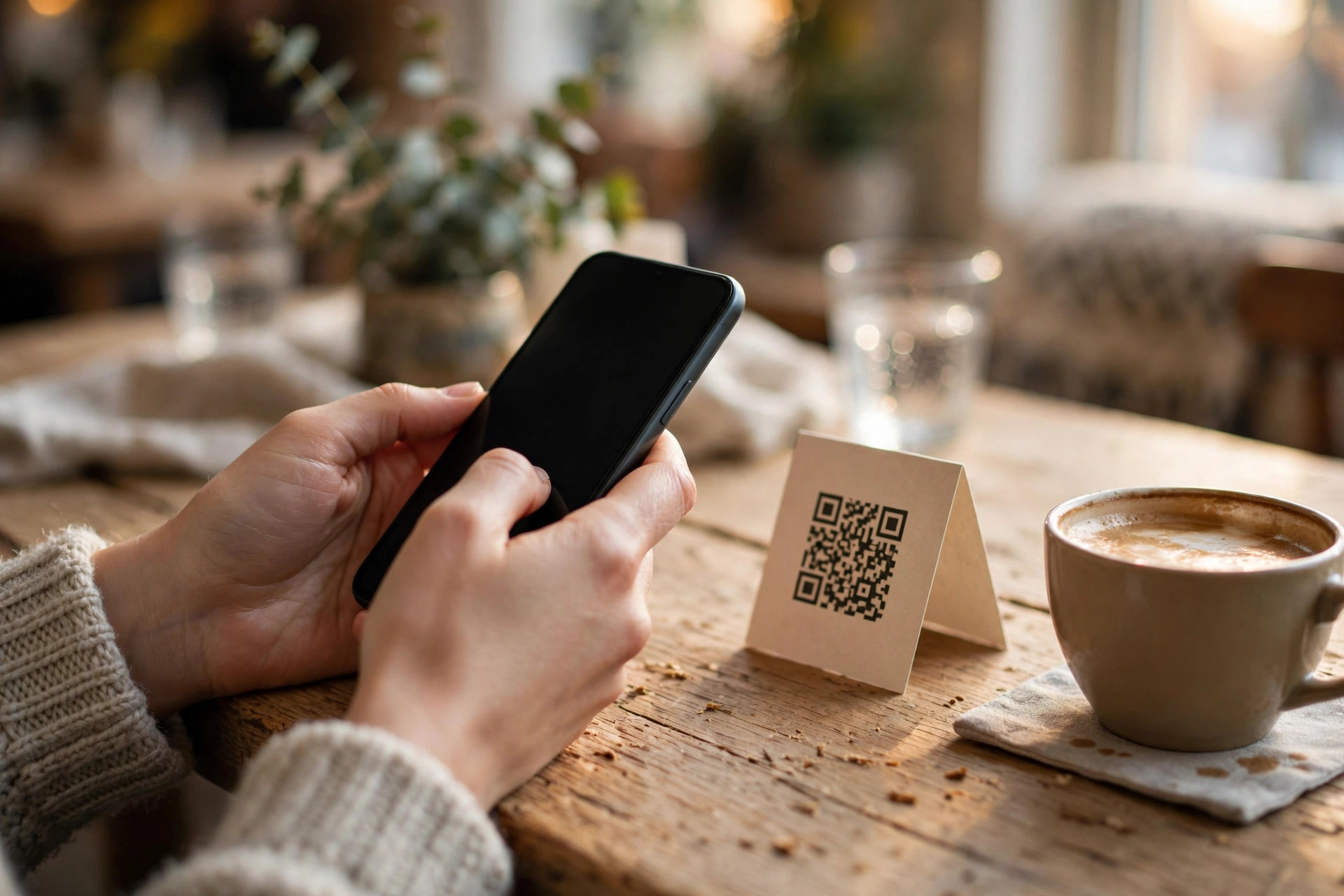
- In person: a QR code on the table or the bill that opens a chat with a pre-filled "Yes, send me the weekly menu" message. The guest sending that message is the opt-in.
- At the till: ask, don't assume. "Would you like the lunch menu on WhatsApp each Monday?" takes five seconds and produces a list that actually wants you.
- From click-to-WhatsApp ads: a Facebook or Instagram ad with a WhatsApp button brings people who chose to start the conversation — the strongest opt-in there is.
What never counts as opt-in: a phone number from a booking made for another purpose, a number copied from a delivery platform, a purchased list, or a guest's number from a previous visit. Using a booking phone number for marketing is the single most common GDPR mistake restaurants make on WhatsApp. Keep two lists in your head at all times: people you may message about their booking or order, and people who agreed to marketing. They overlap, but they are not the same list.
Your GDPR checklist for WhatsApp
- Explicit, channel-specific opt-in, stored with timestamp and exact wording.
- An opt-out instruction in every marketing message, processed immediately.
- Data used only for the purpose the guest agreed to — nothing more.
- A data processing agreement (DPA) with your API provider, if you use one.
- A way to honour access and erasure requests: you must be able to delete a guest's number and history when asked.
- Staff who know the rules — one well-meaning employee messaging a personal contact list from the business phone can undo all of it.
For the wider picture on guest data, our guide to loyalty data and GDPR covers what you may store, for how long, and what guests can ask you to delete. And if you also run email, the same consent discipline applies — see building an email list from zero, GDPR-safe.
Templates: the price of messaging first
On the API, any message you send outside an open chat must use a template that Meta has approved. Each template falls into a category, and the category decides the price: marketing (promotions, new menu launches, offers, win-back messages), utility (order confirmations, delivery updates, booking reminders), or authentication. Any template that mixes an update with a promotion counts as marketing — Meta can recategorise a utility template as marketing with about a day's notice if it contains promotional content. Keep your templates clean: service messages carry no offers, marketing messages carry no pretending. On the free app, templates do not apply in the same way, but the opt-in rule does — the app is not a loophole.
What does WhatsApp marketing cost in 2026?
Since 1 July 2025, Meta charges per delivered message rather than per conversation, and you only pay for messages your business sends — messages guests send you are free. The rate depends on the message category and on the country code of the recipient's number. Two changes took effect on 1 October 2026: service messages are free only up to 1,000 delivered per business phone number each month, and utility messages sent inside an open service window are charged again. Rates change quarterly, so check Meta's current rate card before you model spend — the figures below are from the rate card effective 1 October 2026.
| Recipient market | Marketing message | Utility / service message | What a restaurant pays in practice |
|---|---|---|---|
| Finland, Sweden, Norway, Denmark (Rest of Western Europe) | €0.0490 | €0.0142 | 1,000 marketing messages ≈ €49; 1,000 utility messages ≈ €14 |
| Germany | €0.1131 | €0.0456 | Higher than the Nordics — relevant if you message German tourists |
| France | €0.0712 | €0.0248 | Mid-range Western Europe |
| United Kingdom | €0.0526 | €0.0182 | Close to Nordic rates |
| Spain | €0.0585 | €0.0166 | Close to Nordic rates |
Put those numbers next to a real restaurant list and the channel looks very cheap. A restaurant with 500 opted-in regulars sending one marketing message a week pays roughly €25 a week in Meta fees — about €100 a month — plus the provider fee if it uses the API. The same list on the free app costs nothing in Meta fees at all, though you pay in staff time instead. Compare that with delivery platforms, which take 15–30% commission on every order: if WhatsApp moves even a small share of orders to your own channel, it pays for itself many times over. The honest cost of WhatsApp marketing is not the messages. It is the discipline: the time to answer chats properly, the restraint to message rarely, and the admin of keeping consent records clean.
One more cost note: the API is not only Meta's per-message fee. Most restaurants use a provider (a BSP) charging a monthly fee — typically from around €9 a month — with Meta's fees on top. Get a quote that separates the two, and model your monthly volume first: 500 guests times four messages a month is 2,000 messages, about €98 in Meta fees at Nordic marketing rates.
Setting up your business profile in an afternoon
Setup is a one-afternoon job, and it is worth doing properly: your profile is the first thing a guest sees, and a half-finished one looks like a restaurant that does not answer.
The setup checklist
- Business profile: your restaurant's name, address, opening hours, website, a short description, and your cuisine category. Fill in every field — guests decide in seconds whether they have reached the right place.
- Catalog: add your dishes one by one, each with a photo, a price and a short description. Group them into collections that mirror your menu sections — starters, mains, desserts, drinks. This is manual work, and it is the most valuable hour you will spend on the channel: the catalog is your menu inside the chat.
- Greeting message: a short automatic welcome that sets expectations — what you can help with, and when you answer. Example: "Hi, this is [Restaurant]. Browse our menu here, or tell us what you'd like — we reply within the hour during opening times."
- Away message: what guests see outside opening hours, with your opening time and a link to the menu or booking page. Nobody should message a dark restaurant and hear nothing until morning without knowing when to expect an answer.
- Quick replies: saved answers for the questions you get ten times a day — opening hours, today's menu, the address and parking, how to book, allergen information. Type "/" and the answer is there.
- Labels: organise chats by status — new order, booked, waiting for reply, regular, supplier. Labels are the difference between a chat list and a system.
- Click-to-chat link and QR code: create your wa.me link and a QR code for table tents, takeaway packaging and the menu. A guest who scans a QR at the table starts a chat without typing a number, and that scan is an opt-in you can build on.
- Put the button everywhere: your website header and contact page, your Google Business Profile, your Instagram bio, your email signature. Every place a guest might want to reach you should offer WhatsApp as the fastest route.
Test the whole flow yourself before launch: scan the QR as a guest, browse the catalog, send an order, and check who on your team sees it and how fast they reply. If the test order sits unanswered for an hour, fix the rota before you promote the number. A WhatsApp button that leads to silence is worse than no button at all.
Orders and bookings on WhatsApp
Ordering is where WhatsApp earns its keep for many restaurants, because it replaces the phone call — the channel guests increasingly avoid — with a conversation they control. There are four ways to run a menu on WhatsApp, and the right one depends on the size of your menu and how much automation you want.
The four menu formats
- A menu photo or PDF. The simplest version: send the same image for the fortieth time. Fine for a tiny menu, painful for anything bigger, and every price change means a new image.
- The free catalog. Dishes with photos and prices, grouped into collections, with a cart the guest fills inside the chat. This is the best option for most small restaurants: it costs nothing and the guest never leaves WhatsApp.
- A QR or link menu. A web menu hosted by a menu tool; the guest scans the QR, picks dishes, and the order lands in your WhatsApp as a pre-filled message. Good when your menu is too big for a catalog.
- A bot on the API. The bot greets the guest, shows categories first and dishes second (a WhatsApp list holds only ten rows, so categories come first), confirms the order and takes payment details. This is a proper ordering system, and it needs software built on the official API.
Whichever format you choose, the flow a guest experiences should be the same: they find the menu without typing, build a cart without confusion, and get a confirmation with a time. Nothing is final on a cart order until you confirm it, so decide today who confirms orders and how fast — during service, that needs a named person and a target of minutes, not hours. Pair WhatsApp with your own ordering page for the best of both: the guest starts in chat, opens your branded ordering page, and the order lands structured in your system, without a 15–30% platform commission. Our guides to building your own pickup channel and whether your own ordering system is worth it cover the economics.
Bookings: the four messages you will get most
Most restaurant WhatsApp chats are one of four questions: what's on the menu, I'd like to book a table, I'd like to order, and where exactly are you. Each has a ready-made WhatsApp tool that makes your reply faster than typing it out every time. A booking works best with quick-reply buttons — up to three, each label up to 20 characters — asking for day, time and party size, then a confirmation with the details. A location question gets a location message with your coordinates, which the guest opens straight on the map. And once the booking exists, WhatsApp is the best reminder channel you own: a confirmation at booking, a reminder the day before, and a "your table is ready" on the night. Our booking confirmation templates work well adapted to chat, and the no-show reduction alone often justifies the channel.
The 24-hour window, in practice
When a guest messages or calls you, a 24-hour customer service window opens, and every new message from them resets it to 24 hours. Inside the window you can send regular messages of any type — text, images, video, documents, location, interactive lists and buttons. Once the window closes, you can only send pre-approved templates. The practical rule is to handle the order or booking while it is fresh, in the same chat: confirm, take the details, send the summary. A booking reminder two days later or a weekend offer needs a template, so keep your templates approved and ready before you need them. Since 1 October 2026, replies inside the window are no longer free on the API — they are charged at the utility rate after the first 1,000 free service messages a month — so the window is still your best time to reply, just no longer a free one.
Campaigns that actually get read
Broadcasts and campaigns are the part of WhatsApp marketing most restaurants get wrong, usually by sending too much, too often, to people who never asked. The channel's strength is that messages get read; its weakness is that every message costs attention, and attention is the one thing you cannot buy back. Send rarely, send usefully, and send to people who chose this.
Broadcast lists: small, warm, and honest
On the free app, a broadcast list holds up to 256 contacts, and only contacts who have saved your number receive the broadcast. That is a feature, not a bug: it forces you to build a list of people who actually want you. On the API, campaigns go to your whole opted-in list, which is why the opt-in record matters so much. Either way, the rule is one useful message a week at most.
The five campaigns worth running
- The weekly special. One message, one dish, one price, one date. "Friday: reindeer fillet, €32, six tables left." Short, specific, and gone by Saturday.
- The quiet-night offer. Tuesday is empty; your regulars get first refusal on a Tuesday deal. This is the highest-return campaign most restaurants can run, because it fills seats that would otherwise stay empty.
- The birthday offer. A free dessert or a glass of sparkling wine in the guest's birthday week. It needs a birth date on file and an automated send — this is the campaign that justifies the API for many restaurants. See our birthday messages that work on autopilot for the wording.
- The win-back. A guest who has not visited in three months gets one message: "We miss you — coffee is on us this week." One message, not a sequence. Our win-back guide covers the timing and the offer size.
- The loyalty stamp card. Replace the paper punch card with WhatsApp: record visits in chat, send a reward at the tenth visit. Our comparison of restaurant loyalty programmes and the guide to digital stamp cards cover the setup.
Status and groups: use sparingly
WhatsApp Status — the disappearing 24-hour posts — is a good place for the daily special, because it costs the guest nothing: they choose to look. Groups are a different matter. A group for your regulars can work for a tiny, tight community, but most restaurant groups become noisy and hard to leave gracefully. Prefer broadcasts and Status over groups, and never add a guest to a group without asking.
Measuring what matters: read rates are not the goal
WhatsApp's read rates are famously high — far above email — and that is exactly why they are a trap. A 90% read rate on a message nobody acted on is a failure wearing a success costume. Measure what the channel is for: bookings, orders, and visits from people who would not otherwise have come.
The numbers to watch every month
- Opt-ins and opt-outs. How many guests joined, how many left, and why. A rising opt-out rate is the earliest warning that you are sending too much or too little of value.
- Blocks and reports. If blocks rise, stop campaigning immediately and check the last three messages you sent. Blocks are also a Meta quality signal: enough of them and your number's messaging limits fall.
- Response time. How fast does a guest get an answer during opening hours? Under an hour is the minimum; under 15 minutes is the standard your regulars will remember.
- Orders and bookings from WhatsApp. Tag them at the source — a booking link with UTM parameters, an ordering page that records the channel — and count them monthly.
- Revenue per message. Campaign revenue divided by messages sent. A weekly special that earns €400 from 300 messages costs about €15 in Meta fees: that is the arithmetic that justifies the channel.
Keep the reporting simple: one page a month, five numbers, and a note on what you sent. If revenue per message is falling, the answer is almost always to send less, not more — or to send something better. Measure the campaigns, but don't forget the conversations: the guest who books because they could ask a question in thirty seconds, the regular who stays because you remembered their birthday, the table that filled on a Tuesday because 300 people got one good message.
Mistakes that get you blocked — or fined
WhatsApp enforces its rules with machinery, not warnings. A number that collects blocks and reports loses messaging limits, then loses the ability to message first at all. The mistakes below are the ones that cause it.
- Messaging people who never opted in. Booking numbers, delivery-platform numbers, purchased lists. The fastest route to blocks, complaints and a GDPR problem.
- Sending too often. More than one marketing message a week, every week, trains guests to mute you — and muting is one step from blocking.
- Hiding the offer inside a service message. A booking reminder with a discount attached is a marketing message. Meta can recategorise it, and the guest can tell the difference too.
- No opt-out in marketing messages. Every marketing message needs a clear way out, processed immediately. "Reply STOP" is the standard; honour it the same day.
- One phone, one person, no cover. If the only person who answers WhatsApp is off sick, orders sit unanswered. Name a second person and a response-time target.
- Treating WhatsApp as a replacement for a website. Chat is for conversations, not for your menu, your story and your booking system. Guests who want the full picture need a fast website that presents it — and a PowerfulWebsite site is built for exactly that: the build is free, plans run €59–€239/mo including hosting, maintenance and updates, and the Restaurant plan at €239/mo includes the ordering system your WhatsApp guests will land on.
- Forgetting the channel is personal. WhatsApp sits next to messages from family. Shouting, daily flyers and pushy sales language don't just fail — they damage the relationship with your best guests.
Done right, WhatsApp is the cheapest loyalty channel a small restaurant owns: a few cents a message, an audience that chose you, and conversations that turn first-time guests into regulars. Start with the free app, collect opt-in properly, answer fast, and message rarely. The restaurants that do best on WhatsApp are not the ones that send the most. They are the ones whose guests are glad to see the name pop up.
Frequently asked questions
Is WhatsApp marketing free for restaurants?
The WhatsApp Business app is free, and messages your guests send you are always free. What costs money is the WhatsApp Business Platform (the API): since July 2025 Meta charges per delivered business message, by category and by the recipient's country. In Finland, Sweden, Norway and Denmark a marketing message costs about €0.049 and a utility message about €0.014 (Meta rate card, October 2026). The first 1,000 service messages per business number each month are free.
Do I need permission to message customers on WhatsApp?
Yes. Meta requires opt-in before a business messages anyone on WhatsApp, and in the EU the GDPR requires explicit, channel-specific consent for marketing messages. The opt-in must name your restaurant and say what kinds of messages the guest will receive. A pre-ticked checkbox is not valid consent, and every marketing message must include an opt-out that you process immediately.
What is the difference between the WhatsApp Business app and the API?
The WhatsApp Business app is free and built for a small restaurant where one person answers chats from one phone: it has a business profile, a product catalog, quick replies and broadcast lists of up to 256 contacts. The WhatsApp Business Platform (the API) is for messaging at scale through software: multiple staff on one number, automated order and booking messages, and campaigns to your whole opted-in list. If one person can answer every chat, the app is enough.
Can customers order food on WhatsApp?
Yes. In the free WhatsApp Business app you build a catalog of dishes with photos and prices, and guests can add items to a cart and send the order as a message. For a smoother flow, link guests from WhatsApp to your own ordering page, where the order lands structured in your system. Either way, decide in advance who confirms each order and how fast — a WhatsApp order nobody confirms is worse than no WhatsApp ordering at all.
What is the 24-hour rule on WhatsApp?
When a guest messages or calls you on WhatsApp, a 24-hour customer service window opens, and every new message from them resets it. Inside the window you can send any kind of message freely. Once the window closes, you can only send pre-approved templates. In practice: handle the order or booking while the chat is fresh, and use a template for a booking reminder two days later or a weekend offer.
How often should a restaurant message guests on WhatsApp?
One useful message a week is plenty for most restaurants, and many do well with two or three a month. WhatsApp is the most personal channel you own — it sits next to messages from family — so every message must earn its place: an order ready alert, a booking reminder, a birthday offer, a genuinely good weekly special. If you would not send it to a friend, do not send it to a guest. Watch blocks and opt-outs: if they rise, you are sending too much.
Want a website that turns your WhatsApp chats into bookings?
PowerfulWebsite builds your restaurant's website free — you only pay from €59/mo. Everything included: domain, hosting, maintenance and updates, with your menu, ordering and booking presented to convert every chat into a guest.
See the packages